291
Installing the QCMC
CAUTION You must power off the printer before you install or remove the QCMC,
or you
may damage the QCMC and the printer. If you remove the QCMC
after powering
on the printer with the QCMC installed, the fault message
“SD REMOVED
Reboot Printer” will display. You cannot clear this
message by reinserting the
QCMC. You must cycle power.
1. Set the printer power switch to O (Off).
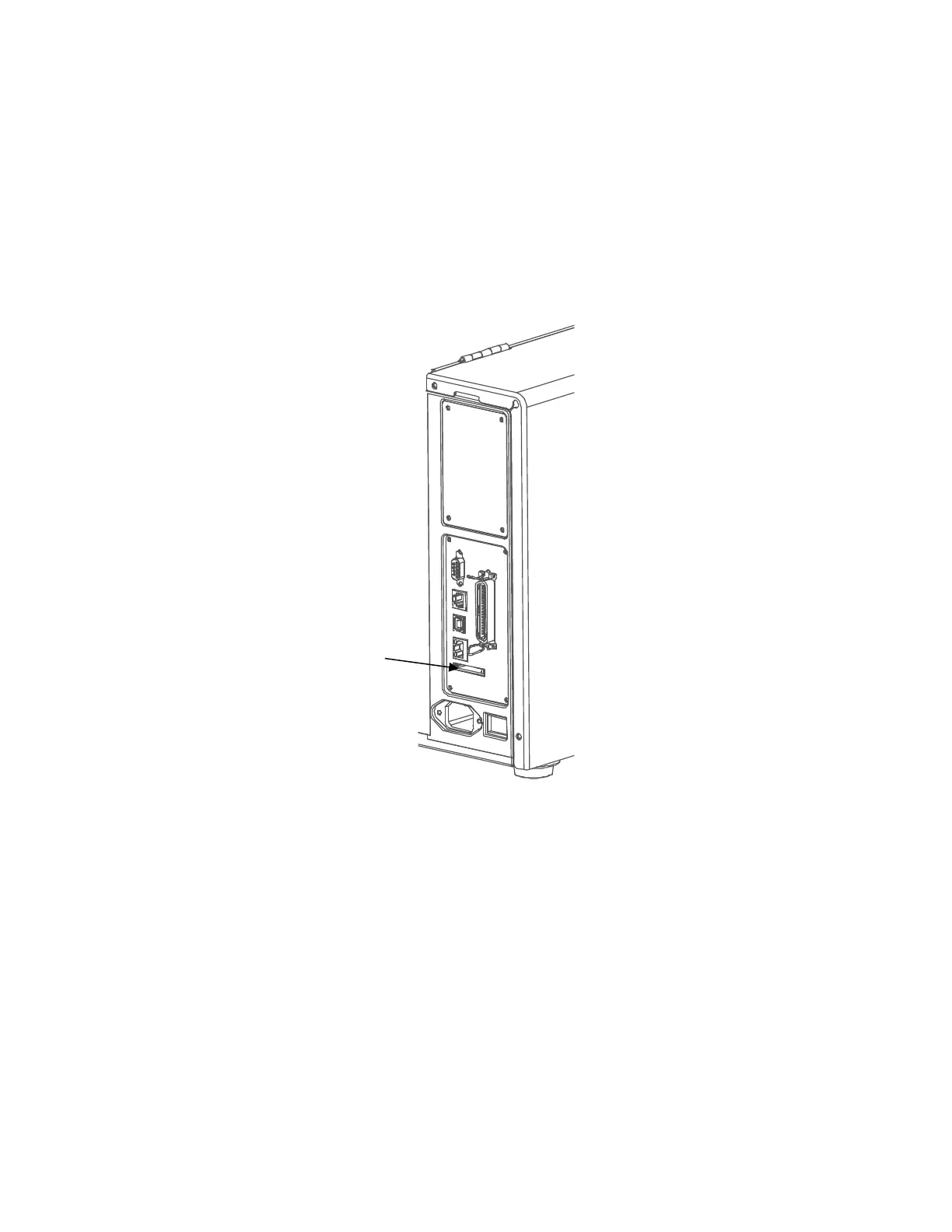
2. Insert the QCMC SD card into the QCMC slot on the back of the printer.
Figure 22 QCMC Slot on Back of Printer
Saving the Printer’s Configuration to the QCMC
NOTE: The MAC address residing on the QCMC will be used in place of the
MAC assigned to the
printer’s own network card whenever the QCMC
is installed. If you do not want to identify the
printer with this MAC
address, make sure the QCMC is removed from the printer before
attaching the printer to the network.
When the printer software detects the presence of a QCMC at power-up, a
check of the QCMC will be
performed to determine if there is already a saved
flash image available. If no printer flash image exists on
the QCMC, the
software will then check to see if there are any saved configurations in the
printer. If the
QCMC is blank (no flash image) and saved
configurations are detected in the printer, then the user will be
prompted
with a message on the front panel to save the printer’s configuration to the
QCMC as shown
below.












 To Next Page