230
5 Reprogramming the
Security Key
Reprogramming the Security Key
The security key on the controller board can be reprogrammed with a
Software Program Exchange (SPX)
module. The SPX is an intelligent module
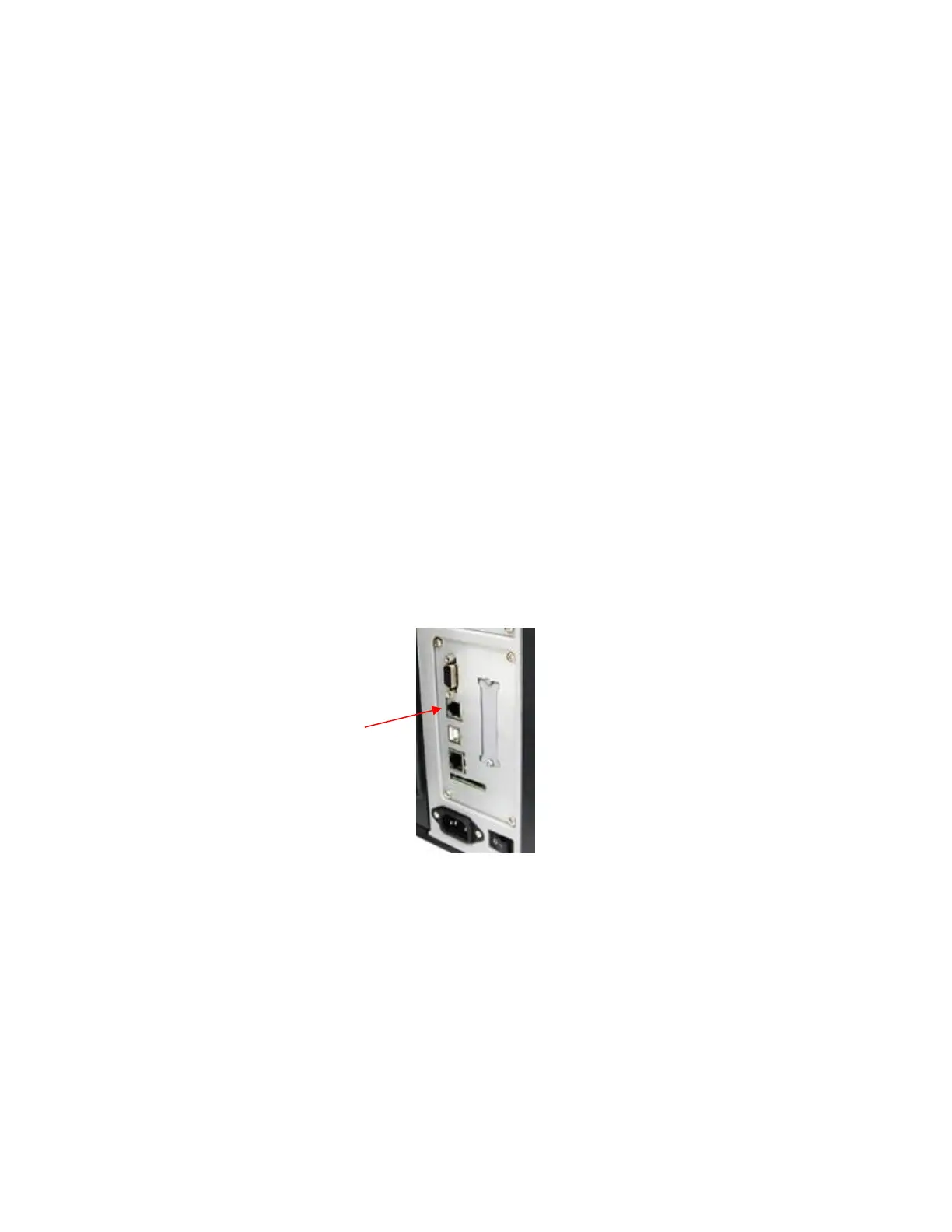
that plugs into the debug port on the back of the T6000. The SPX
is used only
once; it automatically overwrites itself after successfully reprogramming a
security key. This
allows the end user or a service technician to enable
features such as new emulations without having to
remove covers and install
a new security key on the controller board.
The SPX is used at power-up only and is not left in the printer during normal
operation. Because it is a
single-use disposable item the user is not required
to return it to the vendor or manufacturer.
How to Program the Security Key
1. Power off the printer.
2. Refer to Figure 16 to locate the debug port at the rear of the printer.
3. Insert the SPX into the debug port as shown.
Figure 16 Inserting The SPX into the Debug Port
4. Power on the printer. The printer will begin its boot-up sequence.
5. When the printer detects a valid SPX, the control panel displays:
“NEW SPX DETECTED
PRESS ENTER”
NOTE: If an error message displays, find the message in the Message List in Chapter 6 page 232 and
follow the troubleshooting instructions.
6. Press the ENTER key to activate the reprogramming sequence. The
display will read:
PROGRAMMING. PLEASE WAIT.”












 To Next Page