Auto Label Map Examples
All of the examples below assume that the logical form length is set to the
label length.
Example 1: Simple Case
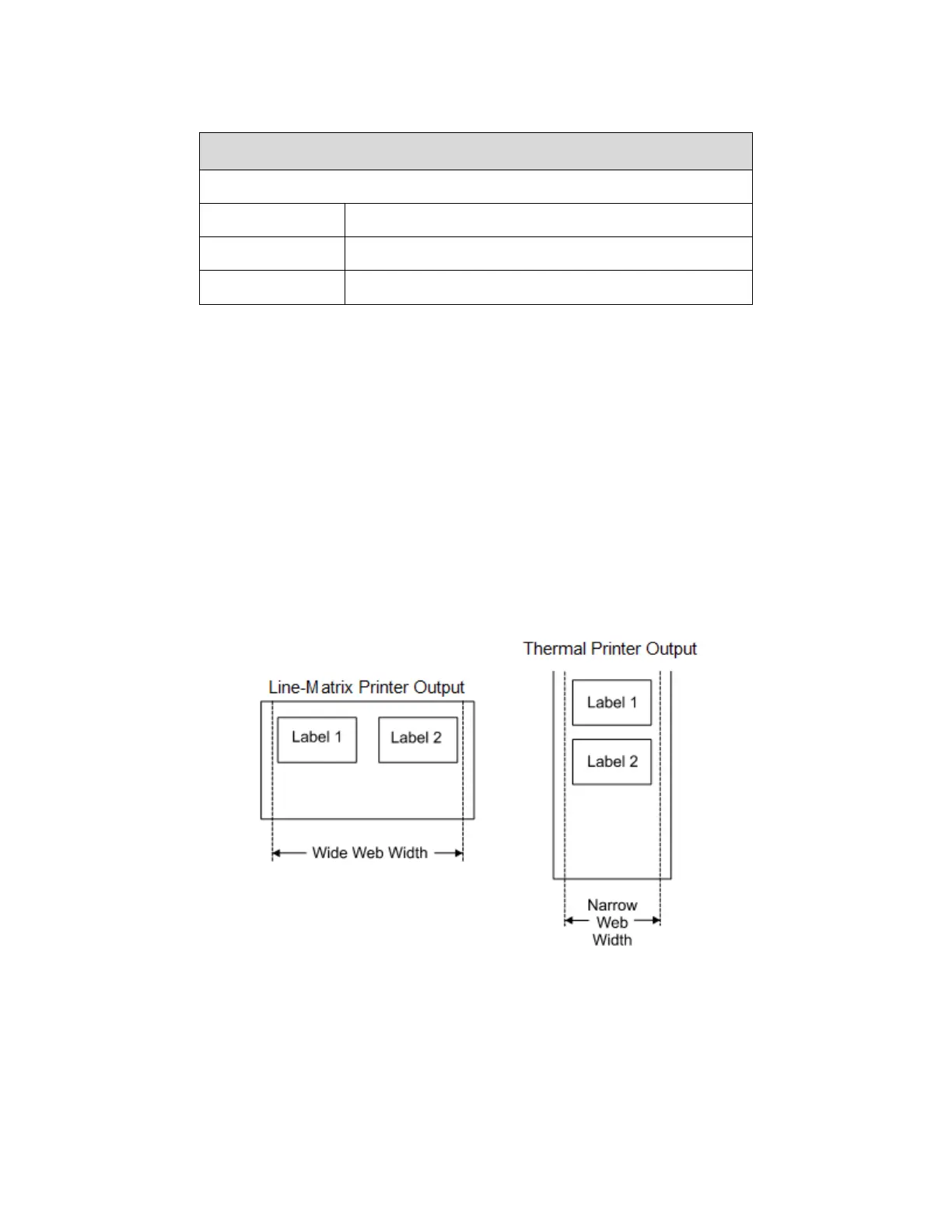
Problem: A file has been constructed with two horizontally adjacent 4.0” labels
for a printer with a physical
width of 8.0”. The user now wants to use this file
with a printer that has a 4.0” physical width.
Solution with Menu Settings:
• Set Media > Auto Label Map > Auto Label Width to “4.0” (the width of the label)
• Set Media > Auto Label Map > Number Labels to “2”
• Set Media > Auto Label Map > Select to “Enable”.
Printer Operation: The printer will print the first (leftmost) 4.0” label first on the first thermal label, followed
by the second 4.0” label. These labels will be stacked vertically as shown in the diagram.
Example 2: Uneven Number Case
Problem: A file has been constructed with three horizontally adjacent 2.0”
labels. The user now desires to
use this file with a printer that has a 4.0” physical width.
Solution #1 with Menu Settings:
• Set Media > Auto Label Map > Auto Label Width to “2.0” (the width of two labels)












 To Next Page