OVOPRINT
Page 94 of 99 USER MANUAL PSPC UM-PSPC-06-E/10-2012
CHANGING SETTINGS
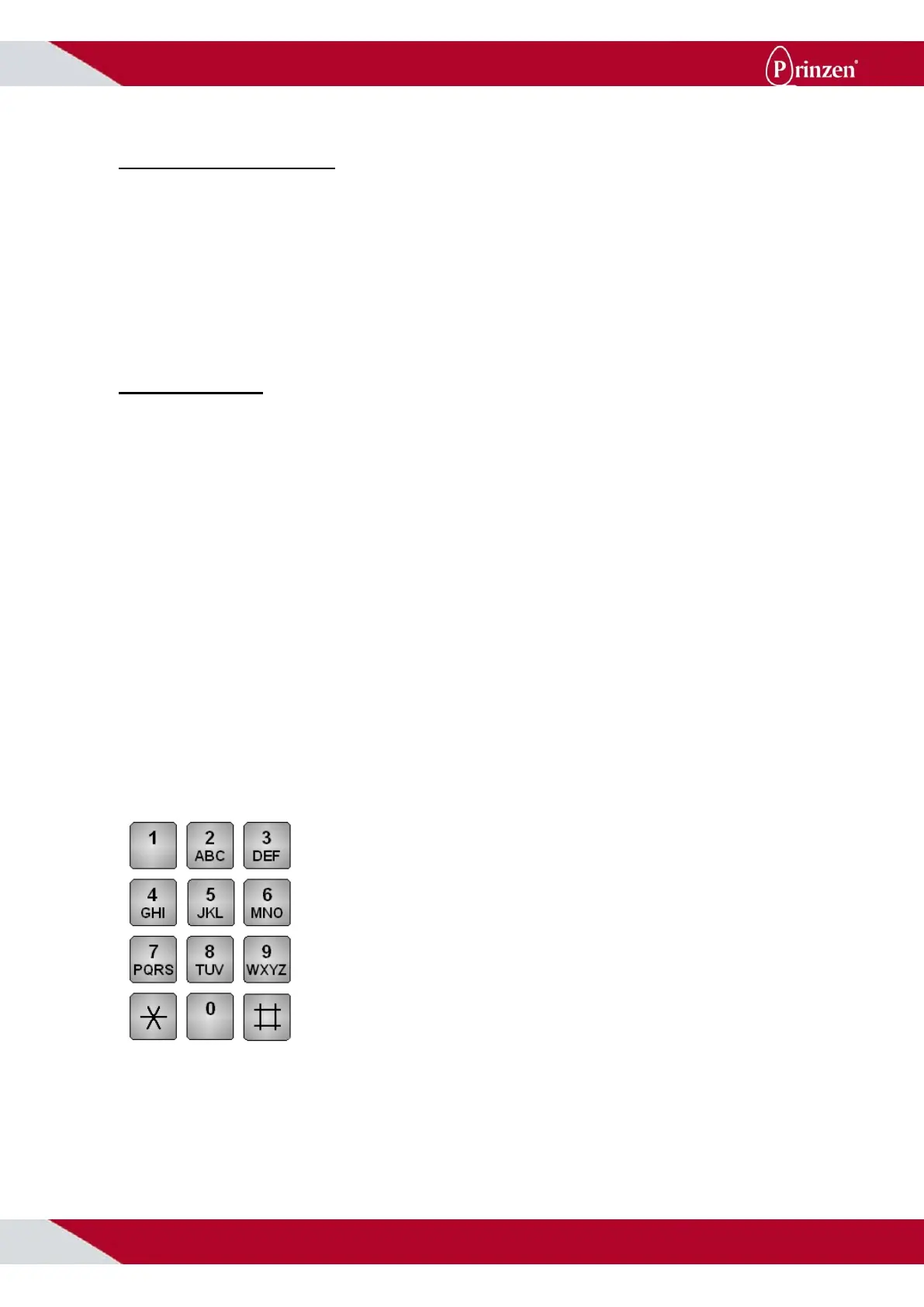
* # = Menu
In the entire menu * stands for: Back, escape or cursor to left.
The # stands for: OK, confirm, or cursor to right.
By touching the * followed by # it is possible to get into the menu. There you may change the print
text, save it under another number or change the font.
SETTING TEXT
Press * followed by # to access the submenu.
Now press 1, ‘print text’. The display asks in which row you would like to record the text.
(The program allows you to program 50 texts or rows.)
The first text you record in row 01, by pressing 01 and confirming with #.
Now you can set the text. For example: 2-NL-1234501.
This is done as follows:
Press:
2#, 0 twice to note a dash. Confirm with #.
3 times 6 to note the N. Confirm with #.
4 times 5 to note the L. Confirm with #.
2 times 0 to note the dash. Confirm with #.
Now you press 1#, 2#, 3#, 4#, 5#, 0#, 1#.
For returning to the menu, press * twice.
Now the printer will print the following text in row 01: 2-NL-1234501.
A second text, e.g.: 1-NL-9876502, must be recorded under row 02; * # 1 followed by 02 and then
confirming 02 with #. Now you can set the text.
´1´ = 1
x
< = > _
*
# ^
▫
/
´2´ = 2 A B C a b c
´3´ = 3 D E F d e f
´4´ = 4 G H I g h i
´5´ = 5 J K L j k l
´6´ = 6 M N O m n o
´7´ = 7 P Q R S p q r s
´8´ = 8 T U V t u v
´9´ = 9 W X Y Z w x y z
´0´ = 0 - + . , ? ! $ @ % & ( ) :
´*´
= Back or Escape
´#´ = Ok or Enter



 To Next Page