OPERATION
Page 56 of 99 USER MANUAL PSPC UM-PSPC-06-E/10-2012
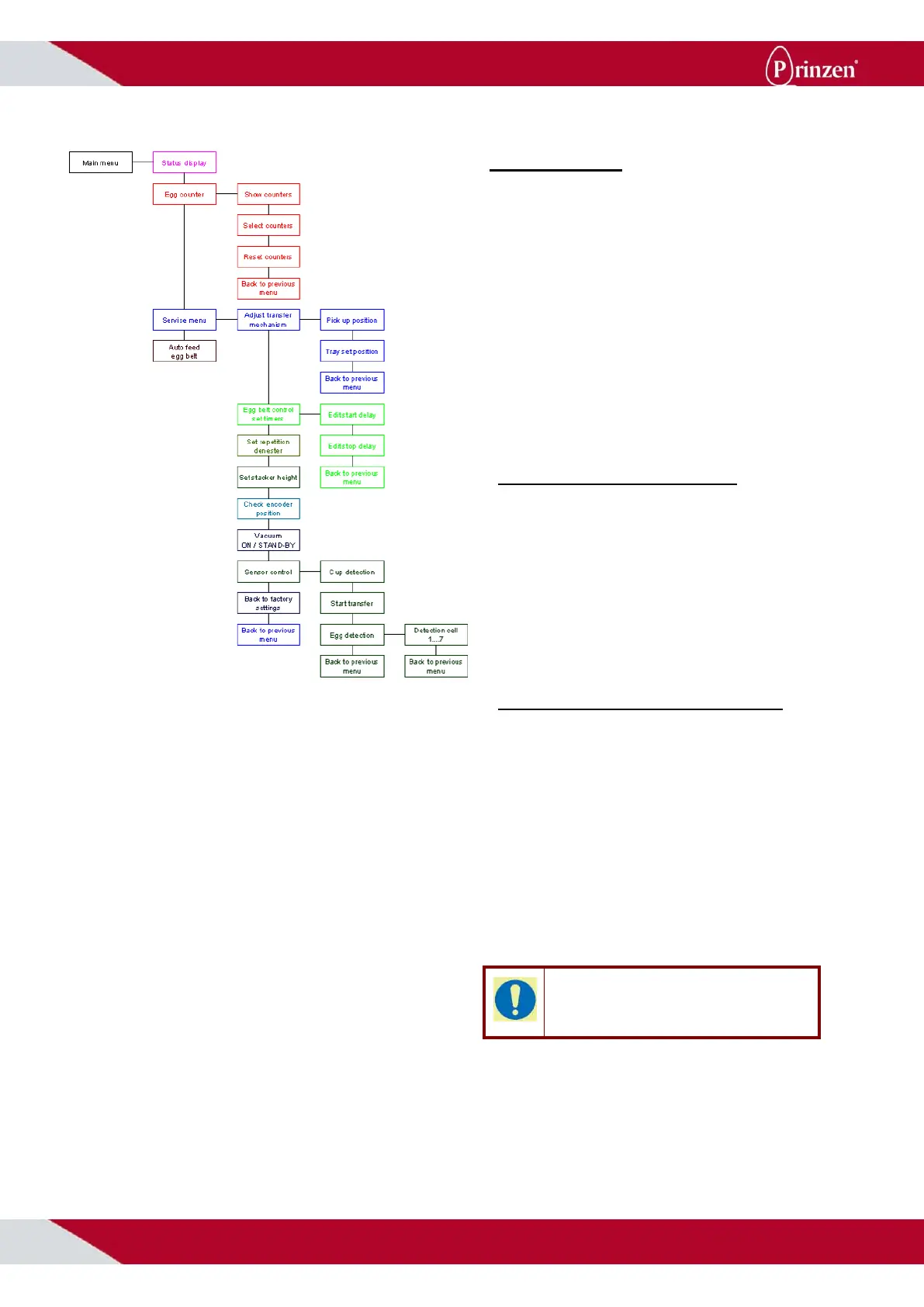
MMI MENU’S
From the main menu, 4-sub menus are
available:
- Status display menu.
- Egg counter menu.
- Service menu.
- Autofeed egg belt menu.
Use F1 and F2 to go to a different screen on
the same menu level.
Use F6 to enter a certain (sub)menu.
Use F4 to toggle a certain functionality ON or
OFF.
STATUS DISPLAY MENU
During normal running of the system, the
status display menu is visible on the display.
This status display menu shows the status of
the system and when it is stopped, it shows the
reason for stopping.
For possible messages see the above-
mentioned Status display messages.
AUTOFEED EGG BELT MENU
The autofeed egg belt menu gives the
possibility to supply eggs from a long distance
from the packer without operators present.
Press F4 to switch autofeed ON. Starting the
system only starts the egg collecting belts and
the packer’s infeed conveyor. As soon as eggs
are detected by the packer (infeed gates, egg
pressure sensors), the egg collecting belts and
the infeed conveyor stop running.
Press F4 to switch autofeed OFF. Now,
starting the system starts the complete system
and eggs are packed into the trays.
TIP!
The autofeed egg belt functionality is not
available on single phase systems.



 To Next Page