3310F Series Operation Manual 33
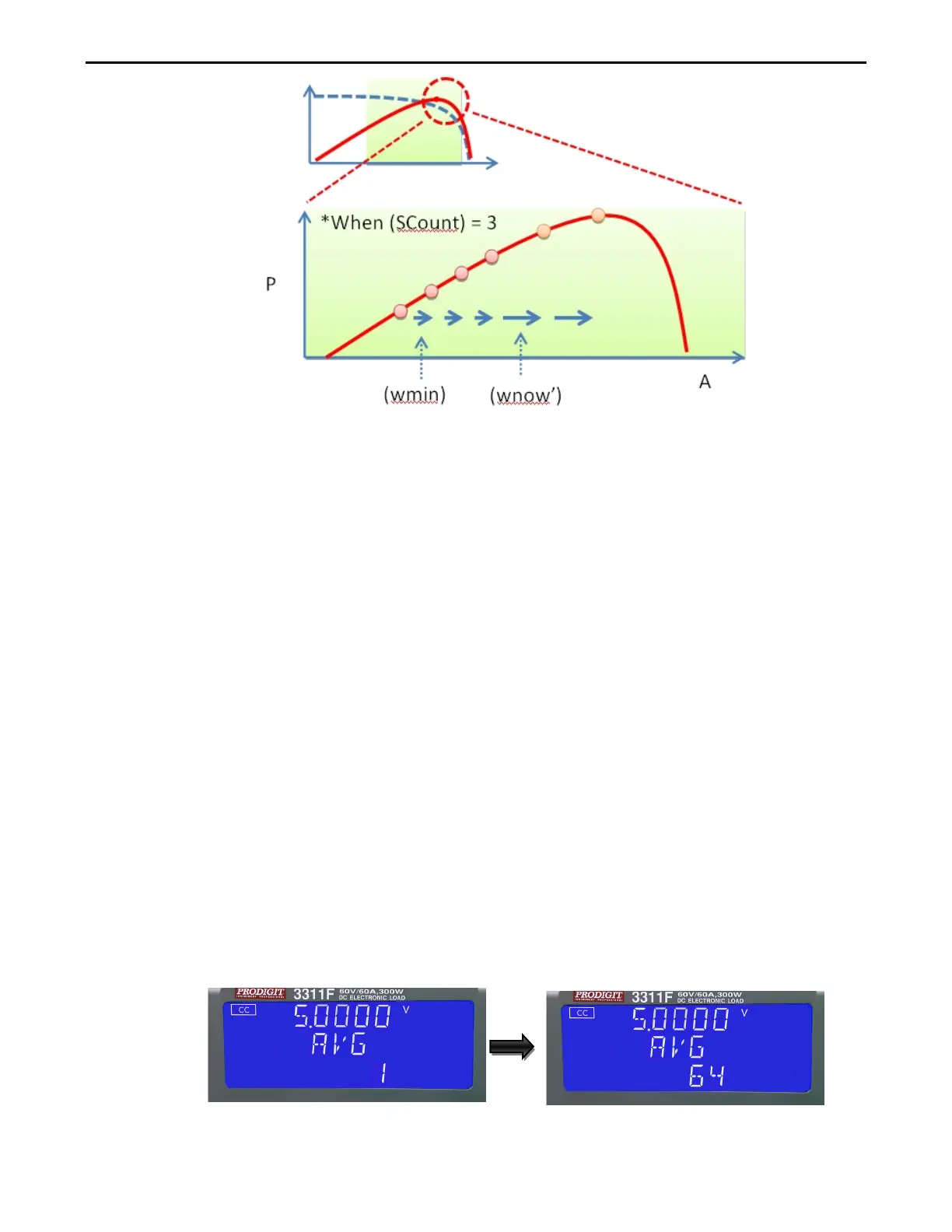
STEP2:P&O
How to operating MPPT in 3310F series load
Remote Operation with remote command:
1. Power ON 3310F series Load
2. Connecting UUT (PV panel) to load input terminal
3. Sent MPPT parameters,.
4. Sent command MPPT ON to start tracking MPP of UUT, the record data is no limitation
in 3310F series internal memory
5. Sent MPP? command to read back the voltage, current and power (MPP)
6. Sent MPPT OFF to stop tracking the MPP of UUT
CR DYN function version of the following
a. 3310F at r1.11 version above is enabled.
b. 3311F at r1.11 version above is enabled.
c. 3312F at r1.11 version above is enabled.
d. 3314F at r1.11 version above is enabled.
e. 3315F at r1.11 version above is enabled.
MPPT CC/CR/CV function version of the following
a. 3310F at r2.08 version above is enabled.
b. 3311F at r2.08 version above is enabled.
c. 3312F at r2.08 version above is enabled.
d. 3314F at r2.08 version above is enabled.
e. 3315F at r2.08 version above is enabled.
Setting AVG , the middle of the 5 digit LCD display will show "AVG", lower the 5
digit LCD display will show settings value,the AVG set range from 1 to 64 steps
1 by rotating the setting knob.
AVG function version of the following
a. 3310F at r2.05 version above is enabled.



 To Next Page