PROLiNK® PRC2401U Wireless AC2600 MU-MIMO Dual-Band Gigabit Router
16
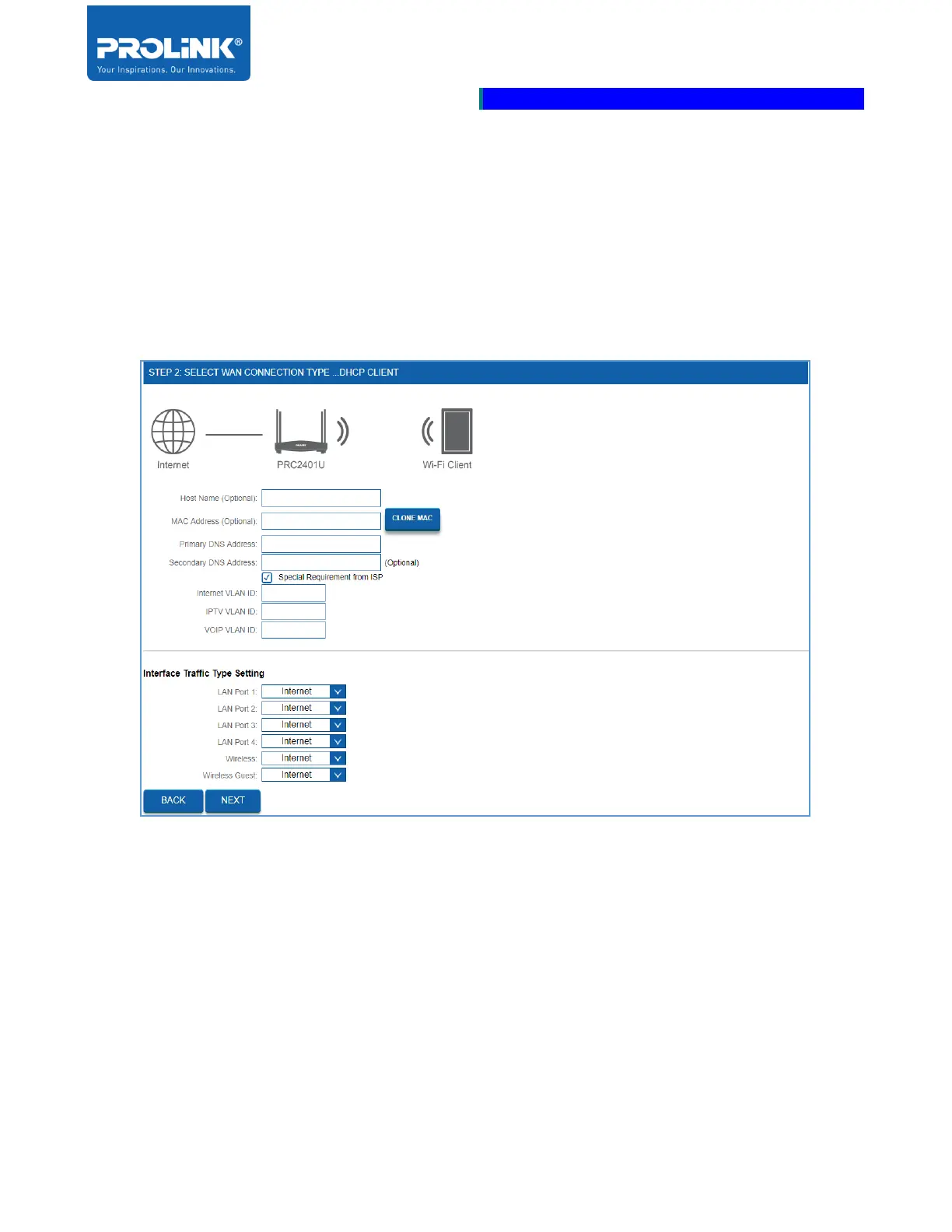
3. Enter WAN Connection detail base on your step 2 selection.
a) DHCP Client – If your Internet connection is assigning IP Address automatically to
PRC2401U, then press NEXT. This setting commonly used with cable modem service.
Check the box “Special Requirement from ISP” If there is a special requirement from ISP,
then get the information required from ISP on VLAN ID for Internet, IPTV and VOIP.
Assign each of the interfaces with VLAN settings.



 To Next Page