PROLiNK® PRC2401U Wireless AC2600 MU-MIMO Dual-Band Gigabit Router
17
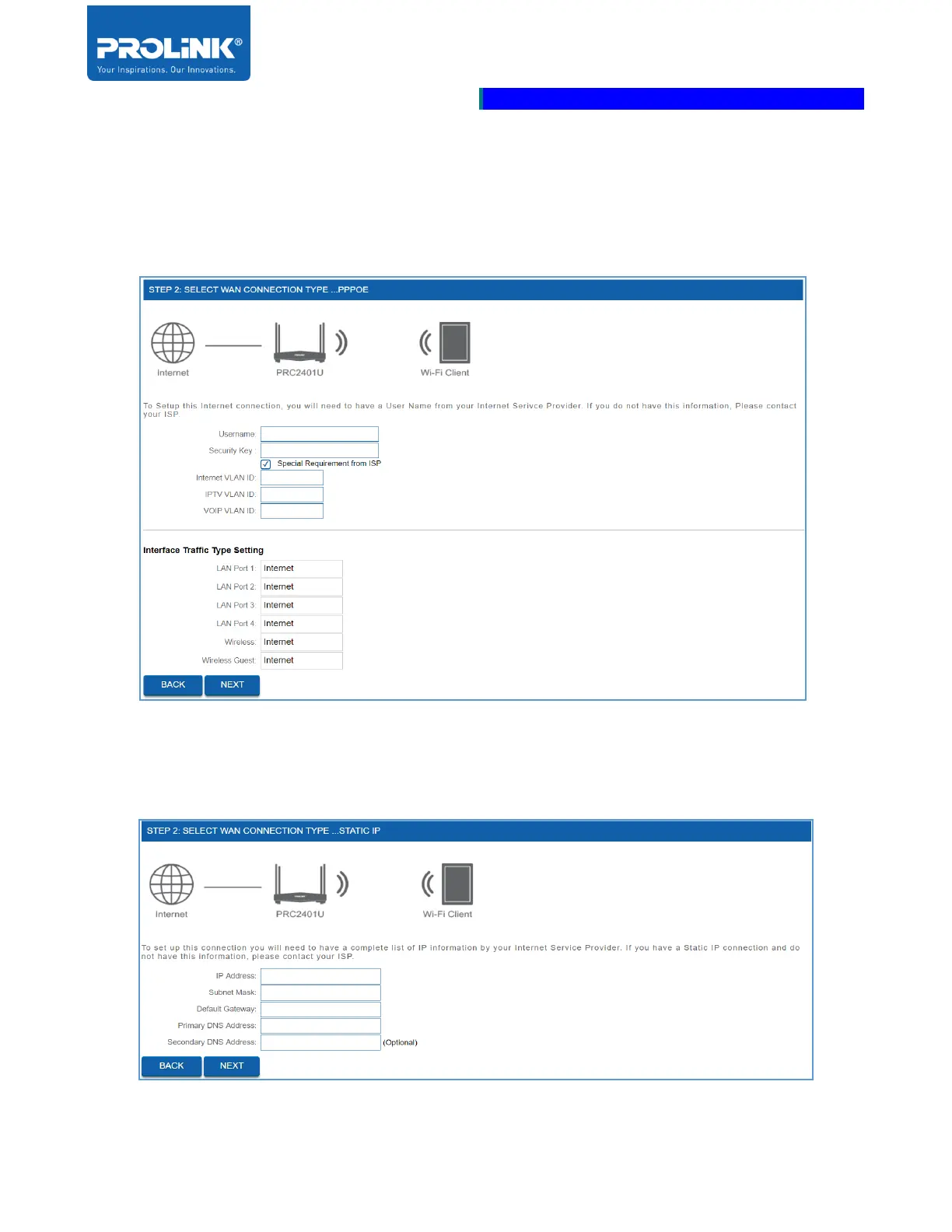
b) PPPoE – Enter the Username and Password provided by ISP. If there is a special
requirement from ISP, check the box for “Special Requirement from ISP” then get the
information required from ISP on VLAN ID for Internet, IPTV and VOIP. Assign each of
the interfaces with VLAN settings.
c) Static IP Address – Enter the IP Address, Subnet Mask, Default Gateway, Primary DNS
Address and Secondary DNS Address (optional) based on information provided by ISP.



 To Next Page