Reference MVI56E-GSC/GSCXT ♦ CompactLogix or MicroLogix Platform
User Manual Enhanced Generic ASCII Serial Communication Module
Page 124 of 140 ProSoft Technology, Inc.
April 24, 2017
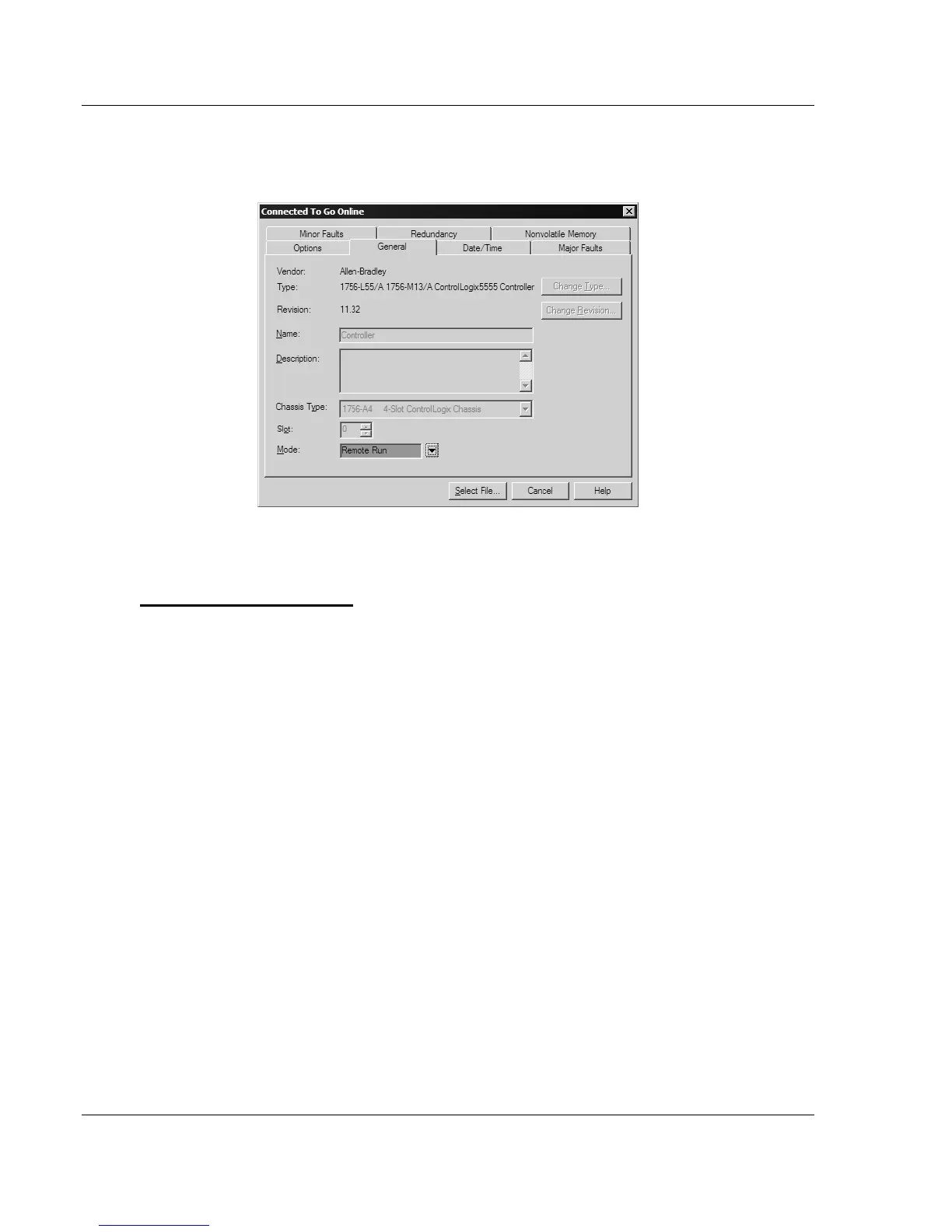
5 In the Connected To Go Online dialog box, click the GENERAL tab. This tab
shows information about the processor, including the Revision (firmware)
version. In the following illustration, the firmware version is 11.32
6 Select the sample ladder logic file for your firmware version.
To open the sample program
1 On the Connected to Go Online dialog box, click the SELECT FILE button.
2 Choose the sample program file that matches your firmware version, and
then click the SELECT button.
3 RSLogix will load the sample program.
The next step is to configure the correct controller type and slot number for your
application.



 To Next Page