MVI56E-GSC/GSCXT ♦ CompactLogix or MicroLogix Platform Reference
Enhanced Generic ASCII Serial Communication Module User Manual
ProSoft Technology, Inc. Page 127 of 140
April 24, 2017
4.7.4 Downloading the Sample Program to the Processor
Note: The key switch on the front of the ControlLogix module must be in the REM position.
1 If you are not already online to the processor, open the COMMUNICATIONS
menu, and then choose DOWNLOAD. RSLogix will establish communication
with the processor.
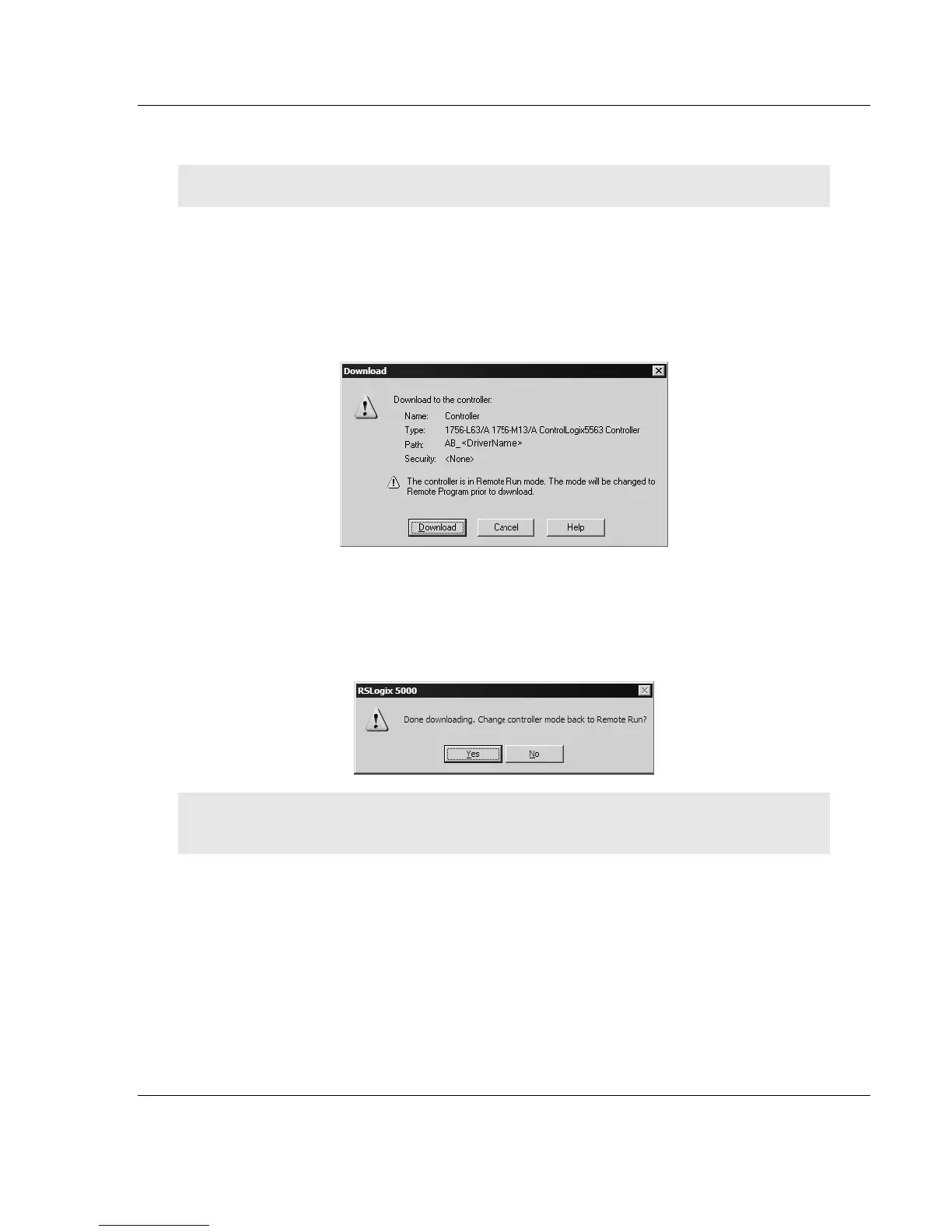
2 When communication is established, RSLogix will open a confirmation dialog
box. Click the DOWNLOAD button to transfer the sample program to the
processor.
3 RSLogix will compile the program and transfer it to the processor. This
process may take a few minutes.
4 When the download is complete, RSLogix will open another confirmation
dialog box. Click OK to switch the processor from PROGRAM mode to RUN
mode.
Note: If you receive an error message during these steps, refer to your RSLogix documentation to
interpret and correct the error.



 To Next Page