Reference MVI56E-GSC/GSCXT ♦ CompactLogix or MicroLogix Platform
User Manual Enhanced Generic ASCII Serial Communication Module
Page 132 of 140 ProSoft Technology, Inc.
April 24, 2017
4.10.3 Ethernet Cable Configuration
Note: The standard connector view shown is color-coded for a straight-through cable.
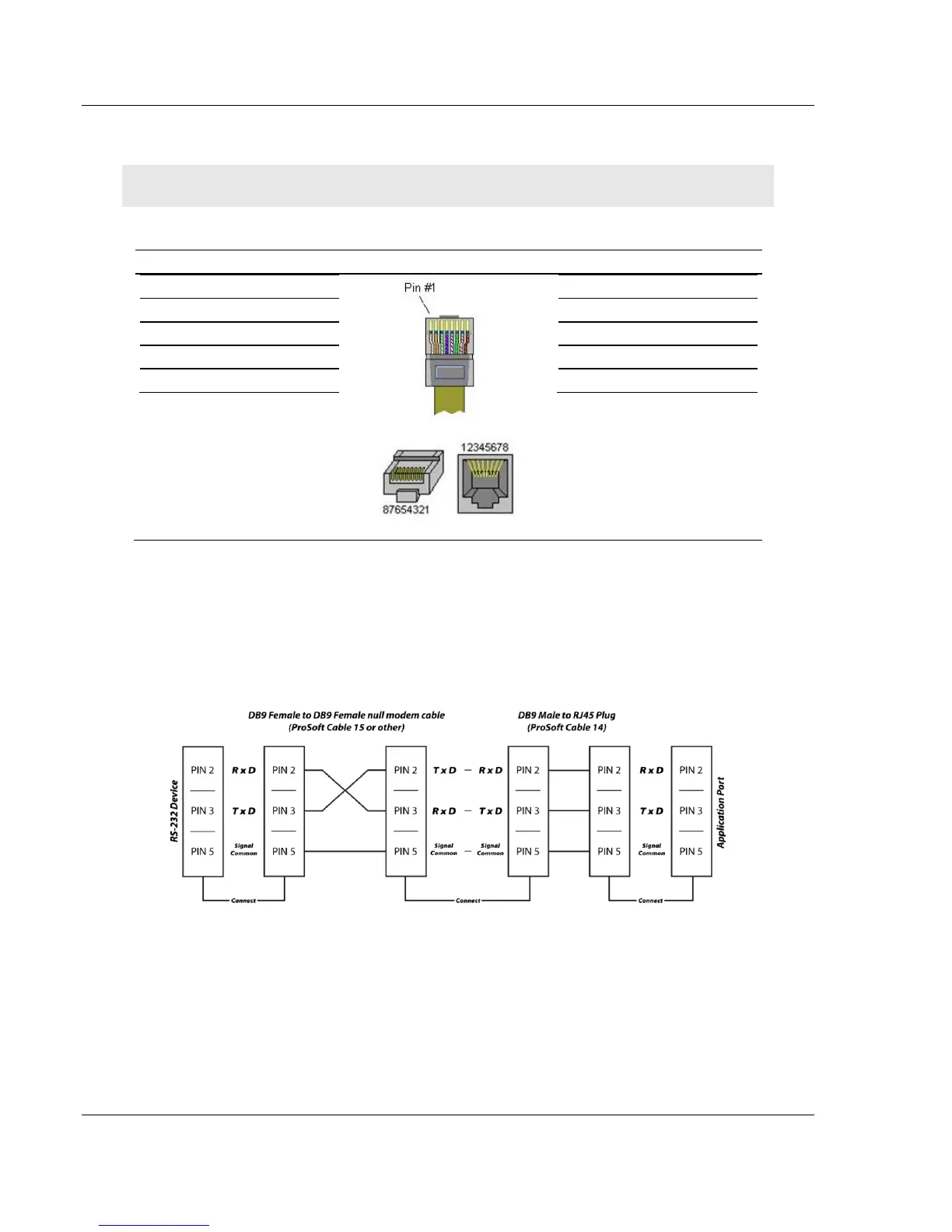
4.10.4 RS-232 Application Port(s)
When the RS-232 interface is selected, the use of hardware handshaking
(control and monitoring of modem signal lines) is user definable. If no hardware
handshaking will be used, here are the cable pinouts to connect to the port.



 To Next Page