Diagnostics and Troubleshooting MVI56E-GSC/GSCXT ♦ CompactLogix or MicroLogix Platform
User Manual Enhanced Generic ASCII Serial Communication Module
Page 62 of 140 ProSoft Technology, Inc.
April 24, 2017
3.3.2 Config
Use the Configuration menu to view backplane configuration settings for the
MVI56E-GSC module.
The information on this menu corresponds with the configuration information in
the Module settings in ProSoft Configuration Builder.
3.3.3 NIC Status
Use the NIC Status (Network Interface Card) menu to view configuration and
status information for the MVI56E-GSC module's Ethernet application port.
The information on this menu is useful for troubleshooting Ethernet network
connectivity problems.
3.4 Monitoring Backplane Information
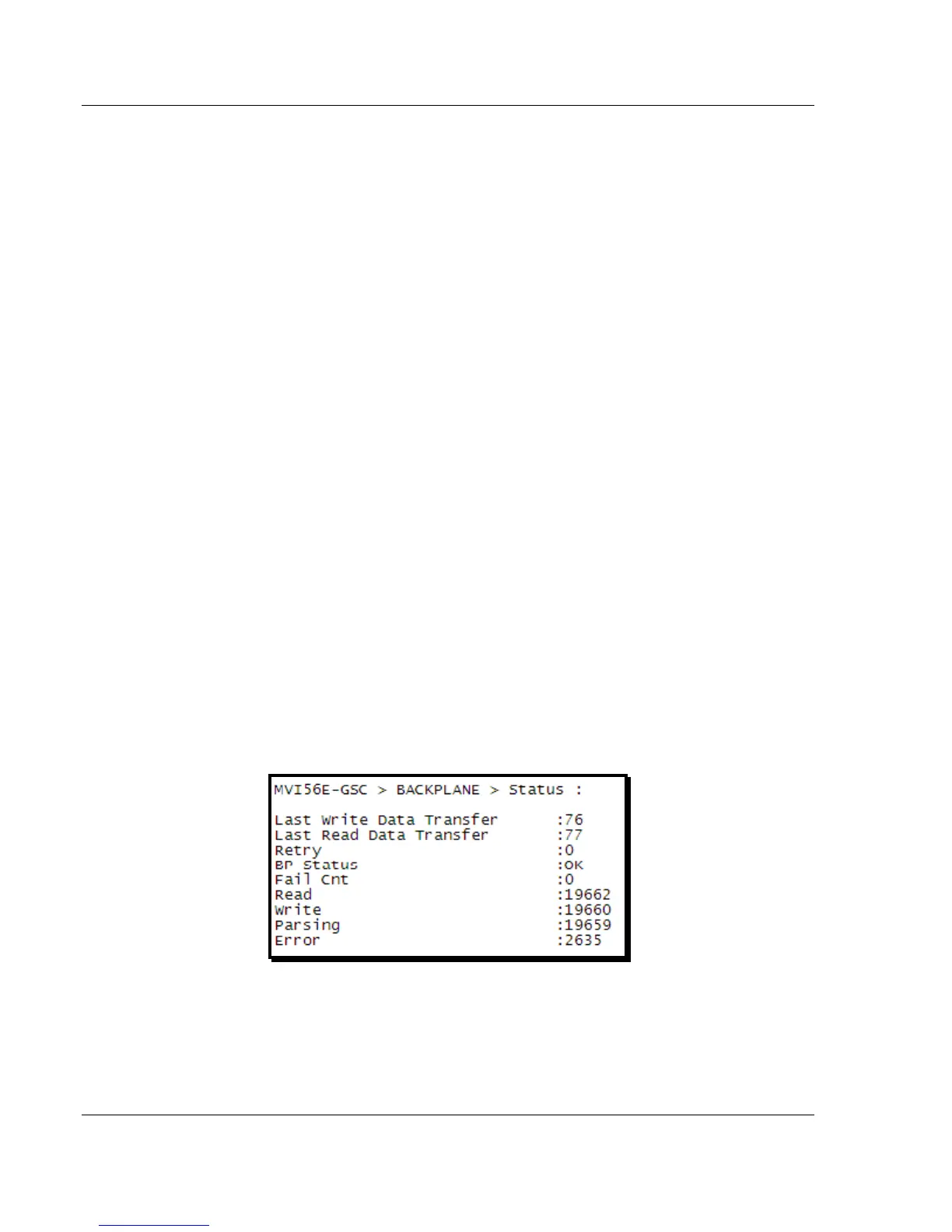
Use the BACKPLANE menu to view the backplane status information for the
MVI56E-GSC module.
3.4.1 Backplane Status Menu
Click STATUS to view current backplane status, including
Number of retries
Backplane Status
Fail Count
Number of words read
Number of words written
Number of words parsed
Error count
During normal operation, the Read, Write, and Parsing values should increment
continuously, while the error value should not increment.
The status values on this menu correspond with the members of the MVI56E-
GSC Status object.


 To Next Page