MVI56E-GSC/GSCXT ♦ CompactLogix or MicroLogix Platform Reference
Enhanced Generic ASCII Serial Communication Module User Manual
ProSoft Technology, Inc. Page 129 of 140
April 24, 2017
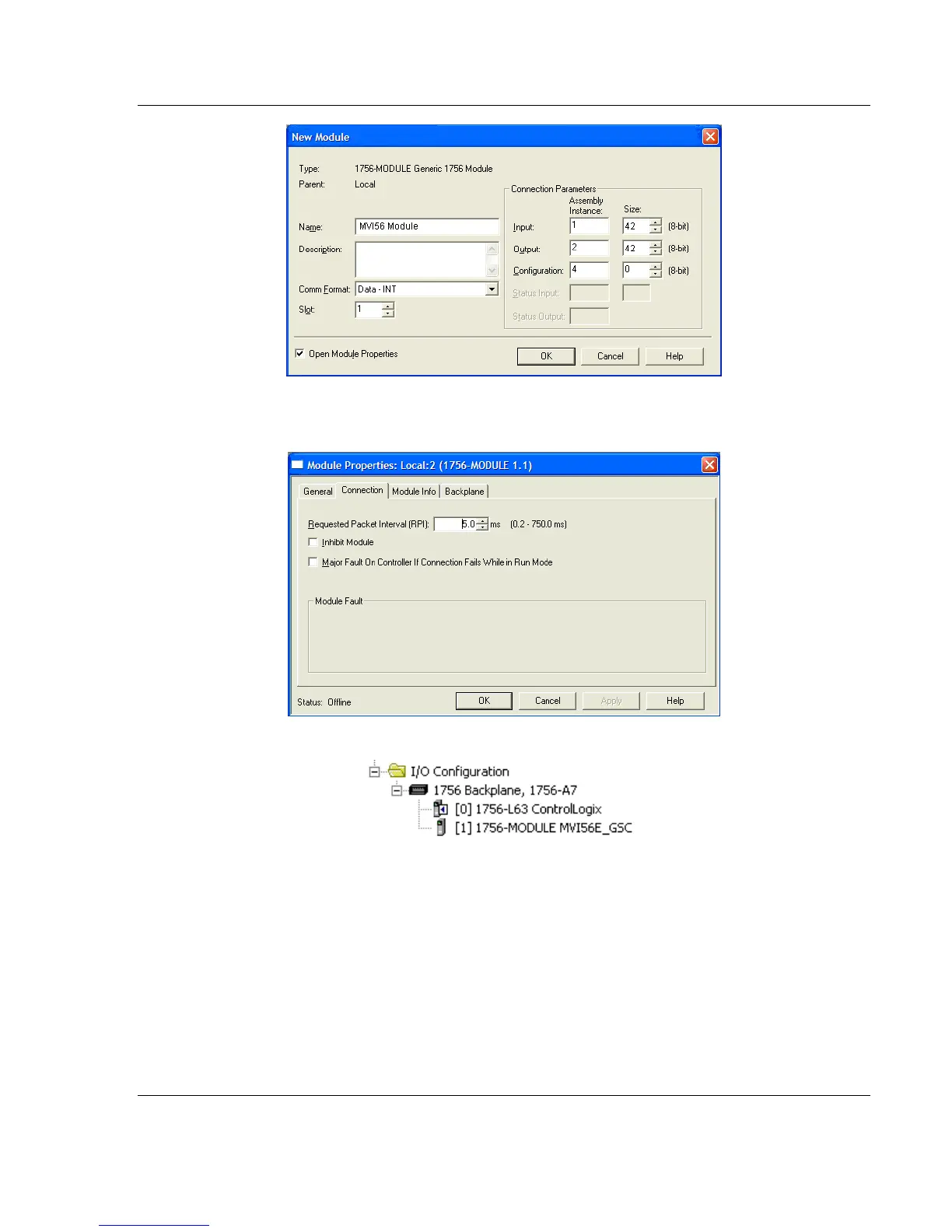
4 On the Connection tab, set the RPI value for your project. Click OK to
confirm.
The MVI56E-GSC module is now visible at the I/O Configuration section.
To complete the process, perform the following steps in this order:
1 Copy the User-defined Data Types from the sample program.
2 Copy the Controller Tags from the sample program.
3 Copy the Ladder Rungs from the sample program.
4 Save and Download the new application to the controller and place the
processor in RUN mode.



 To Next Page