MVI56E-GSC/GSCXT ♦ CompactLogix or MicroLogix Platform Start Here
Enhanced Generic ASCII Serial Communication Module User Manual
ProSoft Technology, Inc. Page 17 of 140
April 24, 2017
Your first task is to add the MVI56E-GSC module to the project.
1 Use the mouse to select DEFAULT MODULE in the tree view, and then click the
right mouse button to open a shortcut menu.
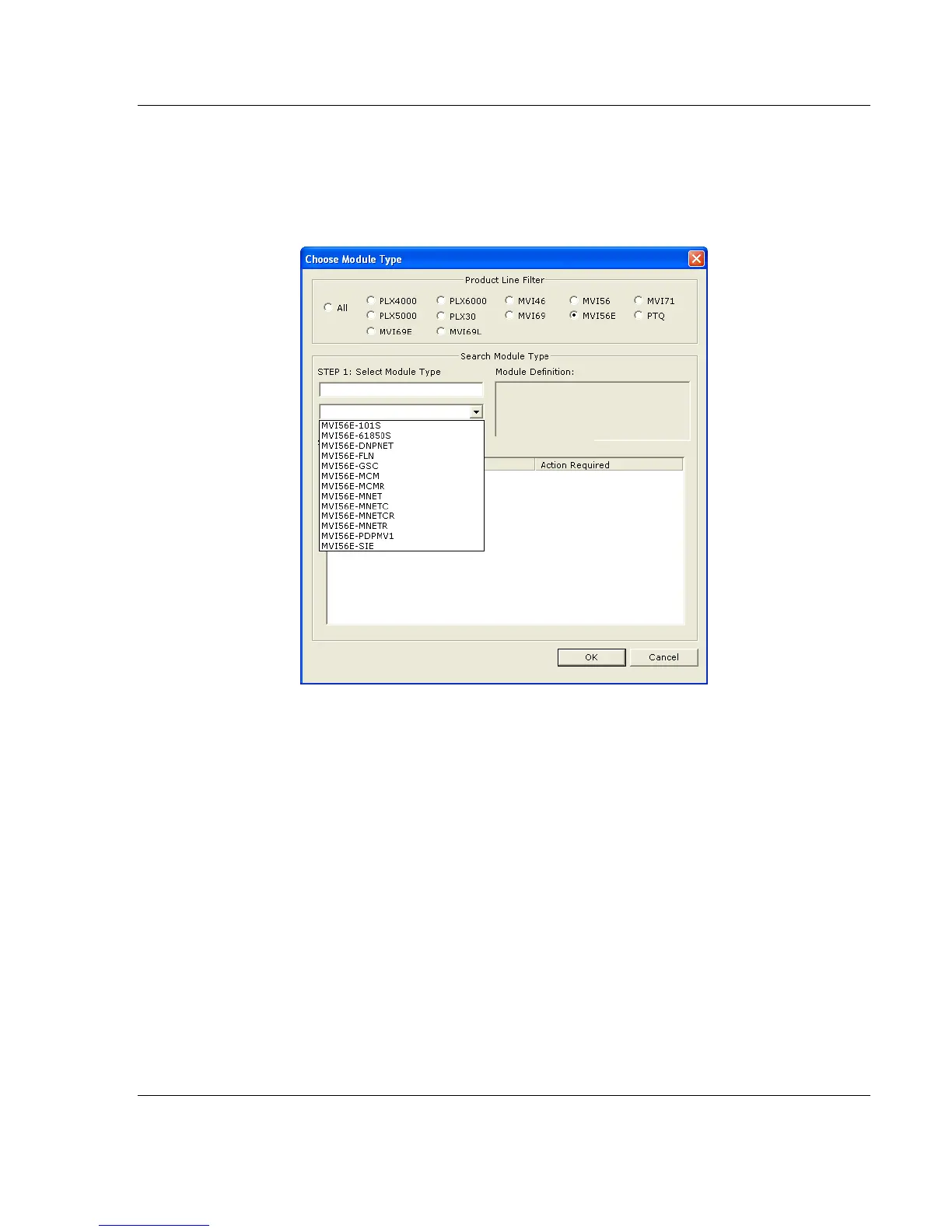
2 On the shortcut menu, select CHOOSE MODULE TYPE. This action opens the
Choose Module Type dialog box.
3 In the Product Line Filter area of the dialog box, select MVI56E. In the Select
Module Type dropdown list, select MVI56E-GSC, and then click OK to save
your settings and return to the ProSoft Configuration Builder window.



 To Next Page