MVI56E-GSC/GSCXT ♦ CompactLogix or MicroLogix Platform Start Here
Enhanced Generic ASCII Serial Communication Module User Manual
ProSoft Technology, Inc. Page 33 of 140
April 24, 2017
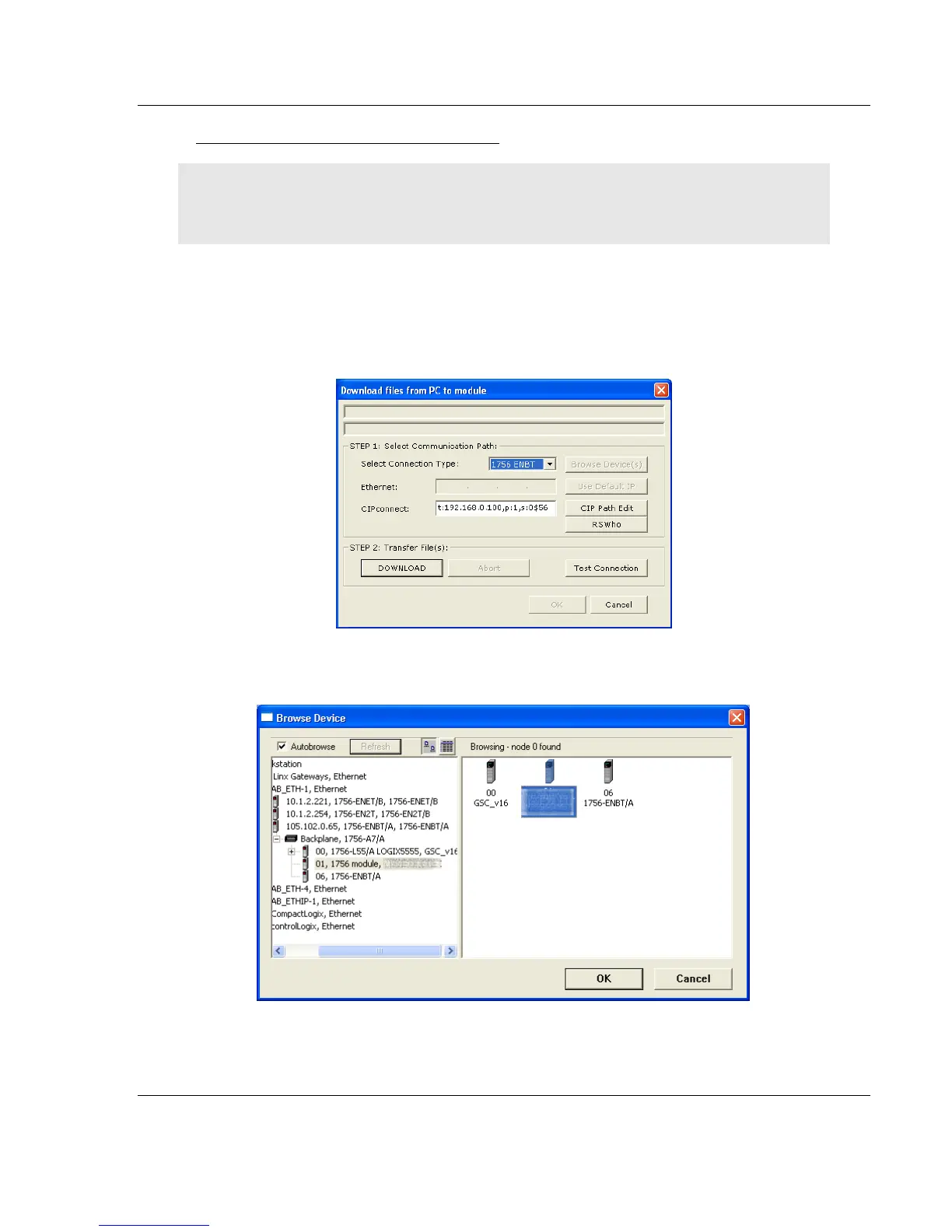
Using RSWho to Connect to the Module
You need to have RSLinx installed on your PC to use this feature. You also need an ENBT module
set up in the rack. For information on setting up the ENBT module, see Using CIPconnect
®
to
Connect to the Module (page 24).
1 In the tree view in ProSoft Configuration Builder, right-click the MVI56E-GSC
module.
2 From the shortcut menu, choose DOWNLOAD FROM PC TO DEVICE.
3 In the Download dialog box, choose 1756 ENBT from the Select Connection
Type dropdown box.
4 Click RSWHO to display modules on the network. The MVI56E-GSC module
will automatically be identified on the network.
5 Select the module, and then click OK.



 To Next Page