MVI56E-GSC/GSCXT ♦ CompactLogix or MicroLogix Platform Start Here
Enhanced Generic ASCII Serial Communication Module User Manual
ProSoft Technology, Inc. Page 45 of 140
April 24, 2017
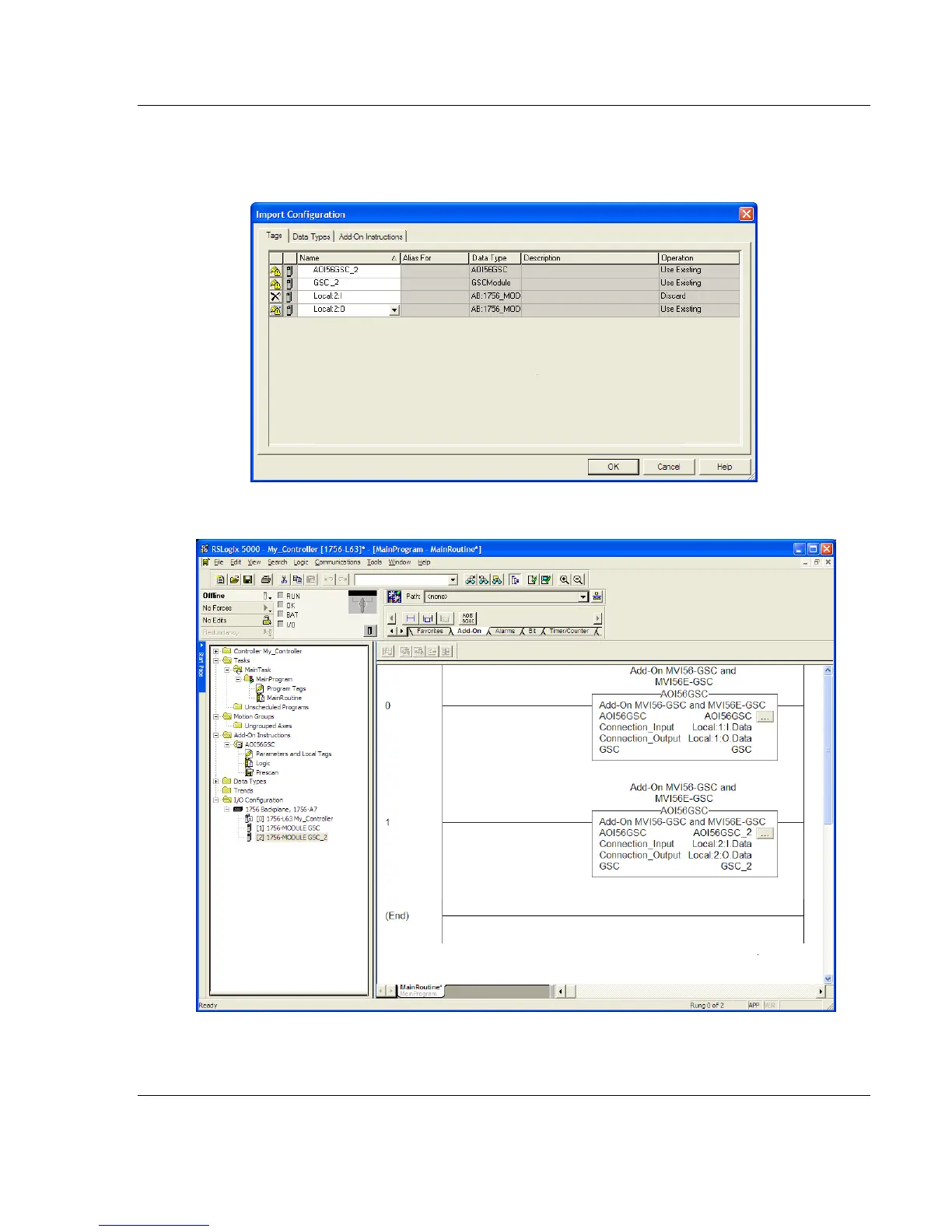
Change the default tag names AOI56GSC and GSC to avoid conflict with
existing tags. In this step, you should append a string to the default tag
names, such as "_2", as shown in the following illustration.
12 Click OK to confirm.
The setup procedure is now complete. Save the project and download the
application to your ControlLogix processor.



 To Next Page