93-331-73 Issue 2 Page 19 of 32 © Protec Fire Detection PLC 2013
12.2 Programming Alarm Disablements
Both alarm circuits can be disabled. When alarm circuits are disabled both faults and activations are
inhibited. Individual Alarm circuits cannot be disabled.
1. From access level 1 enter the 5 digit user code 1 3 4 4 2. The ‘Level 2 Accessed’ indicator
will illuminate.
3. Press button 2 to enter programming mode, the 'General Disablement' indicator will
illuminate.
4. Press button 3 until the 'Alarm Outputs' indicator lights.
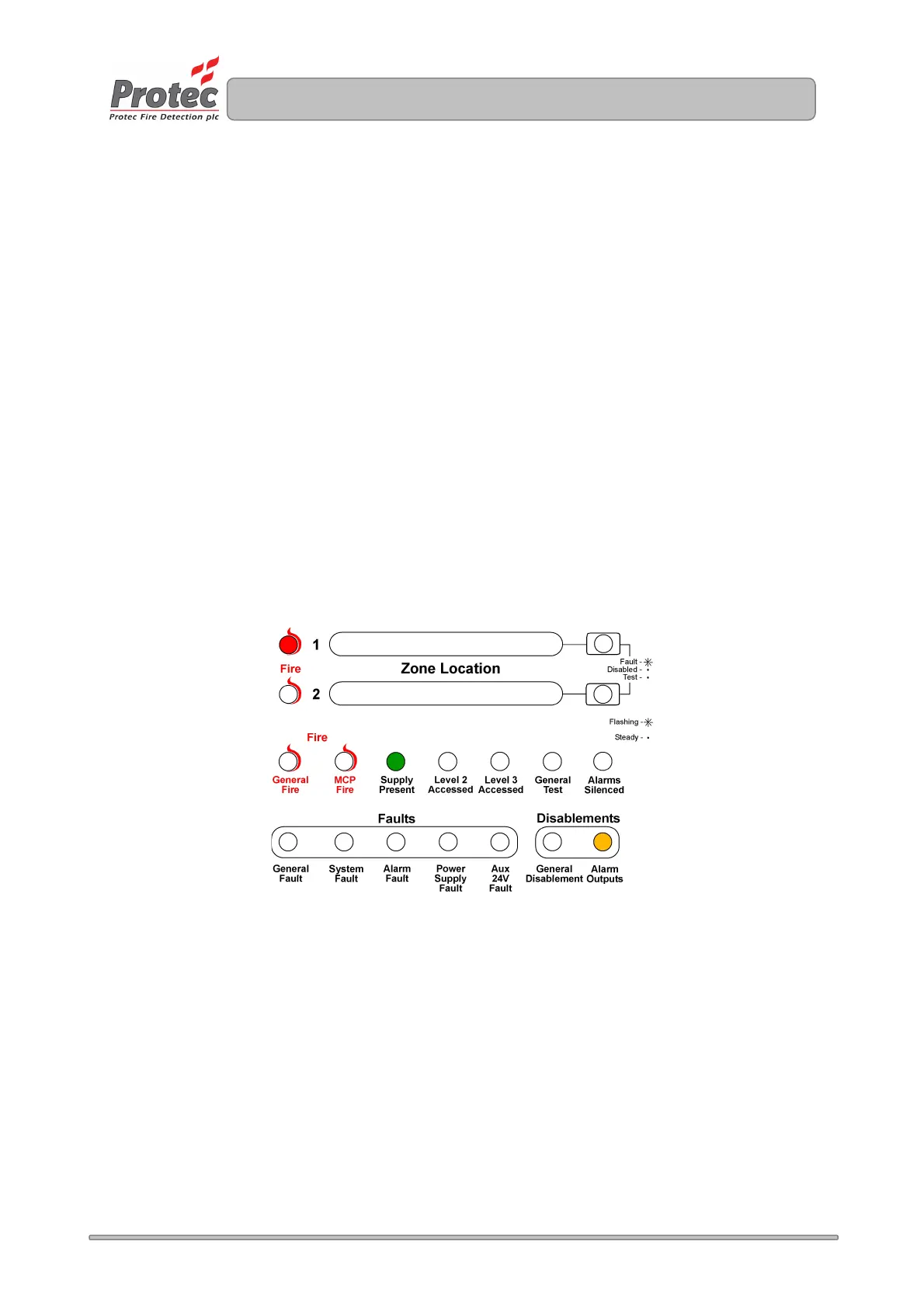
5. Press button 1 to toggle the alarm circuits - disabled / not disabled. If the alarm circuit is
disabled the zone 1 fire indicator will be illuminated.
6. Press button 4 to accept and program the disablement set-up and return to access level 2.
7. Press button 4 to return back to access level 1.
The yellow ‘General Disablement’ indicator will be illuminated steady, together with the yellow ‘Alarm
Outputs’ indicator.
Figure 14.1. Example of the display when disabling the alarm outputs.
www.acornfiresecurity.com
www.acornfiresecurity.com



 To Next Page