93-331-73 Issue 2 Page 21 of 32 © Protec Fire Detection PLC 2013
12.4 Programming Coincidence Zones
Note. The 3200 will no longer be EN54 compliant if zones are programmed as coincidence
zones.
It is possible to program the zones as coincidence zones. This mode is used where the consequence
of a false alarm is onerous (for example if the panel is connected to an extinguishing system). In this
case, both zones must activate before the alarms sound or the Global Fire Contacts activate.
When only one coincidence zone activates the panel will flash the relevant zone indicator, fast pulse
the internal sounder and wait for one of the following to occur:
• The second zone to activate.
• A 2 minute time out from the first activation, to expire.
• A manual call point activation on any, non-disabled, zone to occur.
The 3200 then activates its alarm outputs and global fire contacts.
If the cause of the first activation is found genuine, the ‘Sound Alarms’ button can be pressed at
access level 2 or 3 to activate the alarm outputs. If the cause is found to be a false alarm the ‘Silence
Alarms’ and ‘Reset Panel’ buttons can be pressed.
The procedure for programming the zones as coincidence is given below.
1. From access level 1 enter the 5 digit engineer code 1 3 4 2 4. The ‘Level 3 Accessed’
indicator will illuminate and the 'Supply Present' indicator will flash.
2. Press button 2 to enter programming mode, the 'General Disablement' indicator will illuminate.
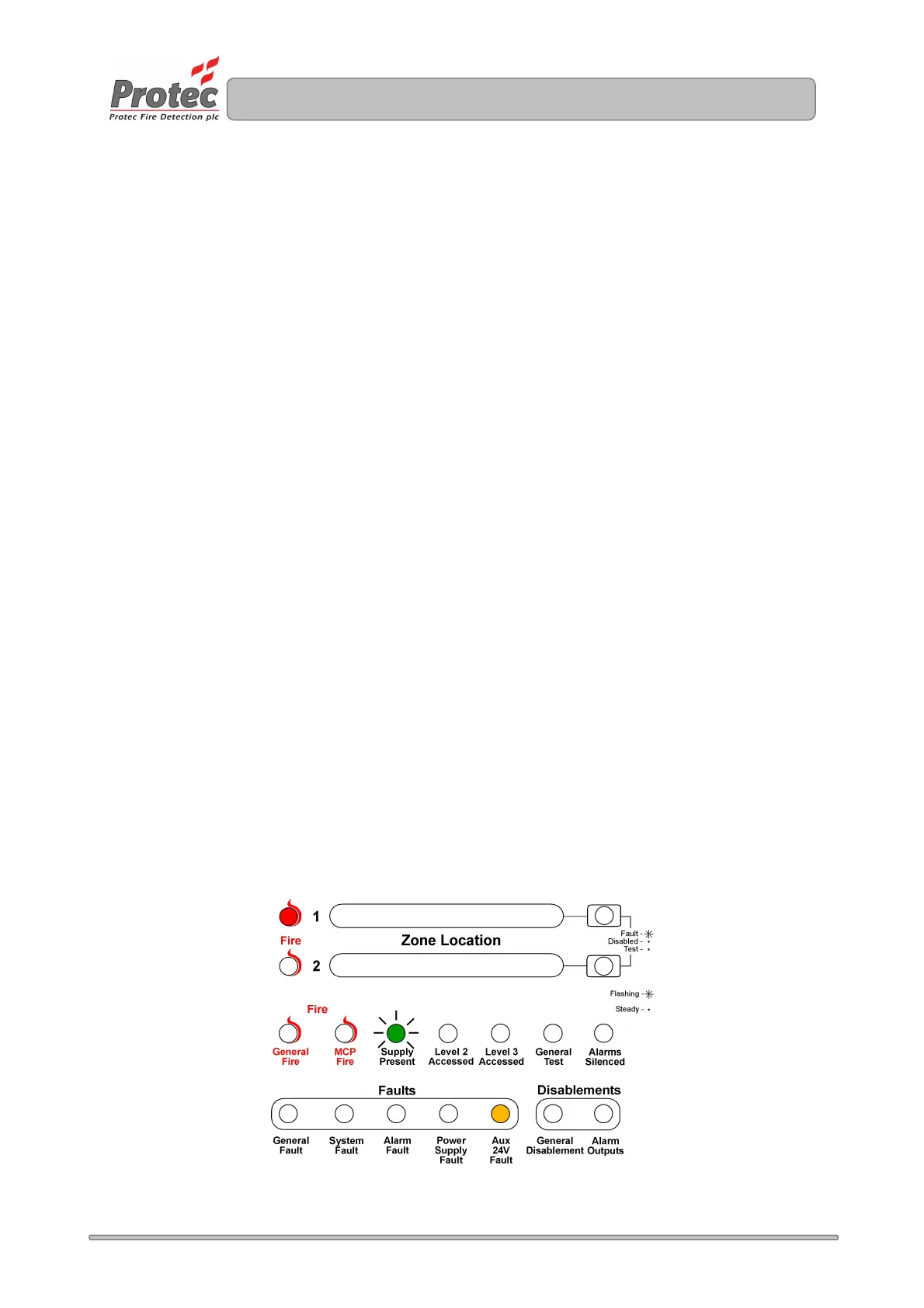
3. Press button 3 until the 'Aux. 24V Fault’ indicator lights.
4. Press button 1 to toggle the coincidence set up. Zone 1 fire indicator will be illuminated when
the zones are programmed as coincidence.
5. Press button 4 to accept and program the coincidence set-up and return to access level 3.
6. Press button 4 to return back to access level 1.
No visible indication is available on the front panel to show that zones are set up as coincidence. Tick
the relevant box on the system set-up label (fitted inside the 3200 door).
Figure 14.3. Example of display when programming the zones as coincidence.
www.acornfiresecurity.com
www.acornfiresecurity.com



 To Next Page