93-331-73 Issue 2 Page 23 of 32 © Protec Fire Detection PLC 2013
12.6 Programming the Detection Zone End of Line Monitoring Type
The standard detection zone end of line monitoring for the 3200 is capacitive. In certain retrofit
situations it may be advantageous to switch the end of line monitoring to resistive.
Note: When the 3200 is programmed for resistive end of line monitoring it is no longer EN54
compliant.
The procedure for programming the detection zone end of line type is as follows.
1. From access level 1 enter the 5 digit engineer code 1 3 4 2 4. The ‘Level 3 Accessed’
indicator will illuminate and the 'Supply Present' indicator will flash.
2. Press button 2 to enter programming mode, the 'General Disablement' indicator will illuminate.
3. Press button 3 until the 'Alarm Fault' indicator lights.
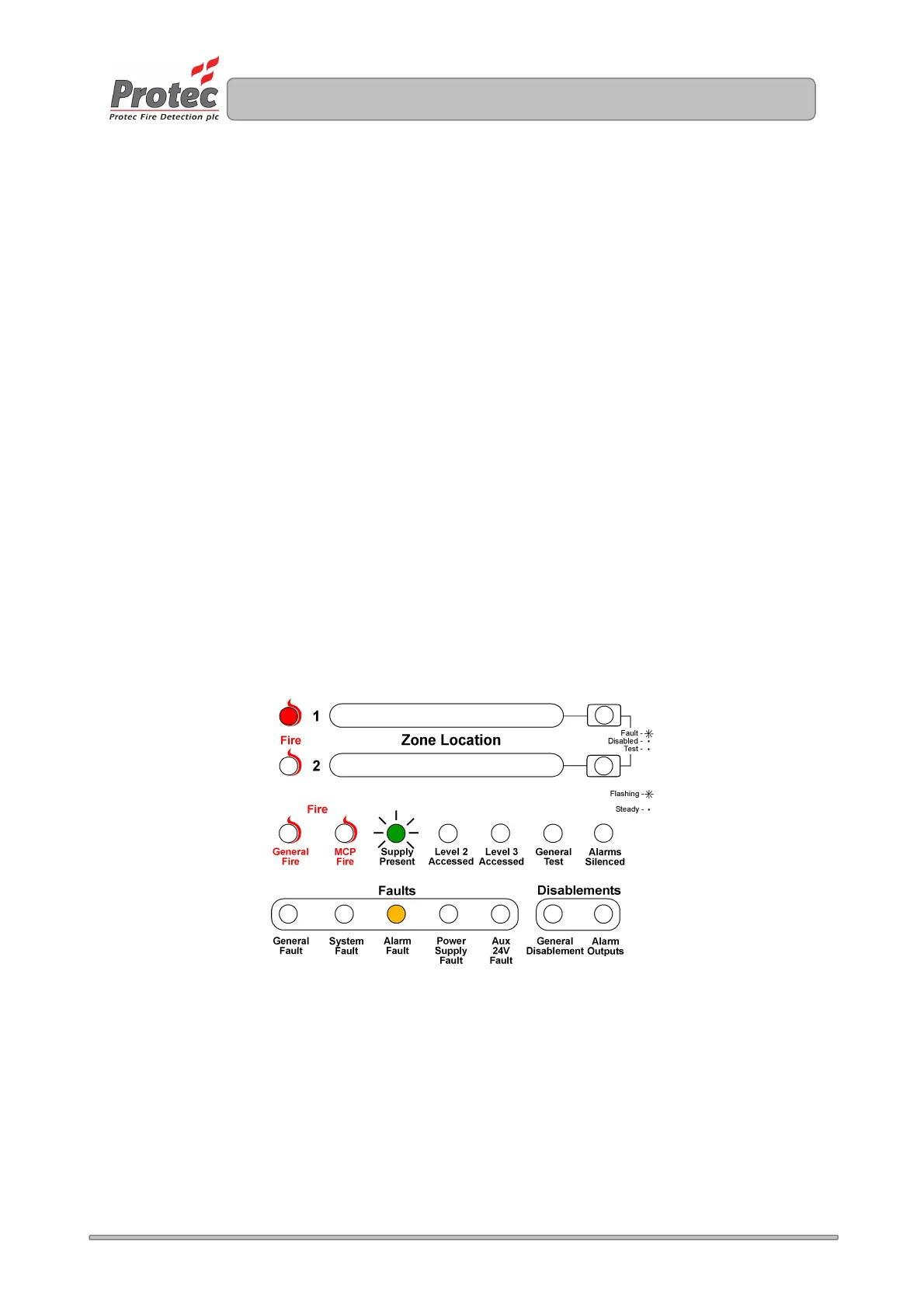
4. Press button 1 to toggle - resistive / capacitive end of line monitoring. Resistive monitoring is
selected when zone 1 fire indicator will be illuminated.
5. Press button 4 to accept and program the end of line set-up and return to access level 3.
6. Press button 4 to return back to access level 1.
No visible indication is given on the front panel to show how the zone end of line monitoring is set-up.
Tick the relevant box on the system set-up label (fitted inside the 3200 door).
Figure 14.5. Example of display when programming the EOL. Type as resistive
www.acornfiresecurity.com
www.acornfiresecurity.com



 To Next Page