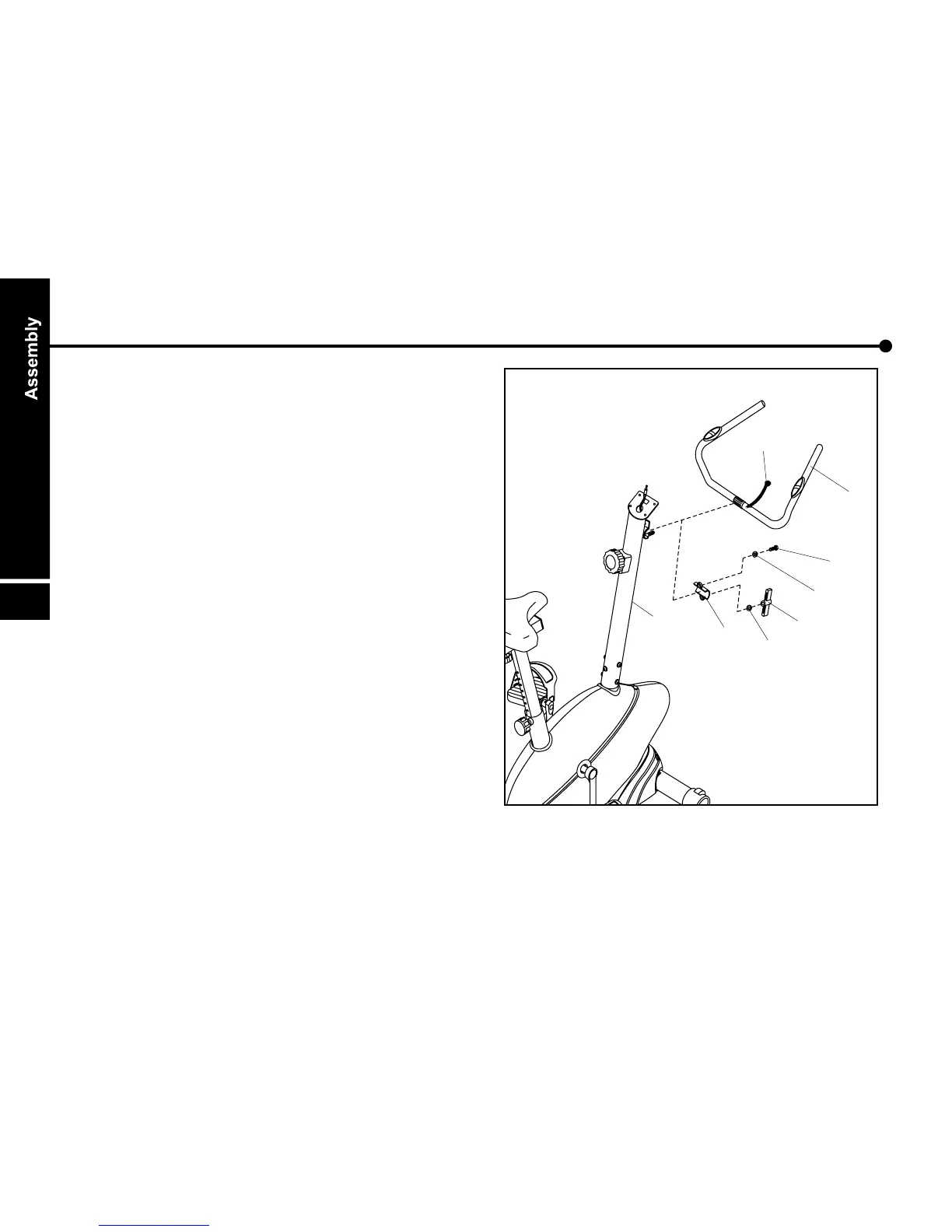
Handlebar
Assemble handlebar ( 06 ) onto handlebar
post ( 05 ) with U brace ( 35 ) as a cover,
finger fastening with washer ( 54 ) and
socket screw ( 38 ), fasten washer ( 37 )
and T-knob ( 36 ) as adjuster.
The angle of handlebar ( 06 ) can be
adjusted by loosing the T-knob ( 36 ). After
adjustment, fasten the knob firmly.
f.
1.
then
2. Insert pulse cable ( 34 ) into side hole on
handlebar post ( 05 ) and through the hole
on monitor plate, then put plastic cap into
side hole.
3.


 To Next Page