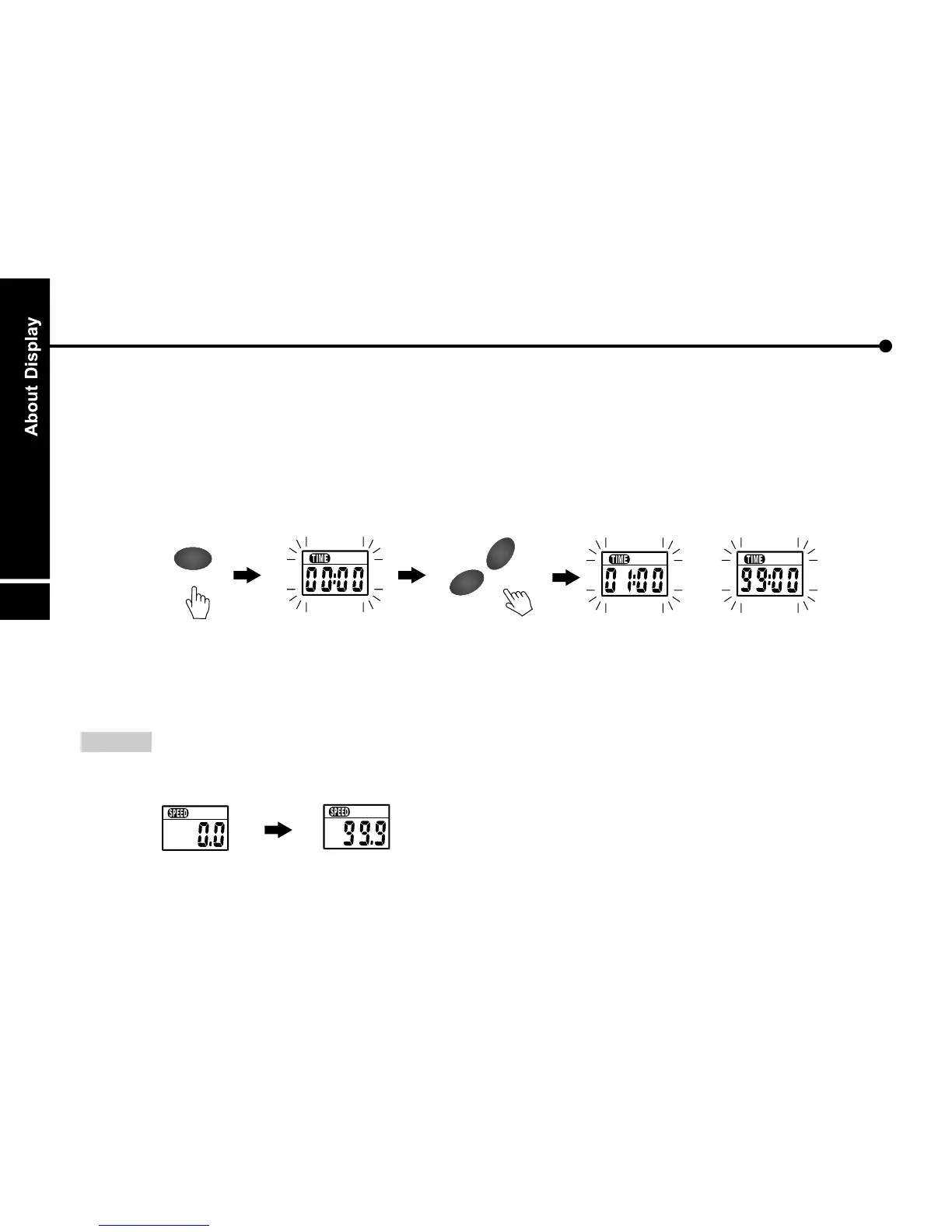
B. TIME :
Shows the time. Press the ENTER button to the setting mode, then press UP or DOWN button to
set the desired time to exercise. The range of setting value is from 0:00 to 99:00.
After finish setting the value, it starts countdown. While counting down to 0:00, the monitor will
beep 12 times and count up from 0:00. Without setting the value, the time will count up and the
maximum value is 99:59.
x 1
DO
WN
UP
+
-
O
M
/
R
E
D
T
E
N
E
~
C. SPEED :
NOTE : Speed can not be set.
The monitor of speed window will display the current speed from 0.0 ~ 99.9 Km/hr or Mile/hr.
21


 To Next Page