ABOUT DISPLAYS :
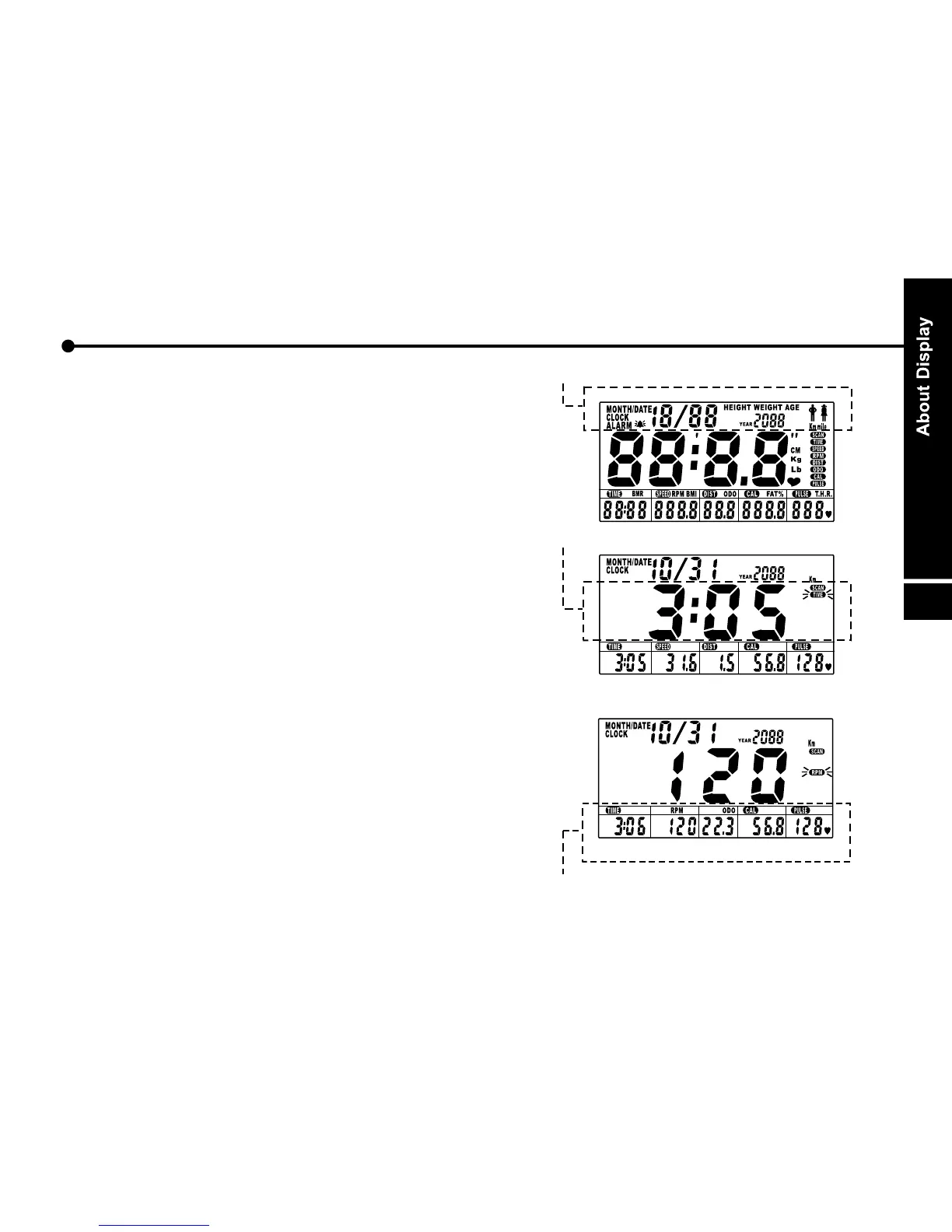
A. LCD display :
The upper display:
Shows the data.
The main display:
Press the button UP or DOWN until the "scan" flash
on the screen. Monitor will display the following
function and each function will stay for 5 seconds on
the main screen.
TIME - SPEED - DISTANCE - CALORIE - PULSE
Or during exercise status press the ENTER/MODE
button to change display:
TIME - RPM - ODO - CALORIE - PULSE
The lower display:
a. Normal display function are:
TIME - SPEED - DISTANCE - CALORIE - PULSE
b. during exercise status press the ENTER/MODE
button to change display:
TIME - RPM - ODO - CALORIE - PULSE
20
Upper display
Main display
Lower display


 To Next Page