C. BODY FAT FUNCTION INSTRUCTION
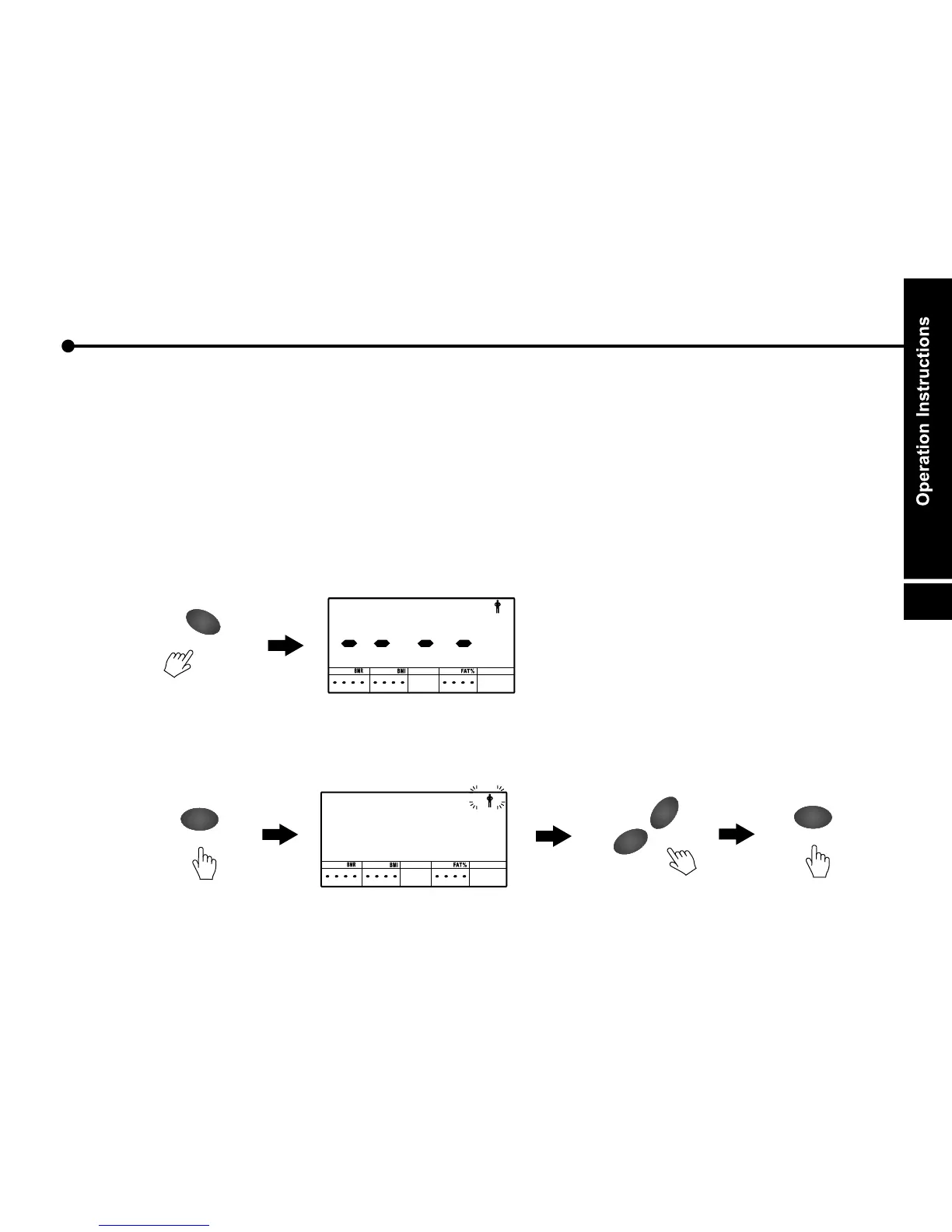
- When you are not pedaling, BODY FAT MEASUREMENT function available.
- Input personal data by press ENTER, UP and DOWN button.
- The default value of personal data is as described as followed. The personal data will not be kept
in monitor when monitor power off, run out of batteries or change unit of measurement.
a. Press the Body Fat button to start.
b. Press the ENTER button to set gender. The preset gender is male and glitters. Use UP and
DOWN button to change the setting. Then p .ress ENTER to confirm the setting
BODY
FA
T
O
M
/
R
E
D
T
E
N
E
O
M
/
R
E
D
T
E
N
E
DO
WN
UP
+
-
28


 To Next Page