subminiature male connector and contains the RS232C serial port if the optional interface
is purchased.
The long right hand connector is a twenty five pin female which connects the serial printer to
the PTI Falcon.
Next to the connectors are the fuse holder and power line connector. The fuse may be
released by inserting a small screwdriver into the notch in the top of the fuse holder and
pressing down on the plastic release clip.
WARNING: TO PREVENT ELECTRIC
SHOCK, NEVER REMOVE OR INSERT THE FUSE WITHOUT FIRST UNPLUGGING
THE PTI FALCON BASE UNIT FROM THE POWER OUTLET!
The power line
connector contains an integral RF line filter to reduce radio frequency interference with
other electronic devices.
WARNING: ALWAYS UNPLUG THE POWER CORD FROM
THE WALL OUTLET FIRST, BEFORE UNPLUGGING THE CORD FROM THE BACK
OF THE PTI FALCON. ALWAYS PLUG THE POWER CORD INTO THE BACK OF
THE PTI FALCON BEFORE PLUGGING THE OTHER END INTO A WALL OUTLET.
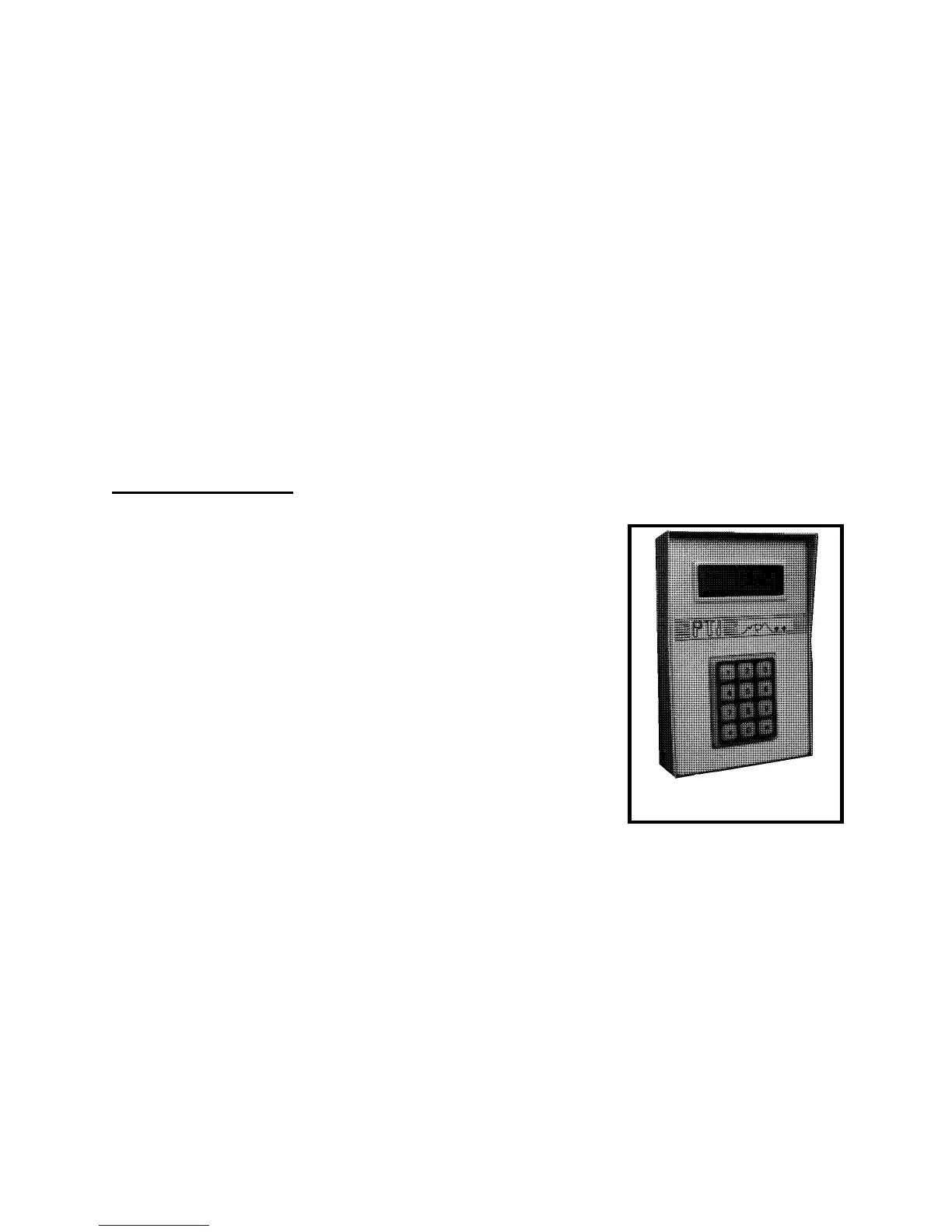
The Remote Keypad
A PTI Falcon access control system may contain multiple
remote keypads such as the one illustrated in Figure Three.
The number of remote keypads will depend on the number of
entry points to the facility through which you desire to control
access.
The Remote Keypad unit contains a silicon rubber booted
keypad in a typical telephone style arrangement. The keypad
contains four small light emitting diodes (LED's) behind the
rubber boot which serve to light the keypad for night use.
These lights are continuously on, although they are not bright
enough to be seen in daylight.
The Remote Keypad unit also contains a thirty two character
liquid crystal display (LCD) arranged as two lines with sixteen
characters per line. The display is fully alphanumeric which
allows complete text to be displayed rather than just numbers.
The LCD also contains an electroluminescent (EL) light panel behind it for night time
viewing. This light only comes on when the "*" key is first pressed on the keypad to begin a
transaction.
Alphanumeric LCD's are available in either "top view" or "bottom view" models, which
specifies the viewing angle for maximum contrast. The PTI Remote Keypad contains a "top
view" LCD, so the best viewing angle will be when the user's line of sight is from above the
display looking down on it.


 To Next Page