
 Need help?
Do you have a question about the PTI Falcon and is the answer not in the manual?
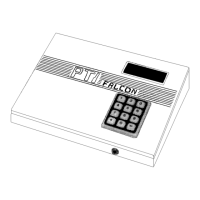
Details the PTI Falcon Base Unit, serving as the main programming console, including its display and keypad.
Describes the PTI Falcon remote keypad, its features like backlit keypad and LCD display, and its usage.
Illustrates and describes the power cord, remote patch cord, and printer cable for the PTI Falcon system.
Details the PTI gooseneck stand accessory for remote keypads, including mounting and grounding recommendations.
Explains the use of PTI individual door alarms with multiplexer (mux) boxes, capacity, and wiring.
Describes the PTI single wire door alarm system using Door Control Units (DCU) and Door Interface Units (DIU).
Provides instructions for opening the remote keypad case and mounting it, detailing circuit board components.
Explains the proper setting of keypad unit numbers using rotary switches and DIP switches for operation.
Outlines procedures for testing the LCD display, keypad operation, backlights, rotary switch settings, and communication.
Details mounting multiplexer boxes and installing door wiring and switches for expandable door alarm systems.
Describes setting rotary and DIP switches on the master multiplexer unit for door count and box numbering.
Provides instructions for installing DCU boxes and Door Interface Units (DIU) for single wire door alarm systems.
Explains setting rotary and DIP switches on the master DCU board for door count and unit numbering.
Details how to test alarm wiring using the LED indicator on the mux box for diagnostics.
Describes how to test communication between the PTI Falcon base unit and alarm multiplexer boxes.
Provides steps for locating and connecting the PTI Falcon base unit and printer.
Introduces the menu-driven programming system and how to access functions using numbers or scrolling.
Outlines the essential steps for programming a new PTI Falcon system installation.
Explains how to set the correct time and date for the PTI Falcon system.
Details how to set the normal access hours (Open and Close times) for weekdays, weekends, and holidays.
Describes how to specify up to thirty two holidays and their corresponding access hours.
Explains how to classify customers into building groups and specify the number of units per building.
Guides on adding new units, assigning access codes, and specifying door alarm wiring details.
Explains how to temporarily block access for a unit, logging attempts and informing the user.
Describes how to restore access for a unit that was previously suspended.
Details how to completely delete all data for a unit, typically when it is reassigned.
Allows marking individual units for twenty-four hour access, overriding programmed business hours.
Explains how to record system memory contents onto an audio cassette for backup.
Describes how to load data from a previously saved backup tape into the PTI Falcon memory.
Details how to generate various reports (all, hold, vacant, open) on the printer.
Allows adjustment of the Liquid Crystal Display (LCD) contrast on the PTI Falcon base unit.
Enables manual opening of gates or entrances from the keypad by triggering remote relays.
Explains how to enter a unique master code for system operations, not for opening entrances.
Allows individually turning door alarms on or off for specific units.
Clears alarm conditions for all units, resetting disabled alarms and restoring door activity printing.
Forces the base unit to read the current condition of all doors, useful after restarts.
Controls printing of events for doors on unprogrammed units (Unknown Doors).
Sets relay closure times for alarm and keypad relays, and specifies the number of system remotes.
Provides detailed electrical specifications for the PTI Falcon Base Unit, including voltage, current, and connectors.
Lists detailed electrical specifications for the PTI Falcon Remote Keypad, including voltage, current, and terminal functions.
Details electrical specifications for PTI Alarm Mux boxes, including voltage, current, battery, and terminal functions.
 General
| Brand | PTI |
|---|---|
| Model | Falcon |
| Category | Security System |
| Language | English |

 To Next Page