EasyManua.ls Logo

Pulsar PGD105TiSCO - User Manual

Pulsar PGD105TiSCO
25 pages
Print Icon
To Next Page IconTo Next Page
Loading...
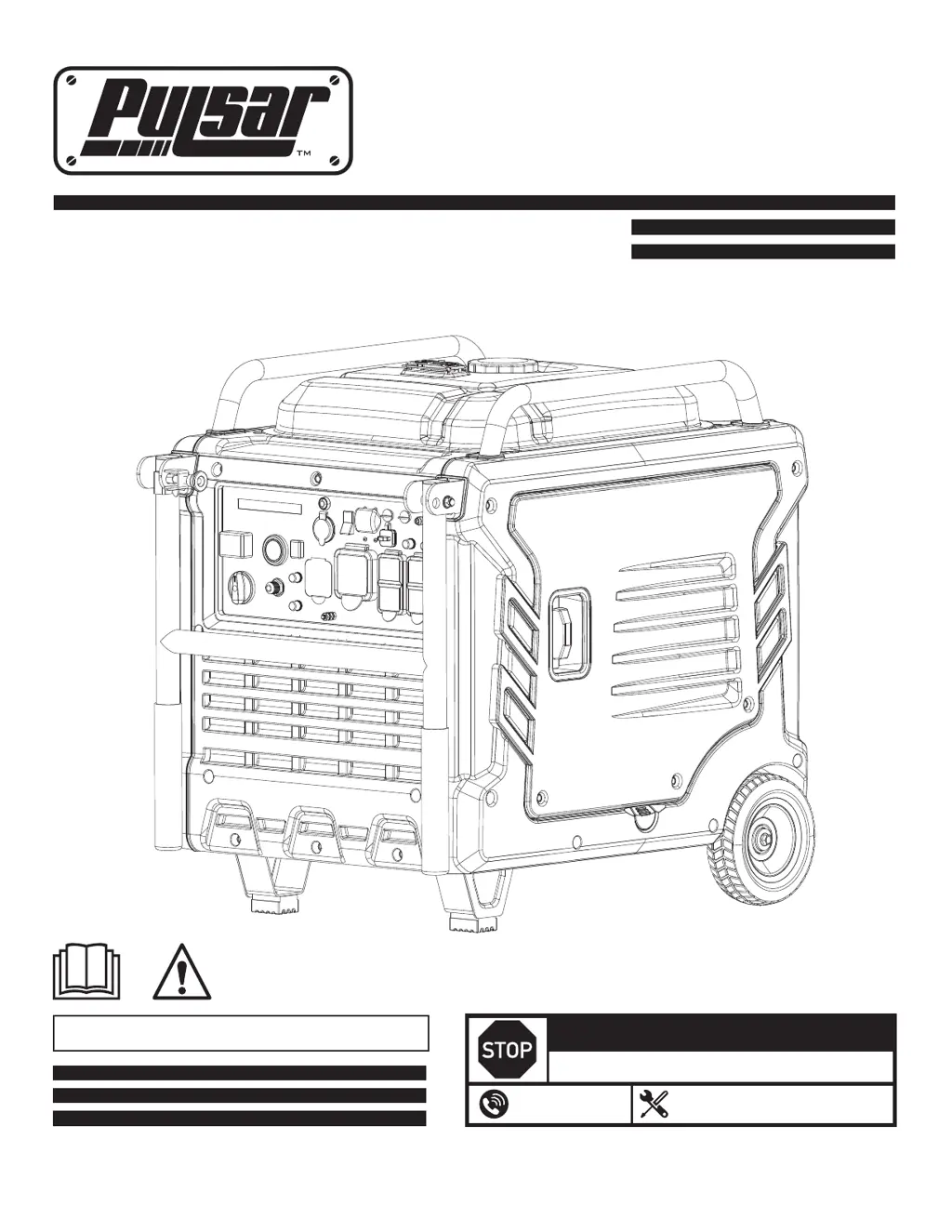
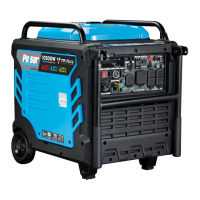
10500 Watt Tri-Fuel Inverter Generator
Model: PGD105TiSCO
OPERATOR'S MANUAL
Warning: The Engine Exhaust from this product contains chemicals known to the State
of California to cause cancer, birth defects or other reproductive harm.
DO NOT RETURN TO STORE!
HAVE QUESTIONS OR NEED SERVICE?
support@pulsar-products.com
866-591-8921

Questions and Answers

  • S
    Suzanne PerryAug 5, 2025
    Why does my Pulsar Portable Generator engine stop suddenly?
    • J
      jessica38Aug 6, 2025
      If your Pulsar Portable Generator engine stops suddenly, first check the engine oil level and fill it to the proper level before each use. Also, ensure the fuel tank isn't empty and is filled with fresh 87+ octane stabilizer treated unleaded gasoline, avoiding fuel with more than 10% ethanol. Check and test/replace the fuel tank cap.
  • S
    Stephen PattersonAug 10, 2025
    What to do if my Pulsar PGD105TiSCO won't start?
    • Y
      ymitchellAug 10, 2025
      If your Pulsar Portable Generator engine won't start and it's compression-related, especially after long storage, pour a tablespoon of oil into the spark plug hole. Crank the engine a few times, then try starting it again. Also, check if the spark plug is loose or broken; tighten it or replace it if necessary.
  • K
    Kelly ZavalaAug 16, 2025
    Why is my Pulsar PGD105TiSCO engine knocking?
    • C
      Crystal RushAug 16, 2025
      If your Pulsar Portable Generator engine knocks, replace old or low-quality gasoline with fresh 87+octane stabilizer-treated unleaded gasoline, ensuring it has no more than 10% ethanol. Also, avoid exceeding the equipment's load rating.
  • J
    Jennifer PatrickAug 21, 2025
    What to do if Pulsar Portable Generator engine stops when under heavy load?
    • M
      Malik Palmer IIIAug 21, 2025
      If your Pulsar Portable Generator engine stops under a heavy load, clean the air filter element. Also, allow the engine to warm up before operating equipment.
  • J
    Jill ObrienAug 26, 2025
    Why does my Pulsar Portable Generator backfire?
    • H
      hyoungAug 26, 2025
      If your Pulsar Portable Generator engine backfires, replace impure or low-quality gasoline with fresh 87+ octane stabilizer treated unleaded gasoline, ensuring it contains no more than 10% ethanol. If the engine is too cold, use cold weather fuel and oil additives.
  • J
    Joel SantanaAug 30, 2025
    What to do if my device doesn't have power from Pulsar PGD105TiSCO?
    • M
      Meghan ParkerAug 30, 2025
      If the device attached to your Pulsar Portable Generator doesn't have power, turn off and unplug the device, then plug it back in securely and turn it on again. If that doesn't work, check if the circuit breaker has tripped; if so, turn off and unplug the device, reset the circuit breaker, then plug the device back in and turn it on.

Summary

OPERATORS MANUAL

Safety Warnings and Notices

Safety Definitions

Explains DANGER, WARNING, CAUTION, NOTICE terms used in the manual for safety communication.

Safety Instructions

Safety Symbols

Lists and describes safety symbols and their meanings.

Safety Precautions

Outlines critical safety warnings regarding hazards like carbon monoxide and electrocution.

Safety Instructions

Operational Location and Practices

Details correct and incorrect generator placement to prevent hazards like carbon monoxide exposure.

Operating Procedures

Covers essential steps for adding fuel, starting, and operating the generator safely.

Safety Instructions

Parallel Kit Precautions

Provides safety guidelines for connecting and using parallel kits with generators.

CO Sentry System

Describes the CO Sentry system and its indicator lights for carbon monoxide detection.

Carbon Monoxide Safety

Explains the dangers of carbon monoxide and its properties as a silent killer.

Components

Control Panel Overview

Identifies key components and their locations on the generator.

Generator Physical Components

Labels and points out various external parts of the generator unit.

Control Panel

Control Panel Features

Details the various indicators, controls, outlets, and ports on the generator's control panel.

Specifications

Engine Specifications

Lists technical details of the generator's engine, such as model, displacement, and type.

Generator and Configuration Specs

Details generator output, voltage, frequency, and configuration parameters.

Preparation

Unpacking the Generator

Instructions on safely removing the generator from its shipping carton.

Adding Engine Oil

Step-by-step guide on how to properly fill the engine with oil before operation.

Preparation

Adding Gasoline

Instructions for safely filling the fuel tank with gasoline, including precautions.

Connecting an LPG Tank

Procedure for connecting a propane (LPG) tank to the generator, including safety checks.

Preparation

Connecting the Natural Gas Supply

Steps for safely connecting a natural gas (NG) line to the generator, with leak test instructions.

Preparation

Connecting The Battery

How to connect the generator's battery for starting and charging.

Grounding The Generator

Instructions for properly grounding the generator to prevent electrocution hazards.

Preparation

Operation

Generator Location

Guidelines for selecting a safe and well-ventilated area to operate the generator.

Starting The Generator

Step-by-step instructions for starting the generator using different methods.

Operation

Fuel Switching

How to switch between gasoline, LPG, and NG fuel sources safely.

Parallel Operation

Information on connecting two generators in parallel to increase power output.

Overload Indicator

Explanation of the overload indicator light and what it signifies.

Operation

Low Oil Indicator

Describes the low oil shutoff feature and its indicator light.

Low Idle Switch

Explains the function of the low idle switch for noise and fuel efficiency.

Voltage Selector

Details how to select between 120V and 120/240V output for different needs.

Operation

Generator Capacity

Guidance on calculating and managing the generator's running and surge wattage capacity.

Maintenance

Cleaning, Maintenance, and Lubrication Schedule

Provides a schedule for regular cleaning, maintenance, and lubrication tasks.

Maintenance

Checking and Filling Fuel

Procedures for checking fuel levels and safely adding gasoline.

Engine Oil Change

Detailed steps for changing the engine oil, including safety precautions.

Maintenance

Air Filter Element Maintenance

Instructions for cleaning or replacing the air filter element.

Spark Arrestor Maintenance

Safety and maintenance procedures for the spark arrestor to prevent fires.

Spark Plug Maintenance

Steps for inspecting, cleaning, and replacing the spark plug.

Maintenance

Storage Procedures

Guidelines for preparing and storing the generator for extended periods.

Troubleshooting

Engine Will Not Start

Lists possible causes and solutions for the engine failing to start.

Troubleshooting

Engine Issues

Covers problems like low oil, clogged spark arrestors, misfires, and sudden stops.

Troubleshooting

Operational Problems

Addresses issues like stopping under load, knocking, backfiring, and no power to devices.

Electrical Schematic

Pulsar PGD105TiSCO Specifications

General IconGeneral
BrandPulsar
ModelPGD105TiSCO
CategoryPortable Generator
LanguageEnglish

Related product manuals