USR-W630s User Manual
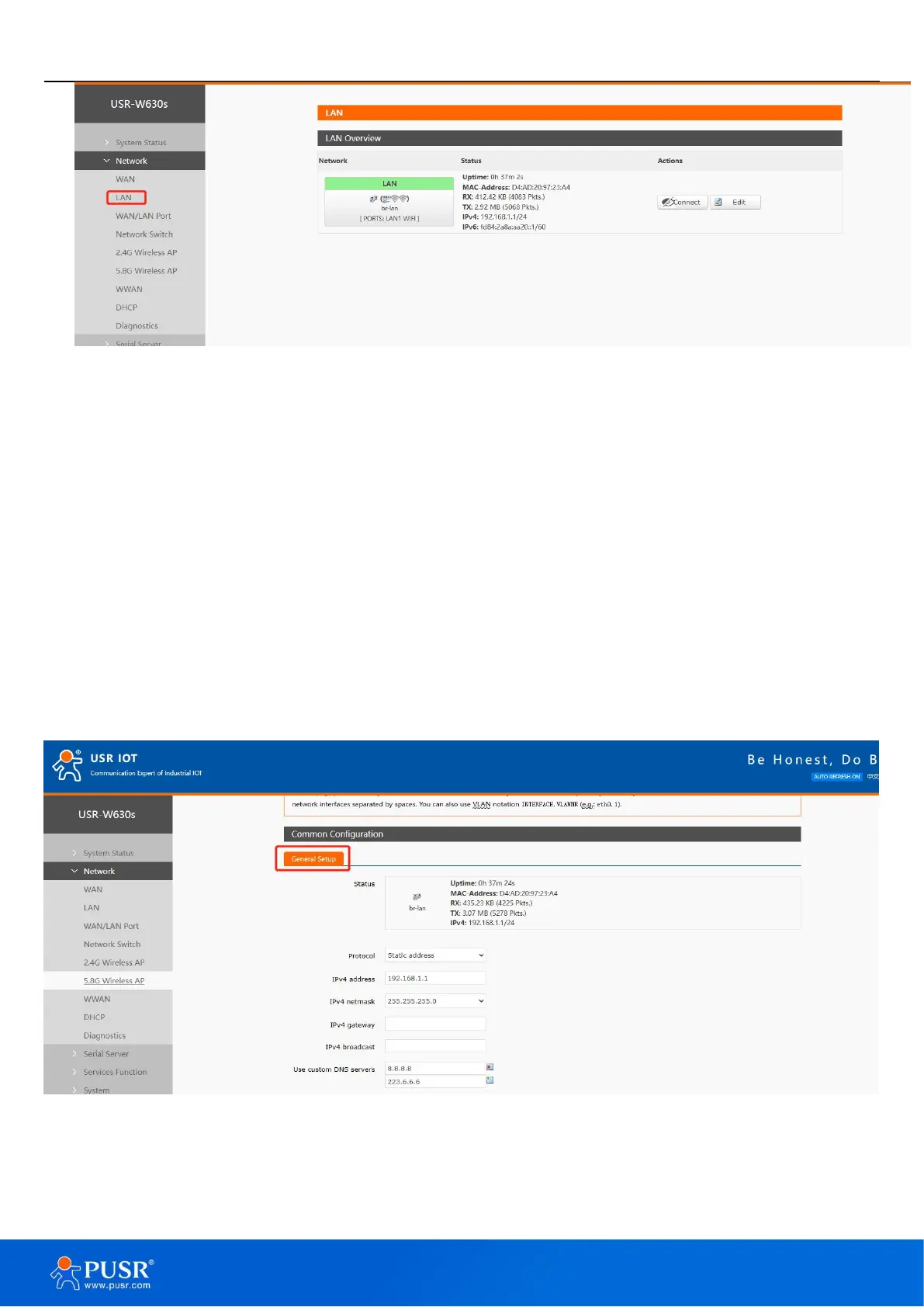
Figure 14. LAN Interface settings
Note:
1 LAN port, 1 WAN/LAN configurable;
The default static IP address is 192.168.1.1, and the subnet mask is 255.255.255.0. This parameter can be
modified, for example, the static IP is modified to 192.168.2.1;
The WIFI interface is bridged to the LAN port;
The DHCP server function is enabled by default, and all devices connected to the LAN port of the wireless
client can automatically obtain an IP address;
With simple status statistics function;
4.2.1. General setup
Figure 15. General setup settings
4.2.2. DHCP Server
The DHCP Server function of the LAN port is turned on by default (you can choose to turn it off), and all


 To Next Page