USR-W630s User Manual
DDNS + Port Mapping can facilitate remote access to the wireless client's internal network.
If the network where the wireless client is located does not have a dedicated public IP address, this feature
cannot be utilized.
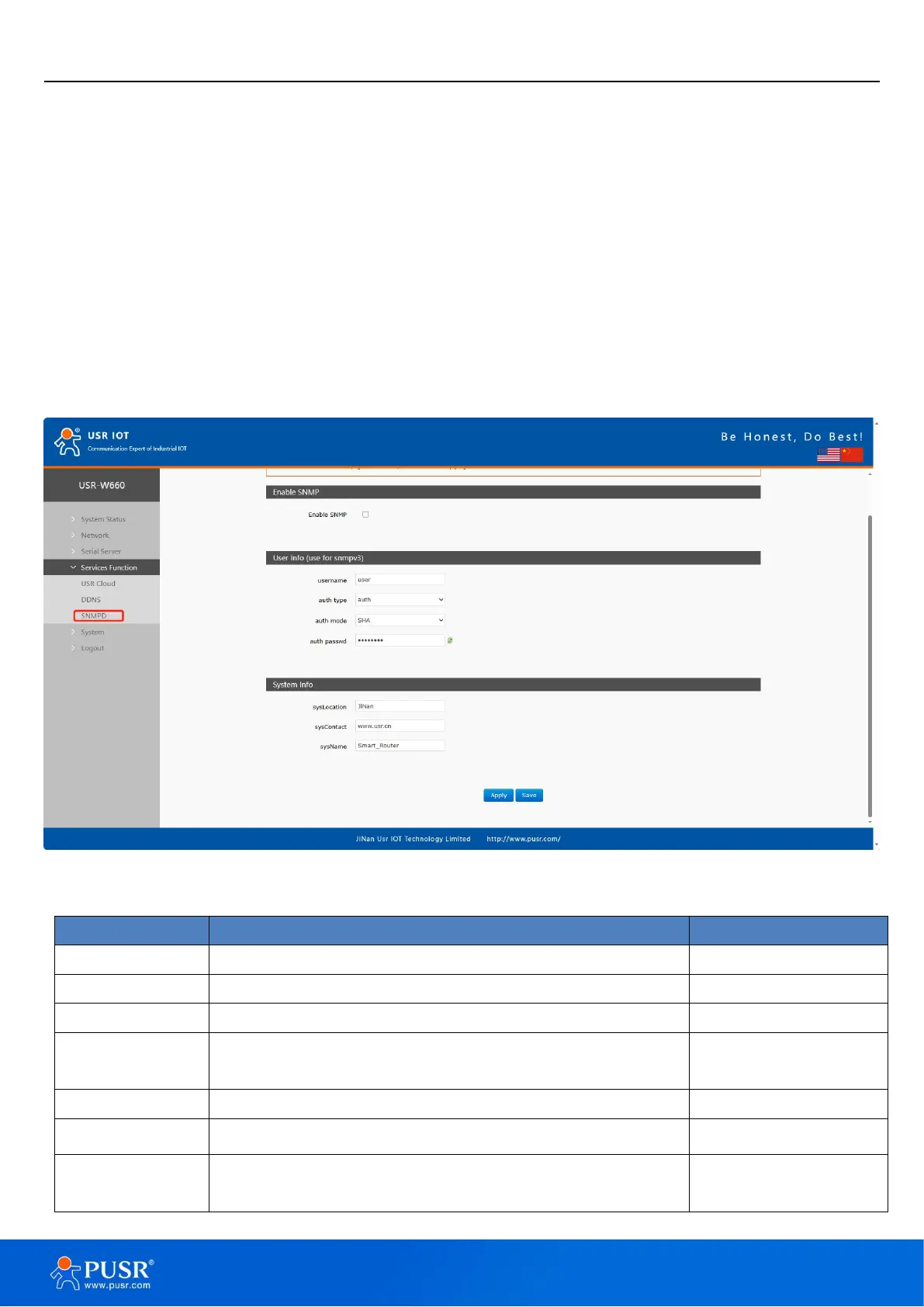
6.3. SNMPD
The USR-W630s device is equipped with SNMP (Simple Network Management Protocol) service, which allows
you to remotely view device information, modify device parameters, and monitor device status using the SNMP
protocol. It eliminates the need to be physically present on-site for monitoring and configuring the device. This
device supports SNMP versions V2C and V3.
Figure 43. SNMPD settings
Enable SNMP service by checking the box
Name assigned to the SNMP user
Type of authentication, auth or auth_enc
Verification protocol used by the user and host to receive
traps. MD5 or SHA
User authorization password
Encryption protocol type, either DES or AES
Encryption password used as the encryption private key


 To Next Page