USR-W630s User Manual
Network
Restarting Without
Data
Trigger device restart if no data is received from all channels
within the set time. Applicable to non-HTTP protocols, see
details below for specifics
Restart Detection
Interval(s)
Set time interval, in seconds
Serial Restarting
Without Data
Trigger device restart if no data is received from all channels
within the set time. Applicable to non-HTTP protocols, see
details below for specifics
Restart Detection
Interval(s)
Set time interval, in seconds
COM1-485/COM2-232/COM1+COM2
6. Service function
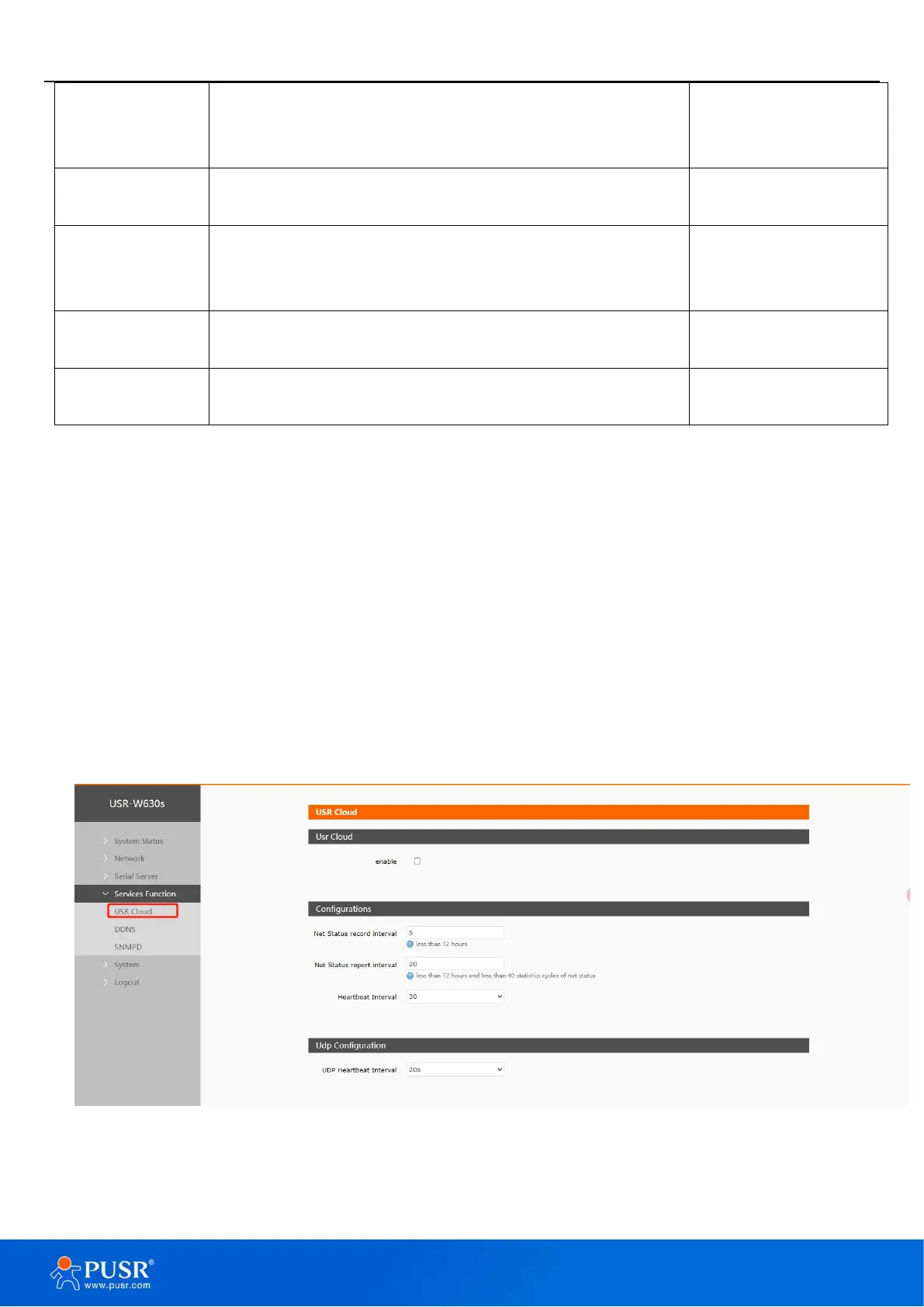
6.1. PUSR Cloud
PUSR Cloud address: https://account.usriot.com/#/login. Using PUSR Cloud service allows wireless client
devices to be monitored and controlled efficiently and uniformly managed on Someone's Cloud platform.
The USR-W630s default disables PUSR Cloud service function. The interface can be configured to report
parameters such as traffic statistics, network status, and heartbeat packets. It also supports data reporting to
private deployments.
Figure 40. PUSR cloud


 To Next Page