USR-W630s User Manual
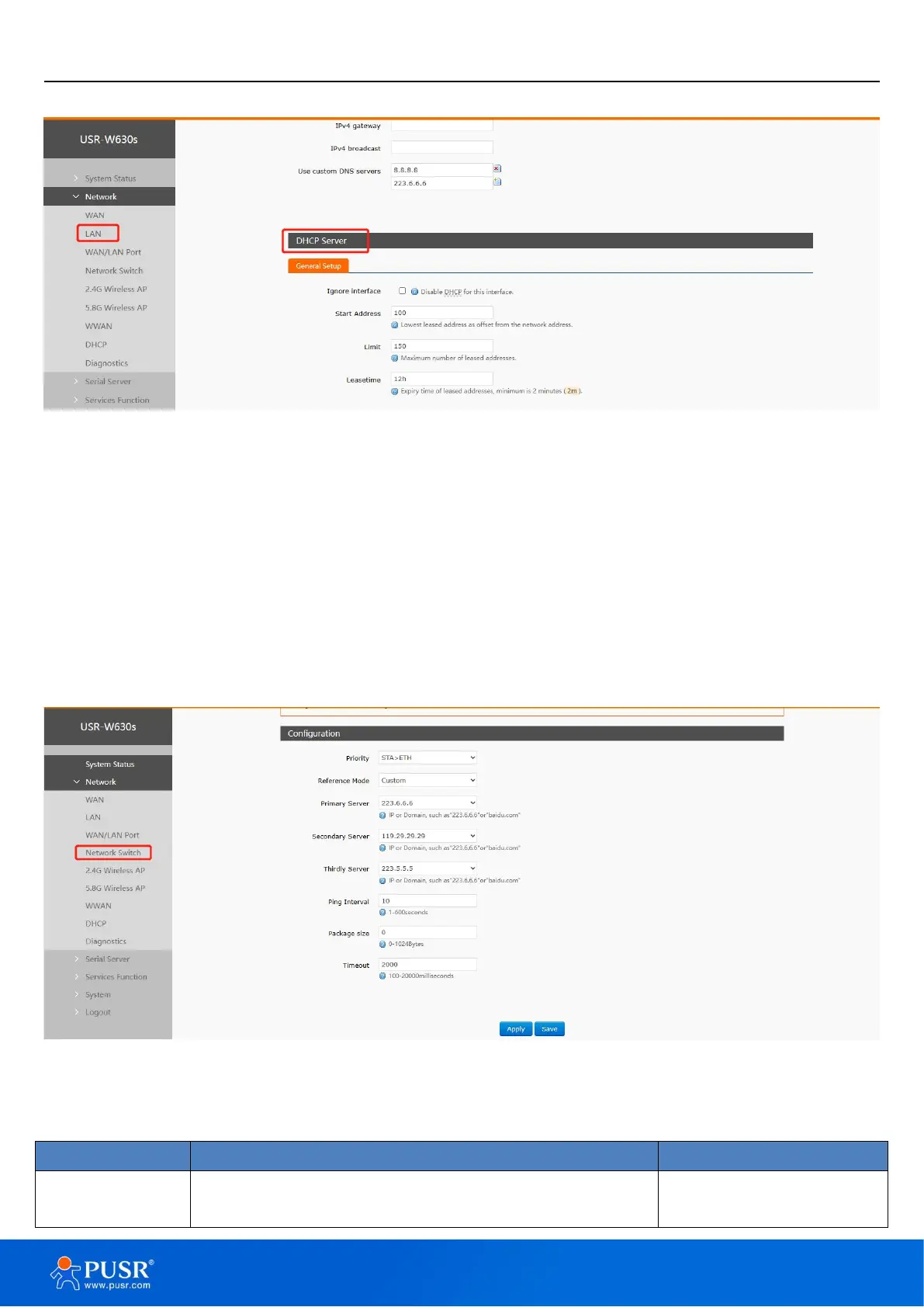
network devices connected to the LAN port can automatically obtain IP addresses.
Figure 16. DHCP Server settings
Note:
You can adjust the starting address of the DHCP pool and the address lease time;
DHCP default allocation range starts from 192.168.1.100;
Default lease period 12 hours
4.3. Network switch (Network priority)
In this interface, users can choose network priority. The default is to use the WAN port network first.
Figure 17. Network Switch settings
Table 2. Network switching configuration
Wired>Wireless: Prioritize using wired network,
Wireless>Wired: Prioritize using wireless network,


 To Next Page