USR-W630s User Manual
Unit: s
Interval to detect IP address changes
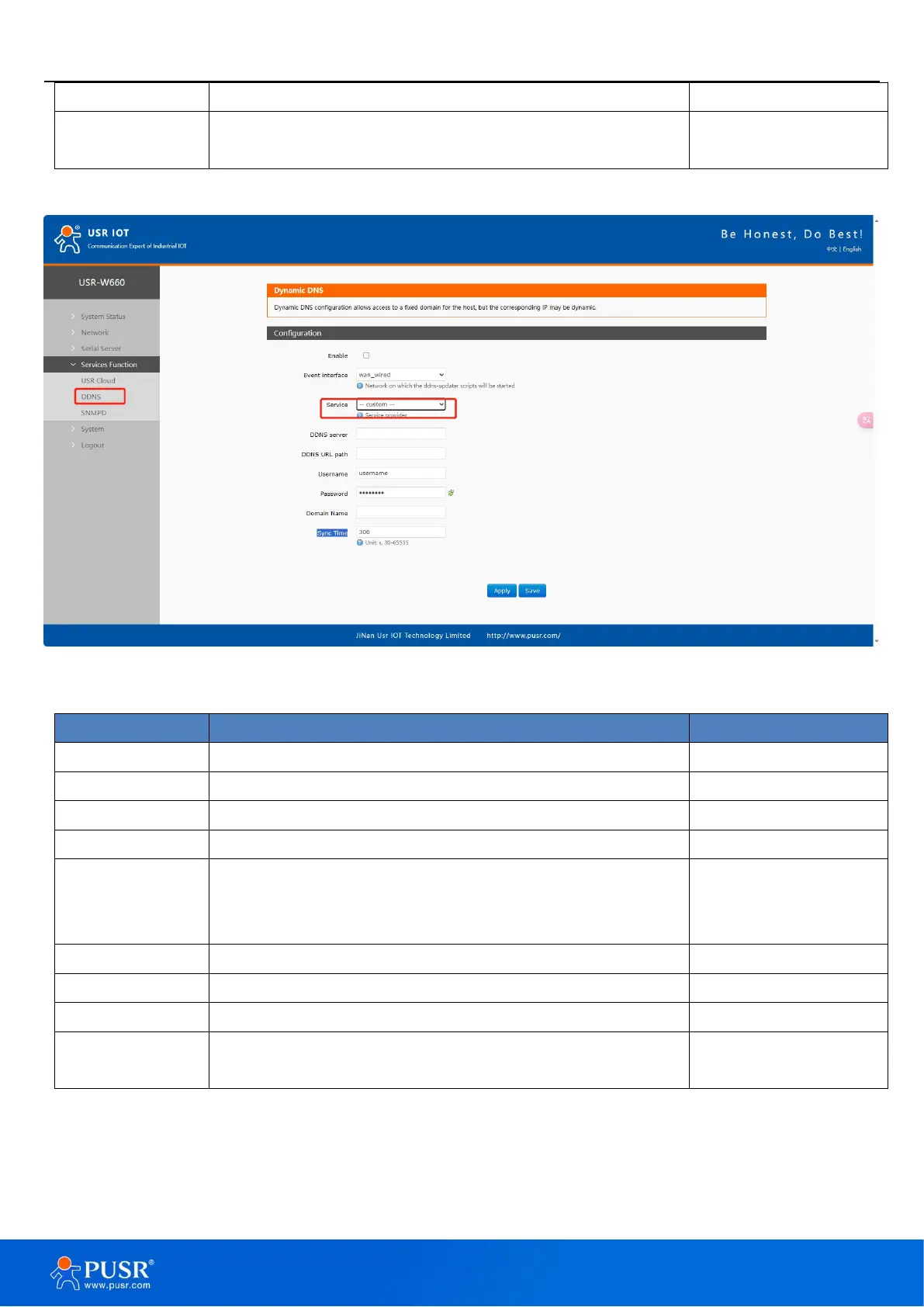
6.2.2. User Defined DNS Service
Figure 42. User defined DNS settings
Check to enable DDNS functionality
Choose which WAN port as needed
Choose the corresponding server, here selecting Custom
DDNS provider address, here fill in ddns.oray.com
Please fill in the service URL path for DDNS (here using Peanut
Shell as an example, select Custom service), Peanut Shell URL
is as follows: /ph/update?hostname=%h&myip=%i
Peanut Shell account name
Unit:Second
Range: 30~65535
Note:
Please strictly fill in the parameters as described in the table, including Service/URL, Registered Domain Name,
Username/Password, Interface, to ensure accuracy.


 To Next Page