USR-W630s User Manual
5.2. Communication settings (TCP/UDP socket)
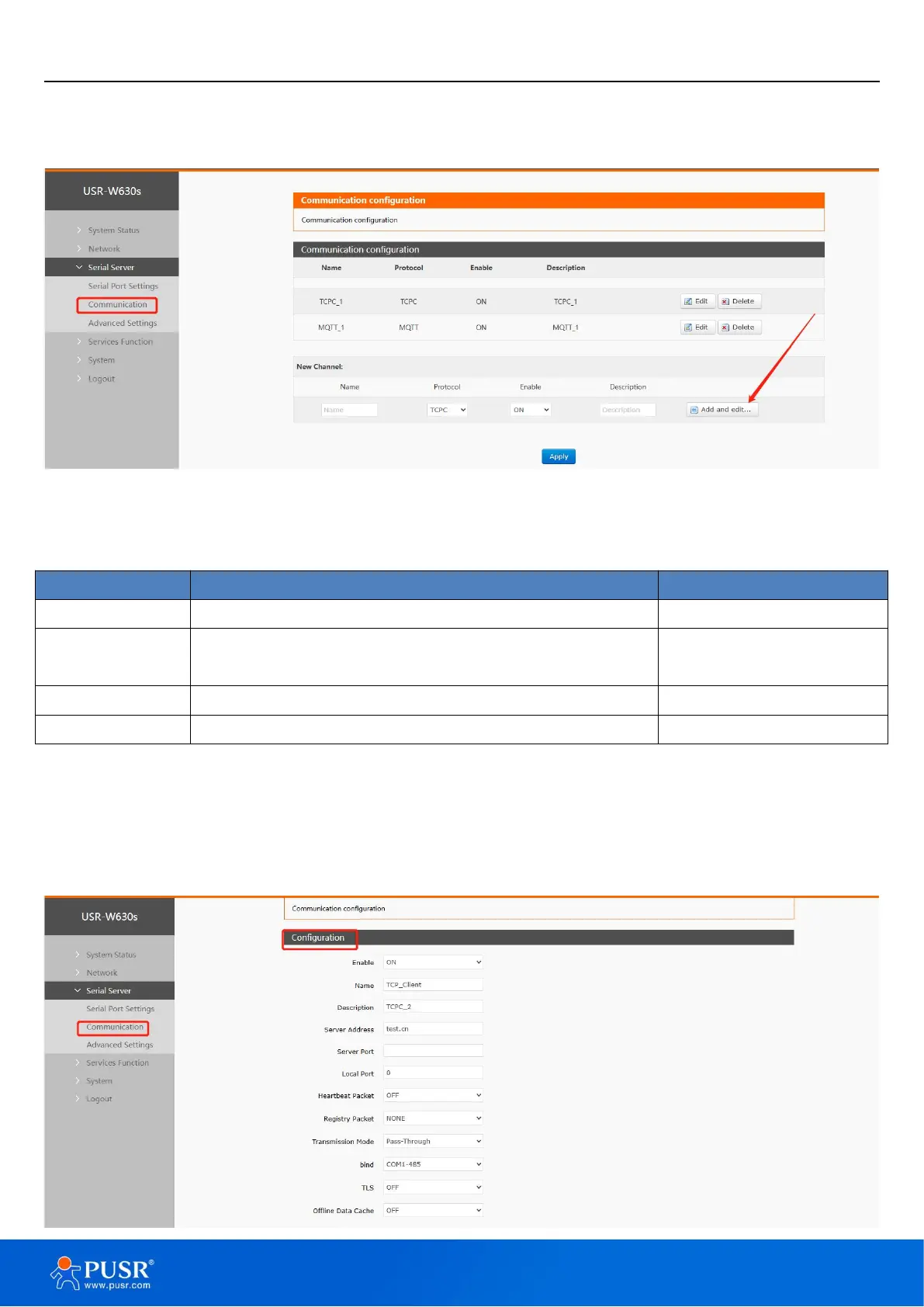
In this interface you can set the parameters of DTU.
Figure 27. DTU settings
Table 6. Detail parameters of DTU
Set the name of this link.
Select the network protocol, you can choose:
TCPC/TCPS/UDPC/UDPS/HTTPD/MQTT/AWS/ALI.
Whether to enable this link, ON (enable)/OFF (disable).
Illustrate:
Depending on the selection of each protocol, the “Add and Edit” interface will be different accordingly;
Up to 6 links can be set up.
5.2.1. TCPC Mode(TCP Client)


 To Next Page