20
7 Media sources
The uPlay Stream app can stream music from different sources
including local device content, compatible media servers and
cloud storage.
7.1 Play local device content
In the Browser tab, the first item is always the local device
content. Browse and select a track to start playback. For some
Android devices, the content structure in the browser may be
slightly different.
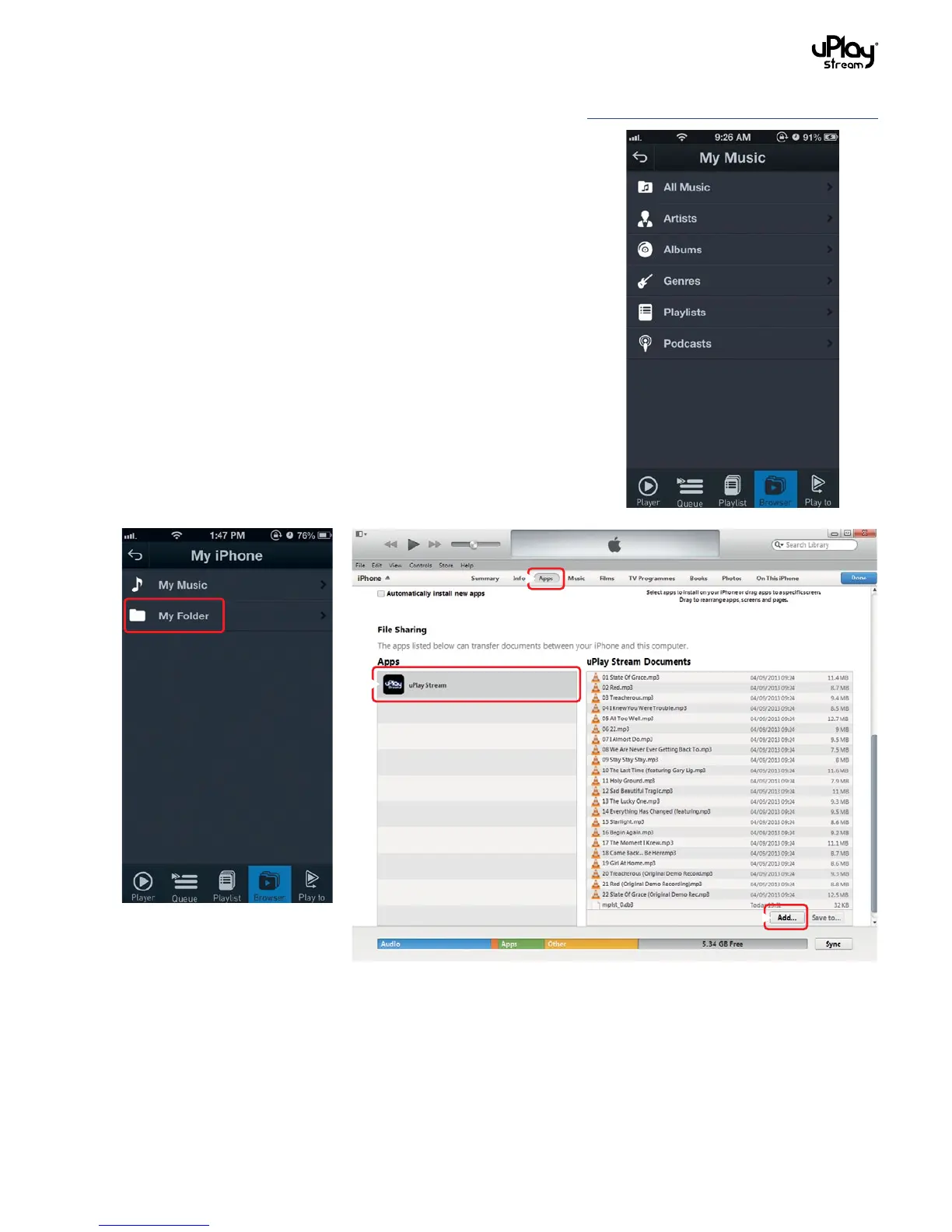
In iOS, there is an extra My Folder option. It is a local folder inside
the uPlay Stream app that you can play tracks from.
To transfer tracks to this local folder in the uPlay Stream App:
1. Connect your phone to iTunes.
2. Go to the App tab and scroll to down to the File Sharing
section.
3. Select uPlay Stream from the Apps list.
4. You can add tracks to the app’s My Folder by pressing the Add
button.
1
2
3


 To Next Page