28
10.2 Add songs to playlists
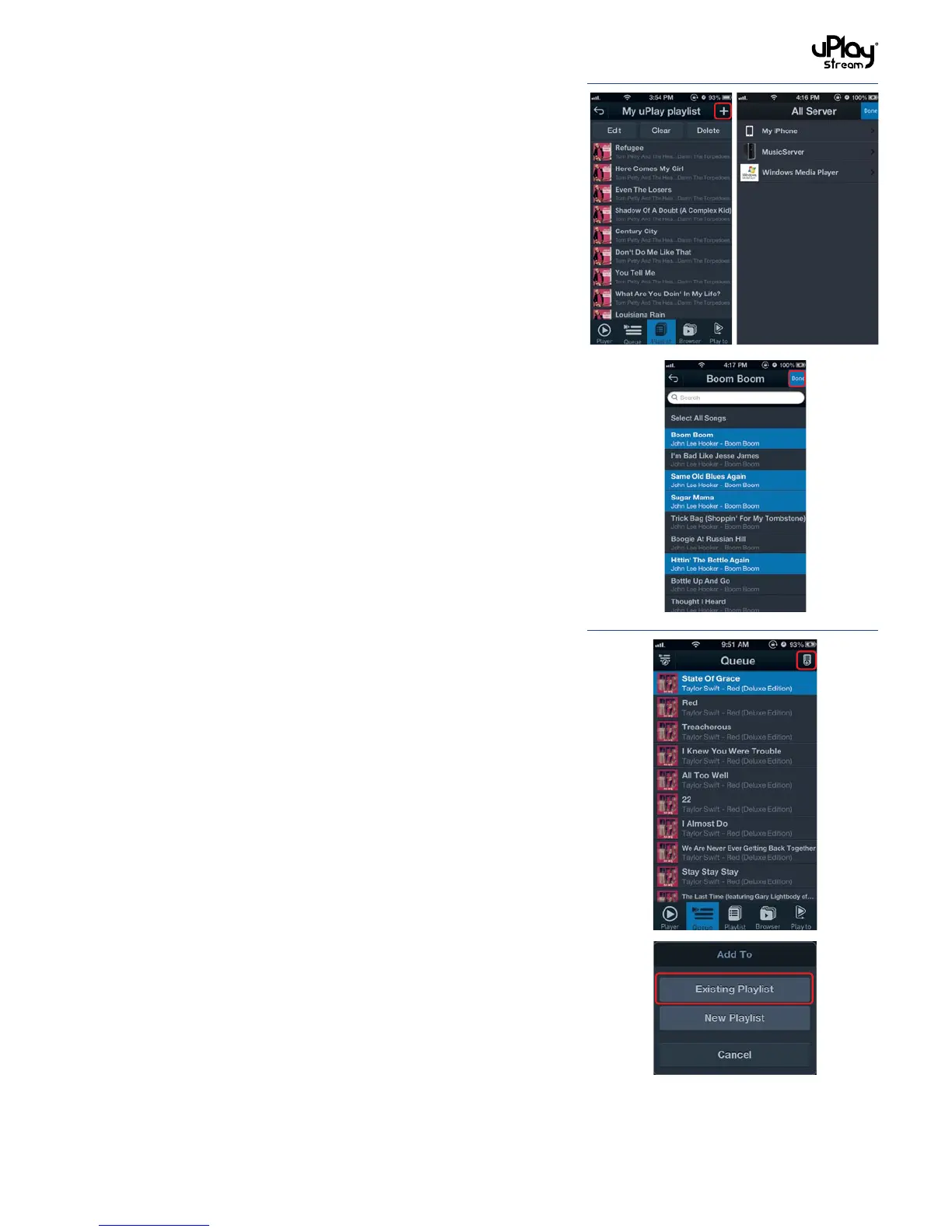
Songs can be added to playlists in two different ways:
1. Select a playlist in the Playlists Tab, press the Add button to
browse the media servers. Select songs to add to the playlist.
Press Done when you finish the selection.
2. In the Queue tab or when browsing in the Browser tab, press
the Add To button and select Existing Playlist. Select a
playlist to add the items in the current browsing location to it.
10.3 Edit, clear or delete playlists
Select a playlist in the Playlist tab:
1. Press Edit to remove tracks or reorder the tracks.
2. Press Clear to clear the contents of the playlist.
3. Press Delete to delete the playlist.


 To Next Page