30
11.2 Play songs to the uPlay Stream
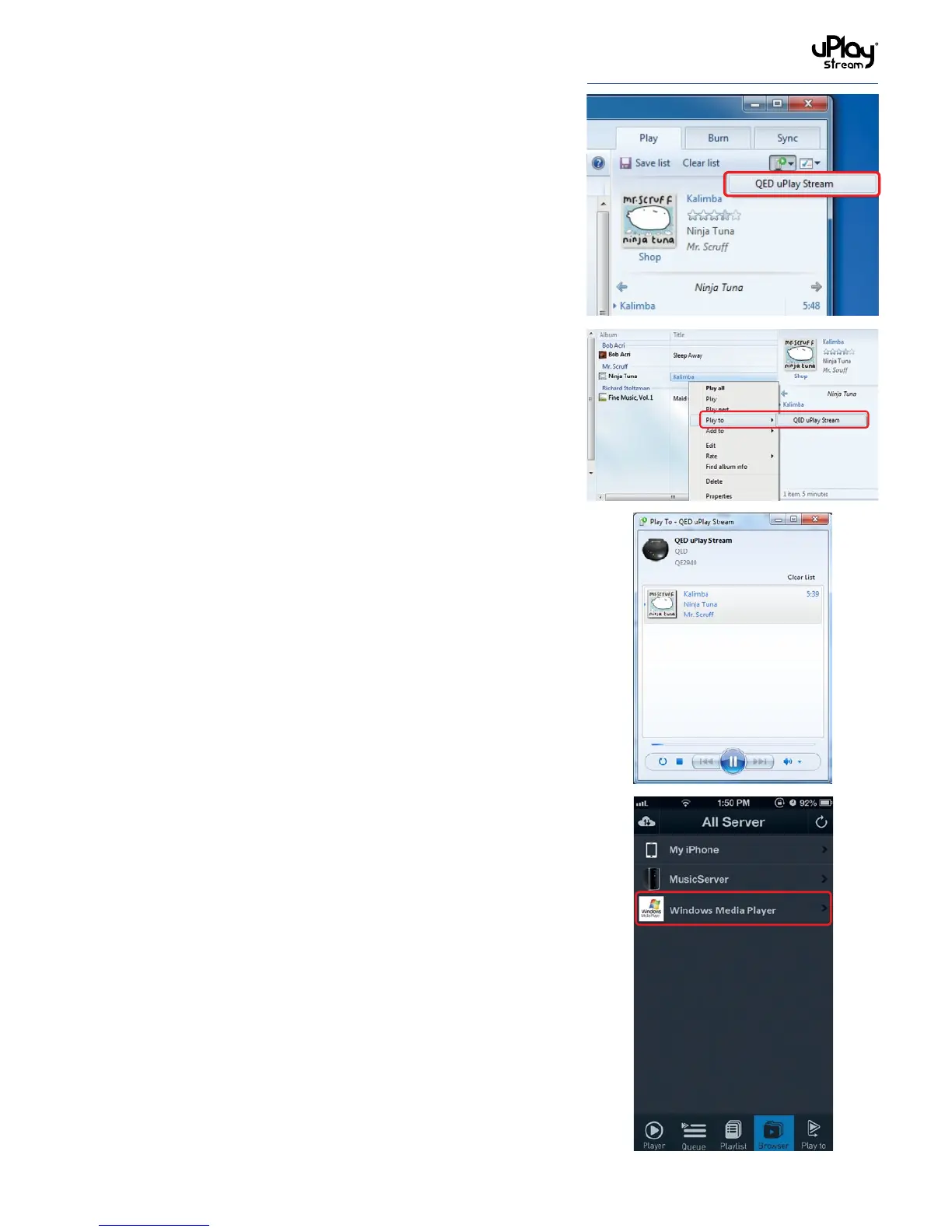
1. To stream songs to the uPlay Stream, click the Play To button
on the right of Windows Media Player or right click on the
song and select Play To.
2. Select the QED uPlay Stream to stream the song to. A new
player window will show for streaming.
11.3 Using Windows Media Player as a media server
If you have correctly configured Windows Media Player as shown
in section 11.1 you should be able to see Windows Media Player
in the Browser tab of the uPlay Stream app.
Select it to browse the content on your Windows Media Player
library.


 To Next Page