27
10 Playlist management
The uPlay Stream app can create, store and play playlists in the
app. These uPlay Stream playlists can only be used in the uPlay
Stream app.
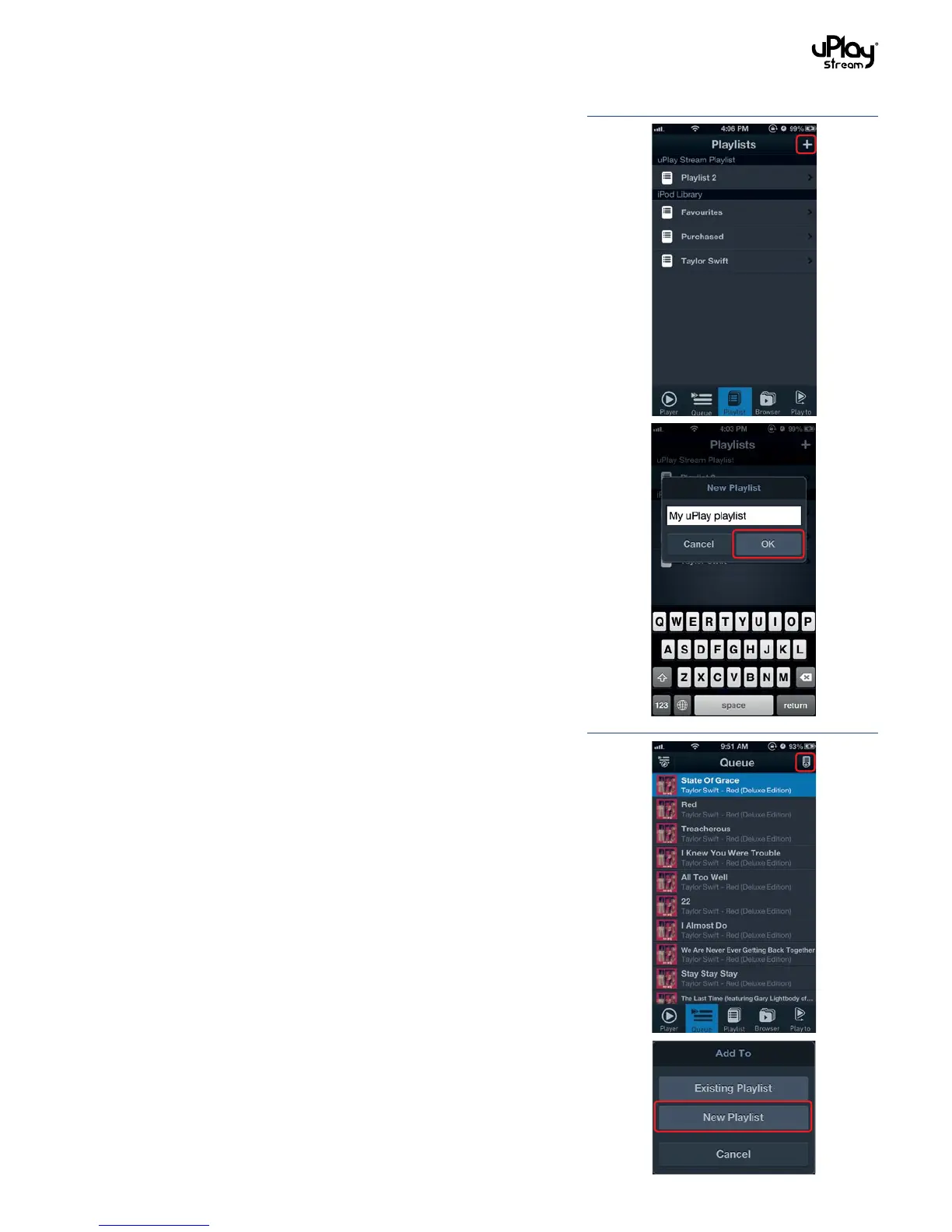
10.1 Create playlists
Playlists can be created in two different ways:
1. In the Playlists tab, press the Add button in the top right
corner to create a new playlist. Enter a new name for the
playlist.
2. In the Queue tab or when browsing in the Browser tab, press
the Add To button and select New Playlist to create a new
playlist with the items in the current browsing location.


 To Next Page