26
9 Queue management
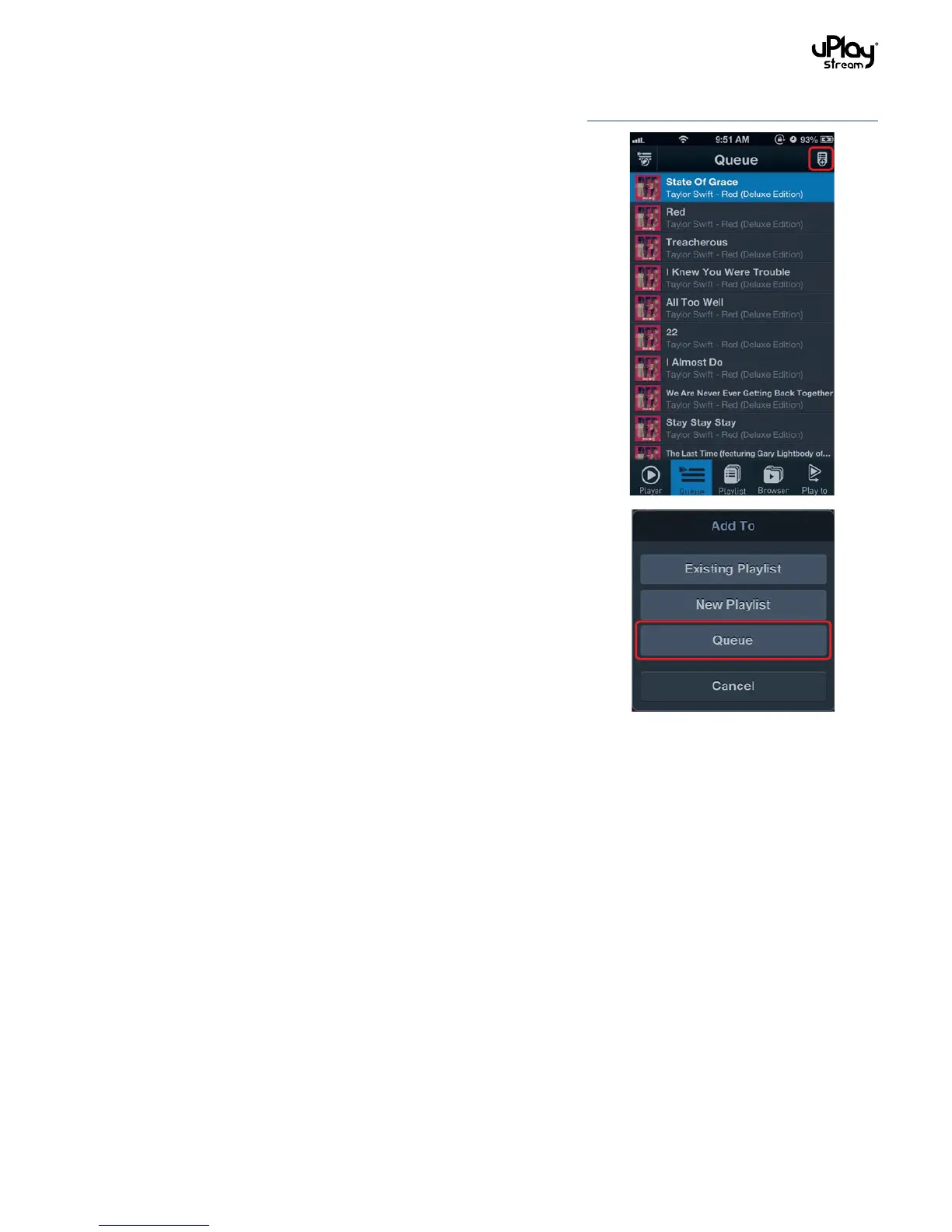
The Queue tab shows the current playback queue. You can add
songs to the queue or edit the queue.
9.1 Add songs to the queue
Songs can be added to the queue in two different ways:
1. When you select a song to play, the previous queue will be
cleared and all the songs in the current browsing location will
be added to the queue.
2. You can also select songs to add to the queue manually. In the
Browser tab, press the Add To button at the top right corner
of the screen when it is available and select Queue. Then,
select songs to add to the end of the current queue.
9.2 Edit the queue
To edit the queue, press the Edit button at the top left corner of
the Queue tab. You can remove tracks or re-order the tracks.


 To Next Page