
 Need help?
Do you have a question about the QNAP TS-109 and is the answer not in the manual?
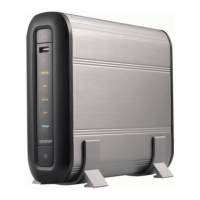
Provides an overview of the TS-109 Turbo Station and its key features.
Lists all items included in the TS-109 package.
Details the physical ports and buttons of the TS-109.
Step-by-step guide on installing a hard disk drive into the TS-109.
Lists compatible HDD models verified by QNAP for the TS-109.
Instructions for connecting the TS-109 to the network environment.
Explains the meaning of LED indicators for system status.
Configuration steps for Windows users using the product CD.
Configuration steps for Mac users using the product CD.
How to access and use the Public folder for file sharing.
Instructions on managing the TS-109 via a web browser.
Overview of services like Multimedia, Download, and Web Server.
Step-by-step guide for initial TS-109 setup and configuration.
Configuration of server name, date, time, and system information.
Configuring network-related settings for the TS-109.
Configuring attached storage devices like SATA, USB, and eSATA.
Managing user accounts, groups, and access permissions.
Creating, configuring, and managing network shares.
Tools for system maintenance, monitoring, and updates.
Viewing system event logs for warnings, errors, and information.
Guide to managing and sharing multimedia content via web interface.
Setting up the TS-109 to share music files via iTunes.
Instructions for using UPnP Media Server for DLNA streaming.
Managing download tasks using the QGet software.
Instructions for accessing and managing files via the web interface.
Overview of NetBak Replicator's backup, restore, and logging features.
Steps to install the NetBak Replicator software.
Guide to performing backups using NetBak Replicator.
Procedures for rebooting or powering off the TS-109.
How to reset the TS-109 to default settings using the reset button.
Steps to take when encountering disk issues.
Actions to take after power interruptions or improper shutdowns.

 To Next Page
 General