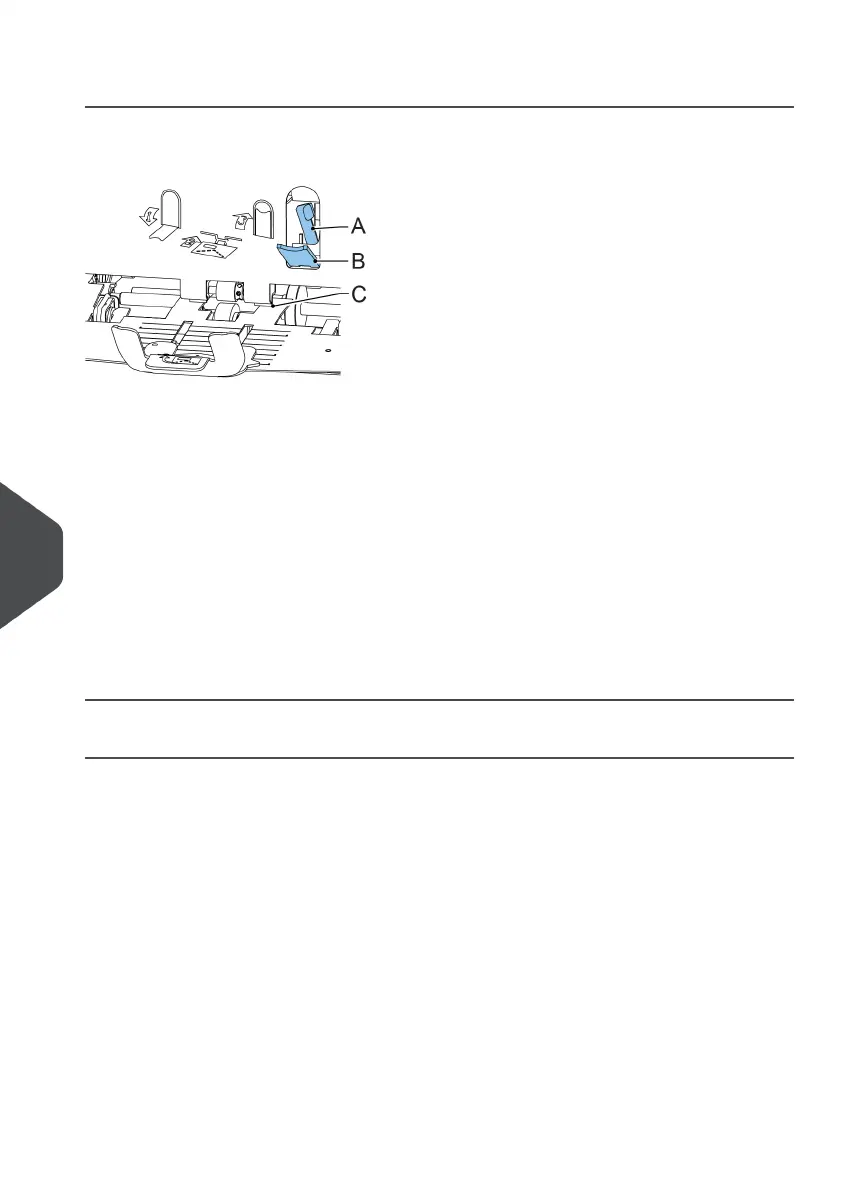
Envelope Hopper
When an envelope gets stuck in the envelope hopper, remove the envelope as follows:
Pull down small lever B.
Pins C will come down.
1.
2. Push lever A to the right and hold it.
Pins C will go up.
3. Remove the stuck envelope.
4. Release lever A.
5. Make sure the separation setting is still correct (see Loading Envelopes).
6. Return lever B.
7. Tap [x] to reset the error and restart the job.
Exit, Sealing and Inserting Area
When a stoppage occurs in the exit, sealing and inserting area, remove the material as
follows:
Lift the unlocking lever A of the upper unit and pull up the upper unit.1.
128
| Page 128 | Nov-25-2020 04:16 | Fault Finding
10
English



 To Next Page