Create a test mail set
Create a Test Mail Set
Before starting an existing job or a new, manual created job, it is possible to create a test
mail set.
This test run is intended to validate the settings of the Inserting System:
• Check if the address is correctly positioned behind the envelope window.
See Adjusting the Address position.
• Inspect and adjust the stop position of the envelope. See Adjusting the Envelope
Insert fingers.
• Check the fold settings for one set. See Fold settings.
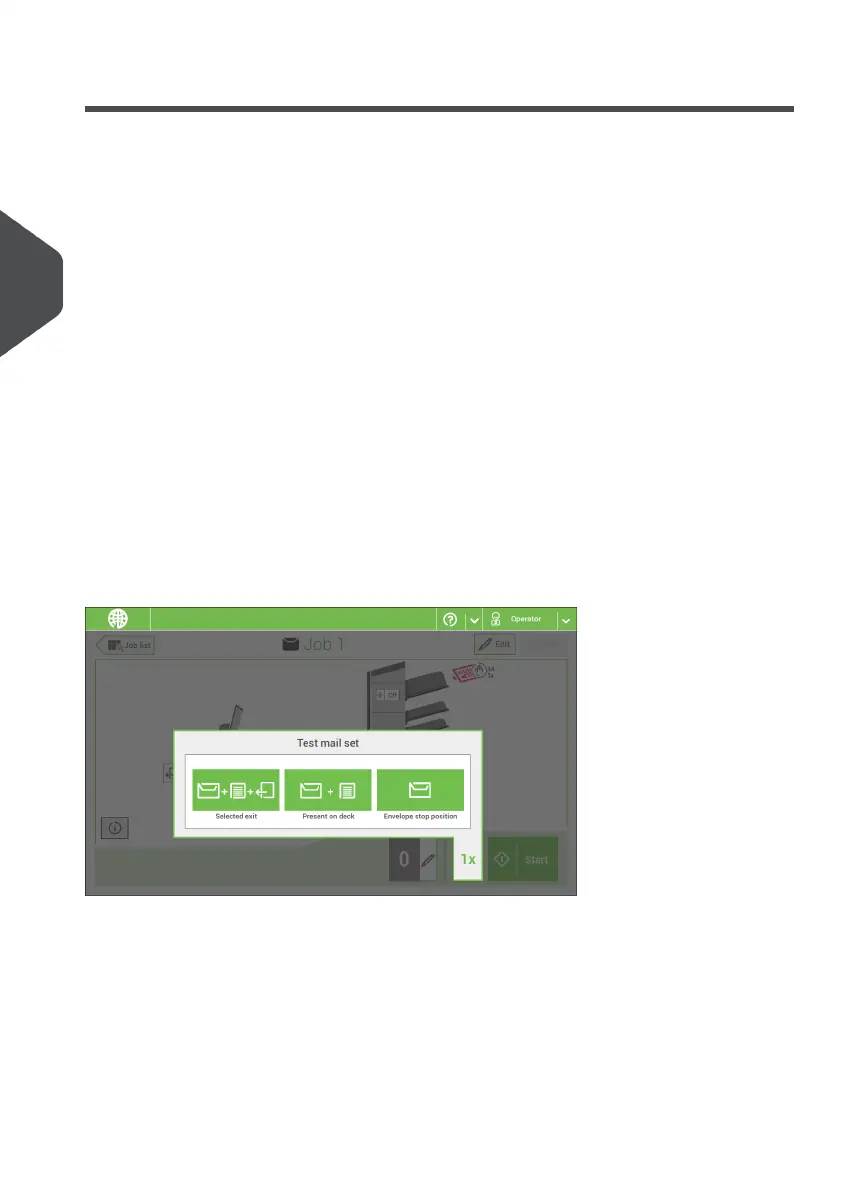
When you tap the [1x] button, you can choose between test mail sets:
• Selected exit: creates one mail set that leaves the system at the defined exit. Use
this option to test the complete process.
• Envelope stop position: separates one envelope and transports the envelope to the
envelope stop position. Use this option to verify and adjust the envelope stop position.
After a test mail set, the system asks if the mail set is ok or not ok. When you select not
ok, you are guided through a wizard that helps you to find the cause.
38
| Page 38 | Nov-25-2020 04:16 | Working with Jobs
4
English



 To Next Page