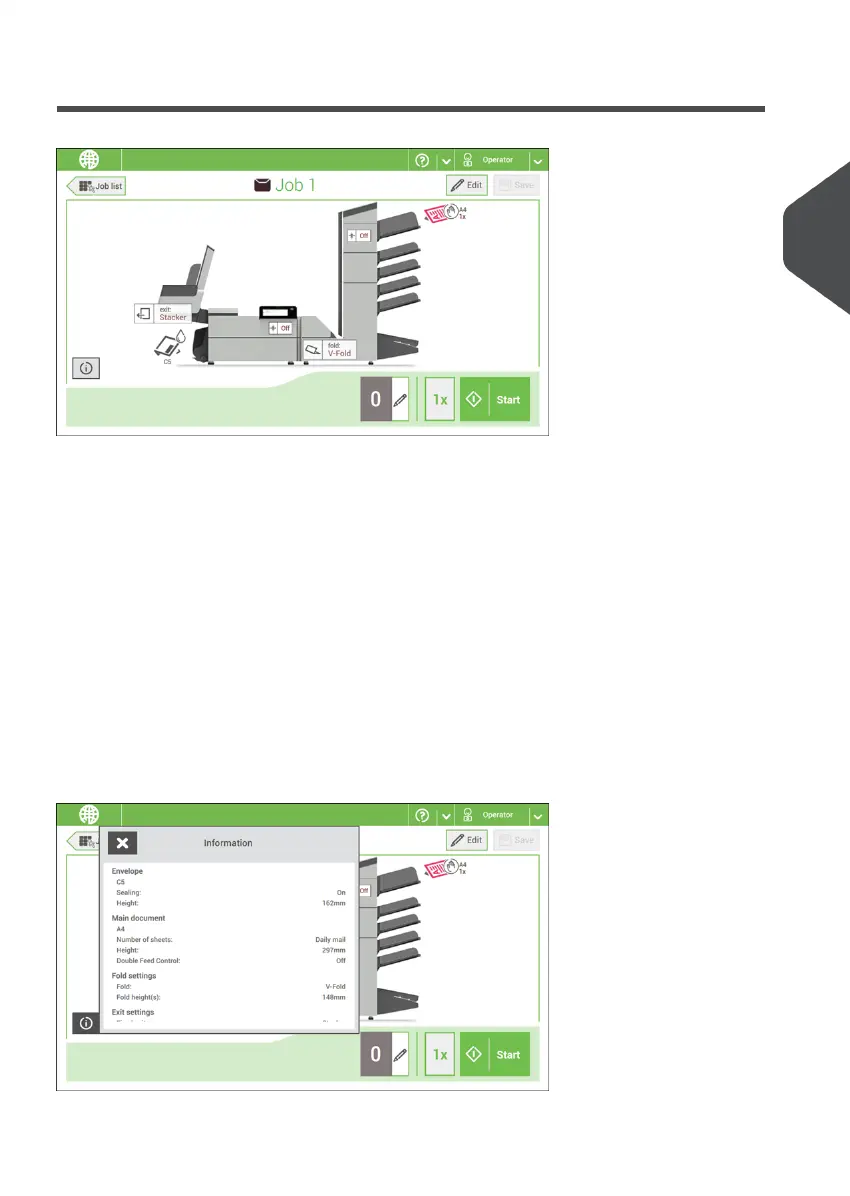
Job Overview
If you want more information on a job, select the job in the Job List menu.
The touch screen shows the following information of the selected job:
• Job name
• Job settings (for example the document and envelope type)
• How to load envelopes and documents for this job
• The number of envelopes that have been processed with this job
In this screen you can change the following settings:
• Counter settings (see Change the counter settings)
• Job settings (see Editing a job)
• Move documents between feeders (see Change to an other feeder tray)
• Link feeders (see Link feeder trays)
• Start the job or run a test run (see Performing a test run)
If you tap the [i] button a summary of all information of the job is listed.
3
English
15
| Page 15 | Nov-25-2020 04:16 | Meet your Document System



 To Next Page