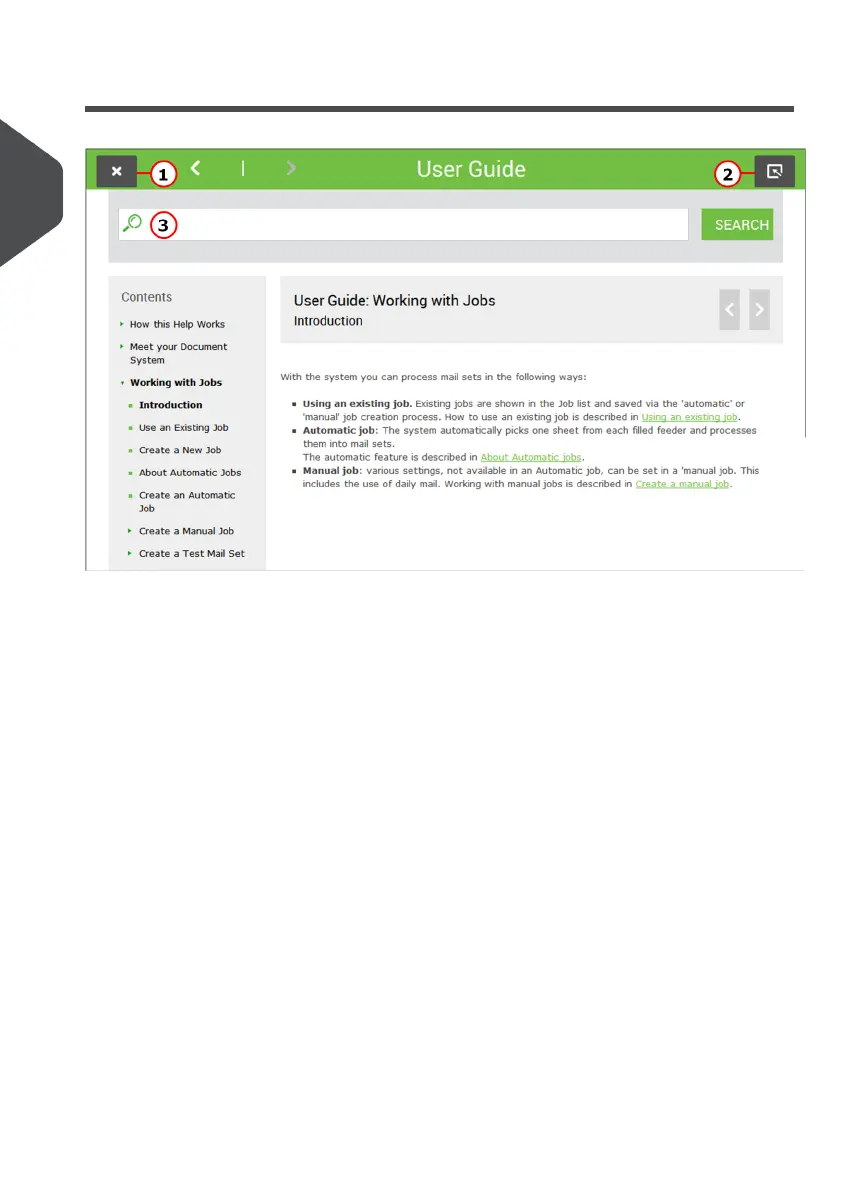
User Guide
You can use this guide as follows:
1. Use the contents overview to browse the contents. When you are finished you can
close the User Guide with the Close button.
2. To keep the topic from the User Guide active, you can use the Minimize button. When
you click the active Help button, the User Guide is restored.
3. To search for topics; enter a keyword in the Searchbar and press the Search button.
To navigate through the User Guide:
• Tap to select.
• Swipe up/down to scroll.
• Double tap to zoom.
• Pinch in/out to zoom in/out.
See also How to operate the touchscreen.
4
| Page 4 | Nov-25-2020 04:16 | How this Help Works
2
English



 To Next Page