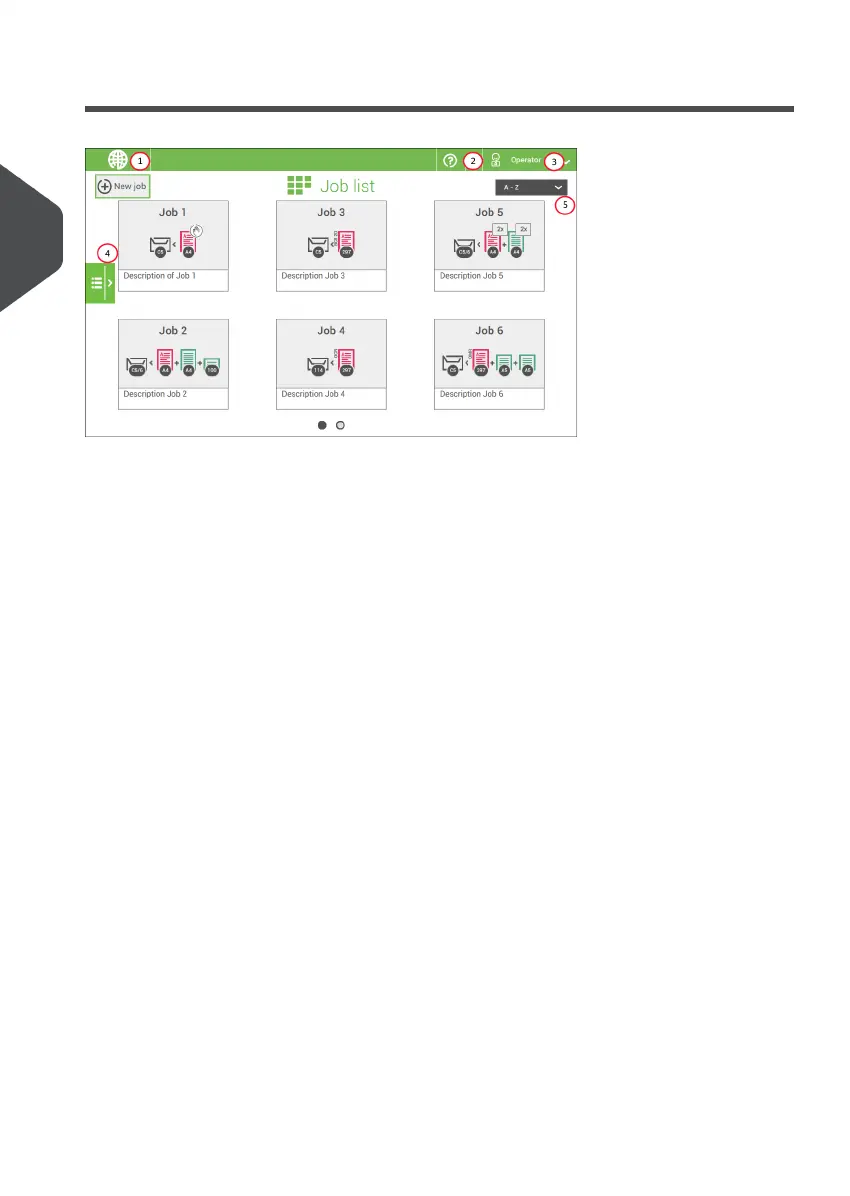
Job List
When you start up the system, the ‘Job list’ menu appears.
1. Open a web browser on page 12
2. Help menu on page 3
3. Login, see Introduction on page 6
4. Side menu
5. Job list sorting
The side menu contains the settings menu (see Settings menu operator). When you are
logged in as supervisor, the settings menu is extended with advanced settings (see Settings
menu supervisor on page 74).
If you want more information on a job, select the job. With the [Job list] button you get
back to the home menu.
See also: Working with Jobs on page 24.
14
| Page 14 | Nov-25-2020 04:16 | Meet your Document System
3
English



 To Next Page