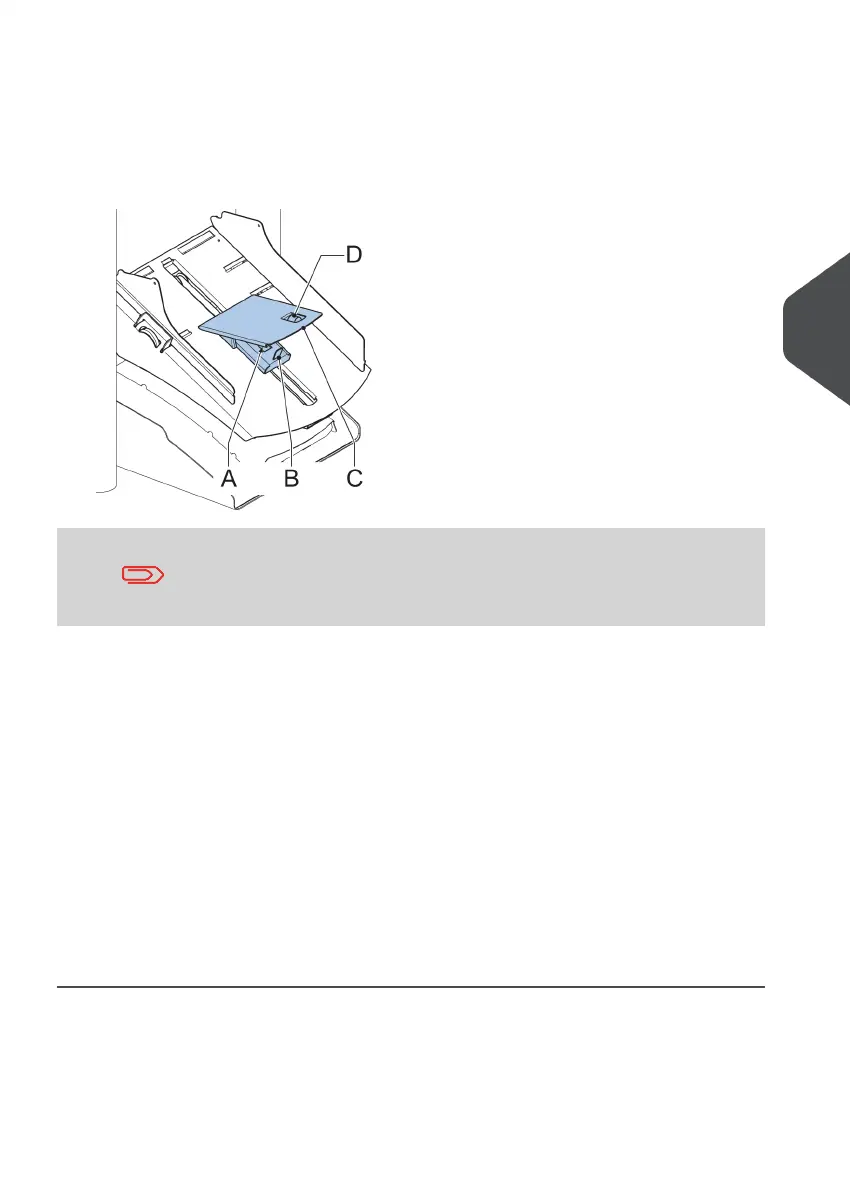
When the maxiFeeder is used at an automatic separation feeder, the separation is set
automatically.
The maxiFeeder can also be used on a feeder position with a manually adjusted separation.
To adjust, proceed as follows:
Remove the document feeder trays 2 and 3.1.
The lowest feeder is feeder 1.
2. Squeeze the two blue handles A and B and shift the feeding plate C as far as possible
to the front.
3. Push knob D forward until it clicks.
4. Place a document/BRE on the feeder tray and slide it in the system till the leading
edge is not visible anymore. Turn knob D counterclockwise if the separation is set to
narrow.
5. Push the document/BRE between the rollers.
6. Turn knob D clockwise to get more resistance and counterclockwise if the separation
is set to narrow.
The separation is adjusted correctly when a slight resistance is felt on the
document/BRE.
7. Pull knob D back when ready.
8. Replace the document feeder trays 2 and 3.
5
English
61
| Page 61 | Nov-25-2020 04:16 | Loading the System



 To Next Page