980 User Guide Rev. B29
Page 101 August 5, 2011
5.3.12 User: Audio Clock Regeneration (ACR) Panel
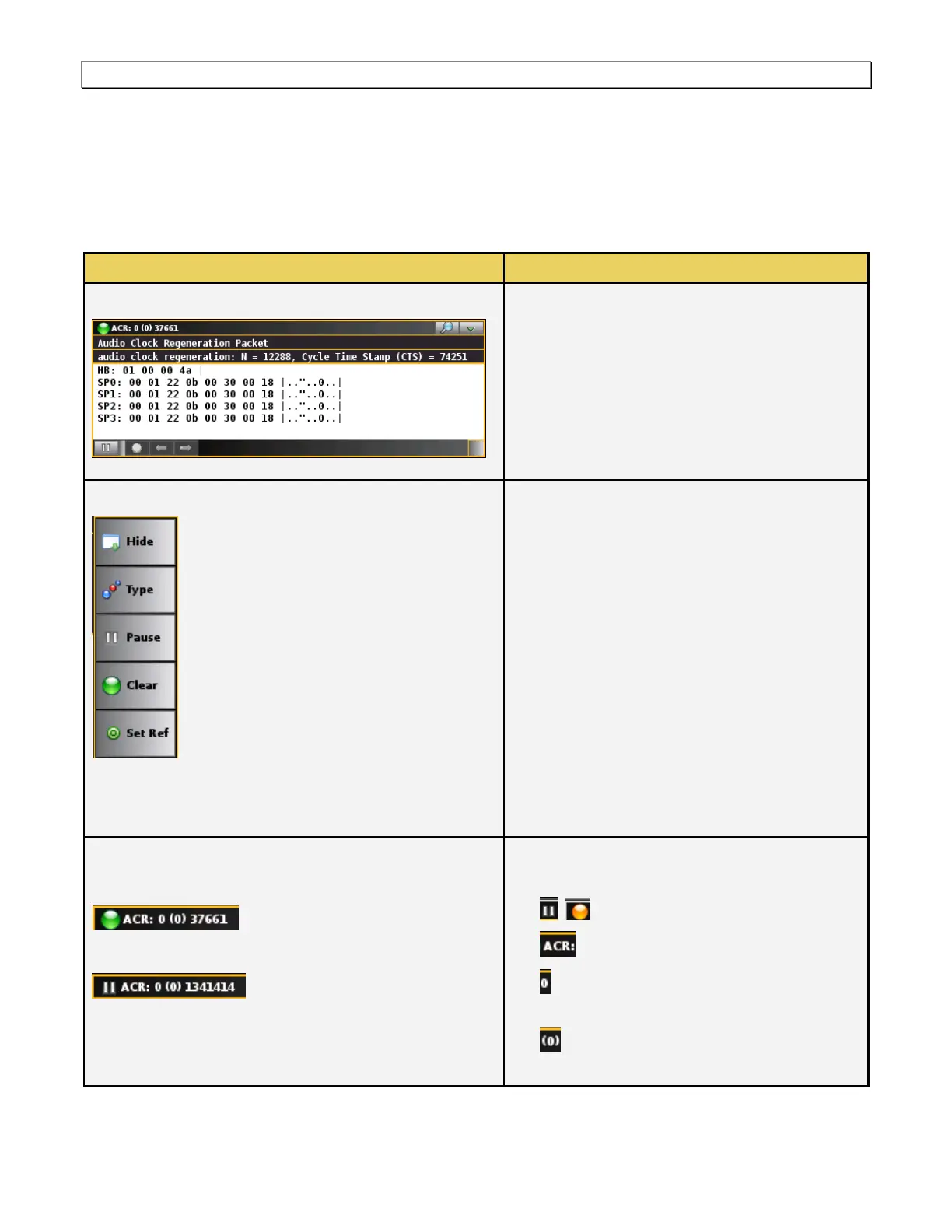
The User ACR (Audio Clock Regeneration) check box in the DI Type Selection opens up the ACR panel (shown
below). The ARC panel enables you to view the Audio Clock Regeneration data. There is a control pull down menu
associated with the ACR panel. The control menu can be accessed either from the panel itself (the pull down tab
on the upper right corner) or from the User: Type button on the main control panel on the right side of the Real
Time window. The table below describes the information in the ACR Info panel and the associated control menu.
Real Time – User: ACR Packet
Audio Clock Regeneration Packet
The following information is provided in the Source
Product Descriptor Infoframe data dialog box:
Vendor Name – The vendor’s name.
Product Description – The vendor supplied
description of the product.
Source information – This is the product type
of the source, sink or repeater. In this example
it is a digital STB.
There is a pulldown menu associated with the
ACR Info panel. You can access either from the
main control panel or from the ACR panel via the
icon on the upper right of the panel. The ACR
pulldown menu provides the following functions:
Show/Hide – Enable or disable the
appearance of the ACR panel in the Real
Time window.
Type – You can select/change which type of
User data you want to display.
Pause – Halt the updates of the data to the
ACR panel.
Clear – Clear the currently displayed reference
frame.
Set Ref – Set a new reference frame.
Upper Status Bar
Resume (active) mode
Pause mode
Resume (active) mode
The upper status bar shows the following
information from left to right:
The pause/resume (active) status.
The type of data panel (e.g. ACR).
The number of changes defined since you
set the reference frame.
The number of distinct data views in
parentheses.



 To Next Page