980 User Guide Rev. B29
Page 158 August 5, 2011
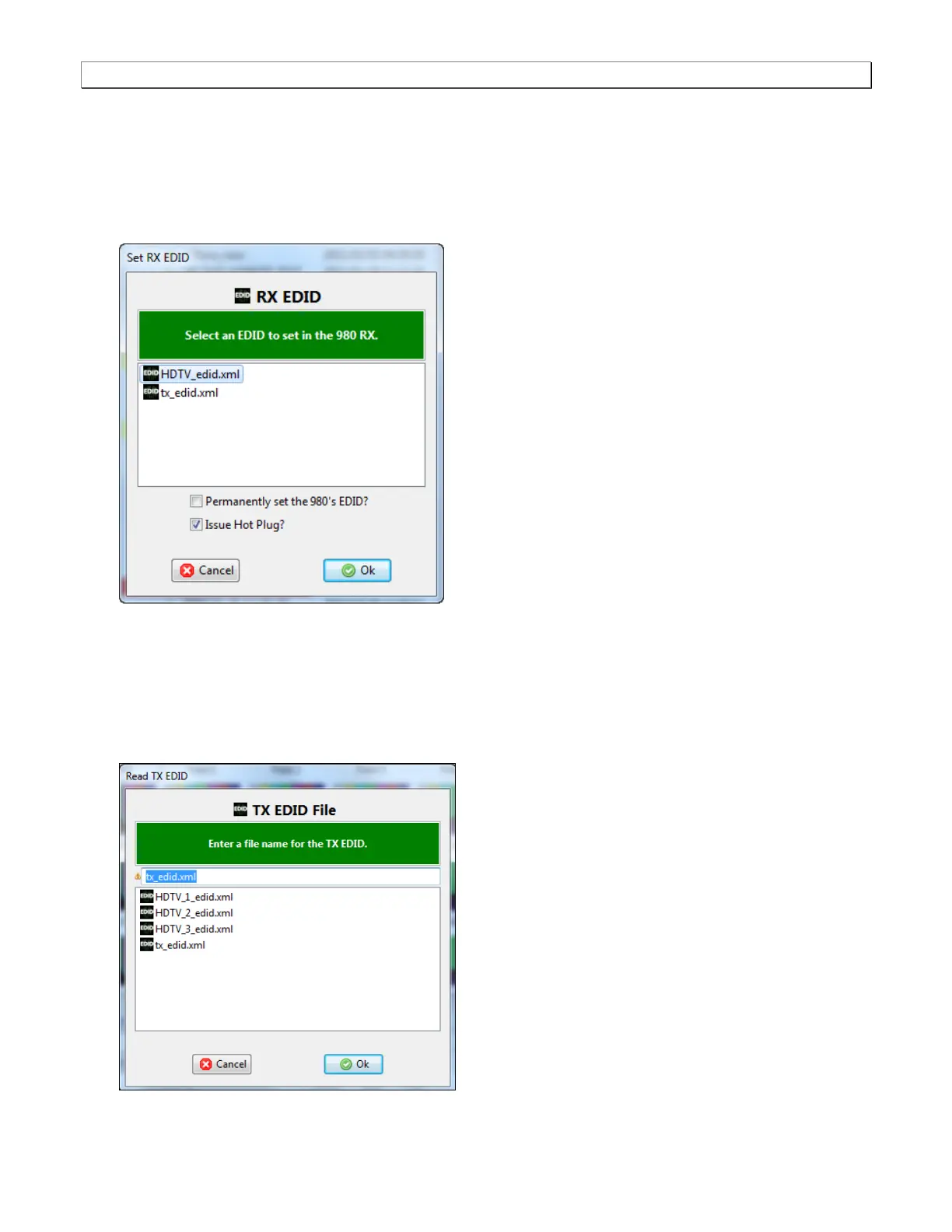
The dialog box shown below opens up enabling you to select an EDID to assign to the 980’s Rx port. Note that
there are two checkbox options on the dialog box. The following is a description of each:
Permanently set the 980’s EDID – This means that the EDID that you provision will persist through a
reboot of the 980. Otherwise the default 980 EDID will be reprovisioned when a reboot occurs.
Issue Hot Plug – This means that the 980 will issue a hot plug when you click the OK activation button on
this dialog box.
You can use the EDID of an HDTV that you have on hand. In cases where you are using the Pass-Through
mode or the Encrypted Link Analyzer mode you can use the EDID of the downstream HDTV.
If you wish to use the EDID of the downstream HDTV or a different EDID from some other HDTV that you
have available you can quickly provision the 980 with that EDID by connecting the HDTV to the 980’s Tx port
and then initiating a Read 980 Tx EDID from the EDID pull-down menu. When you initiate a read of the EDID
on the Tx port, the following dialog box will appear:



 To Next Page