980 User Guide Rev. B29
Page 159 August 5, 2011
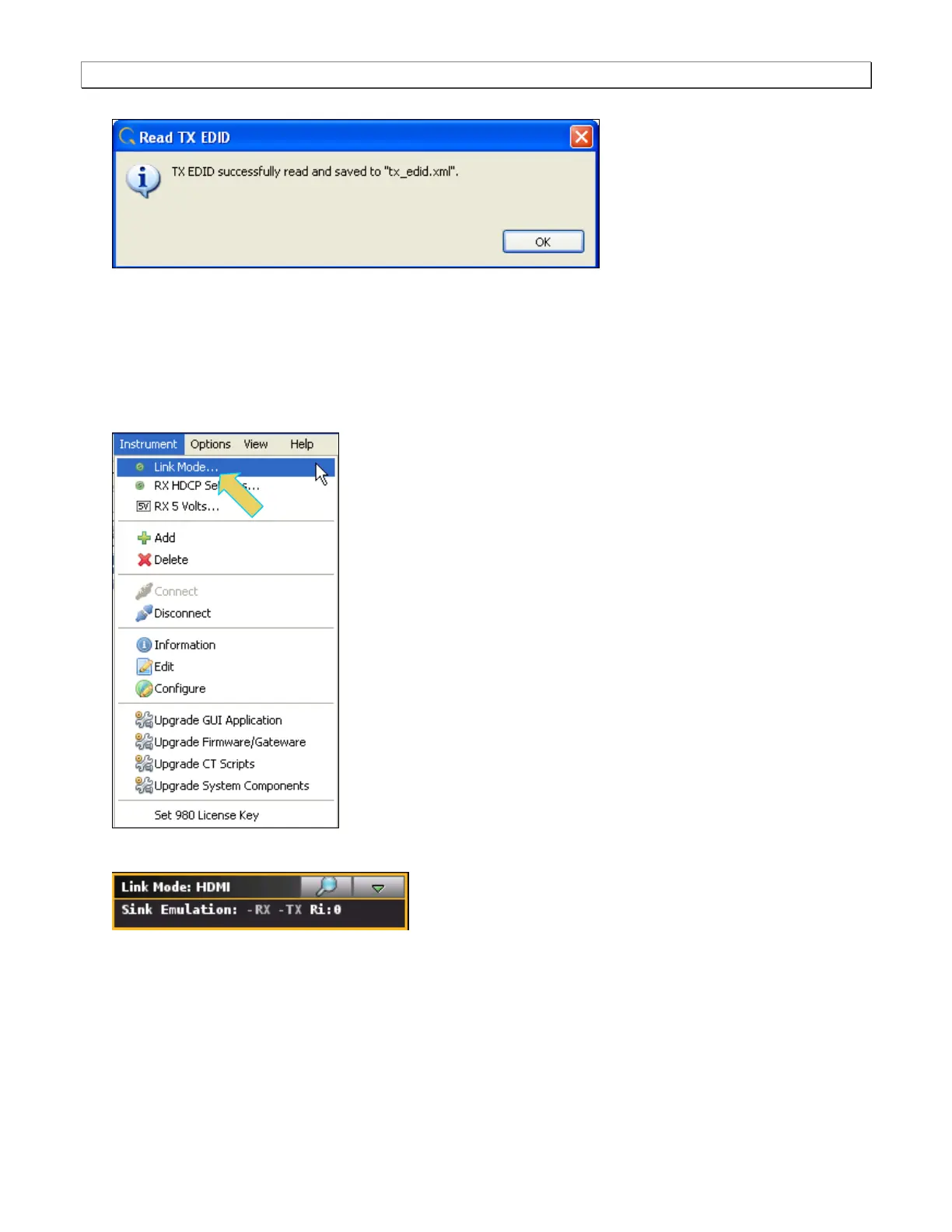
When you click Ok a dialog box appears.
6.15.2 Setting the Configuration Link Mode
Prior to a capturing or viewing video you will need to set the Link Mode to Encrypted Link Analyzer. When using
the Encrypted Link Analyzer configuration you will connect an HDMI display device to the HDMI Tx port.
1. Ensure that you are sending video from your source device under test.
2. Select the Link Mode item from the Instrument pull-down menu on the built-in front panel as shown below.
The mode dialog box appears as shown below.
3. Use the pull-down menu on the Link Mode dialog box to set the Encrypted Link Analyzer mode.



 To Next Page