980 User Guide Rev. B29
Page 32 August 5, 2011
3.1.2 Top level menus
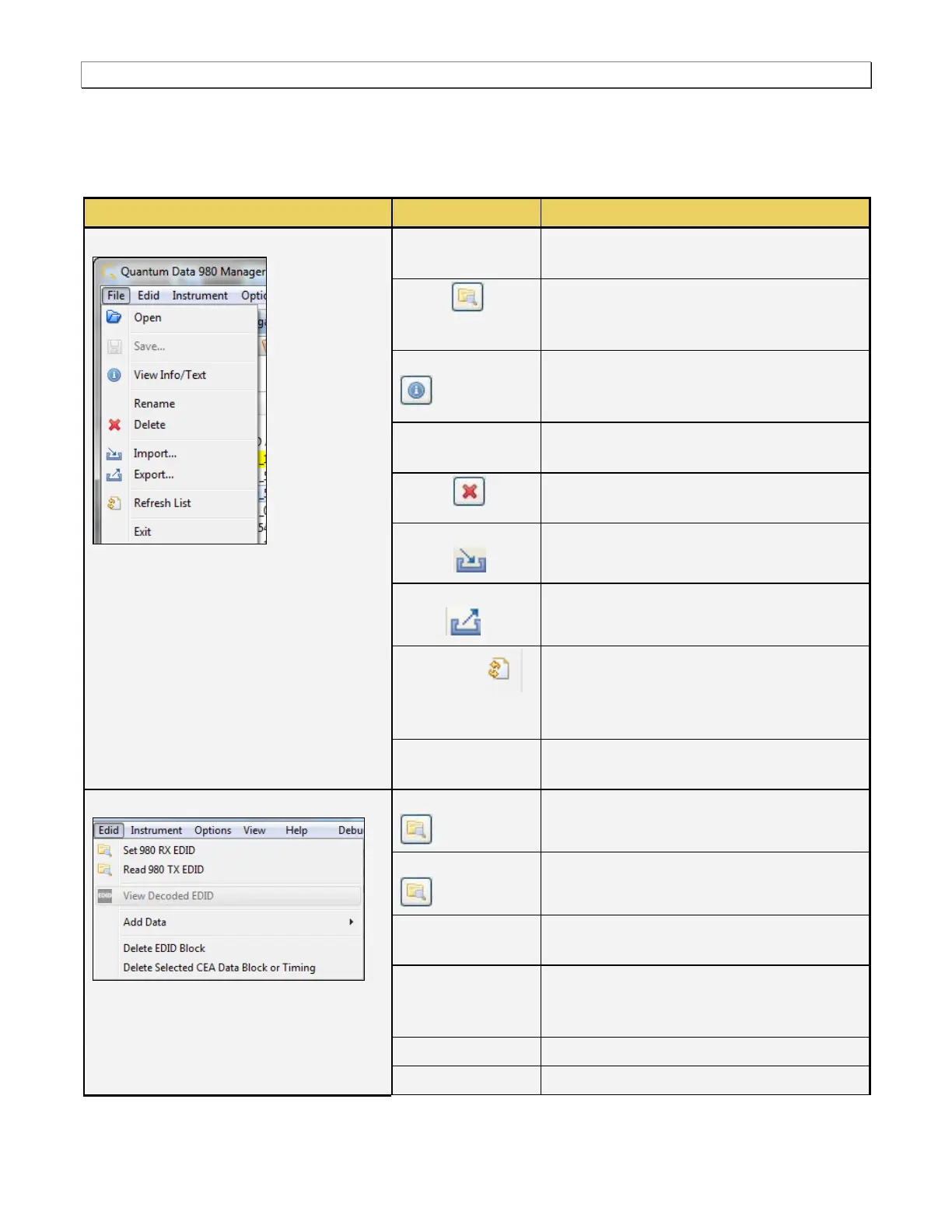
There are a series of top level menus on the 980 GUI Manager graphical interface. These are described in the
following image and table:
Opens a capture in the GUI. You must select
a capture for this option to be available.
Saves the EDID that you have created or
modified using the EDID Management Editor
to the host PC.
Enables you to view the information related to
a capture or EDID in the Navigator/Data
view.
Enables you to rename a capture or EDID
file.
Enables you to delete a capture or EDID file
from the 980 Manager application.
Enables you to import a capture file that
resides on the 980 Manager host.
Enables you to export a capture file that
resides on the 980 Manager host PC.
Enables you to refreshes the list of captures
to remove captures that you have marked for
deletion. Also resets the list to the default
unexploded view.
Enables you to exit out of the 980 Manager
application.
EDID
Note: This menu is context sensitive. Its
contents depend on whether the EDID
Editor Panel is open and being used.
Configures the 980 Rx port with the specified
EDID.
Loads an EDID from the HDMI sink device
connected to the 980 Tx port.
Enables you to view the human readable text
of the selected EDID
Enables you to add an EDID data element
such as a CEA extension block or a Video or
Data block to the CEA extension block.
Deletes a selected EDID block.
Deletes a selected CEA data block.



 To Next Page