980 User Guide Rev. B29
Page 33 August 5, 2011
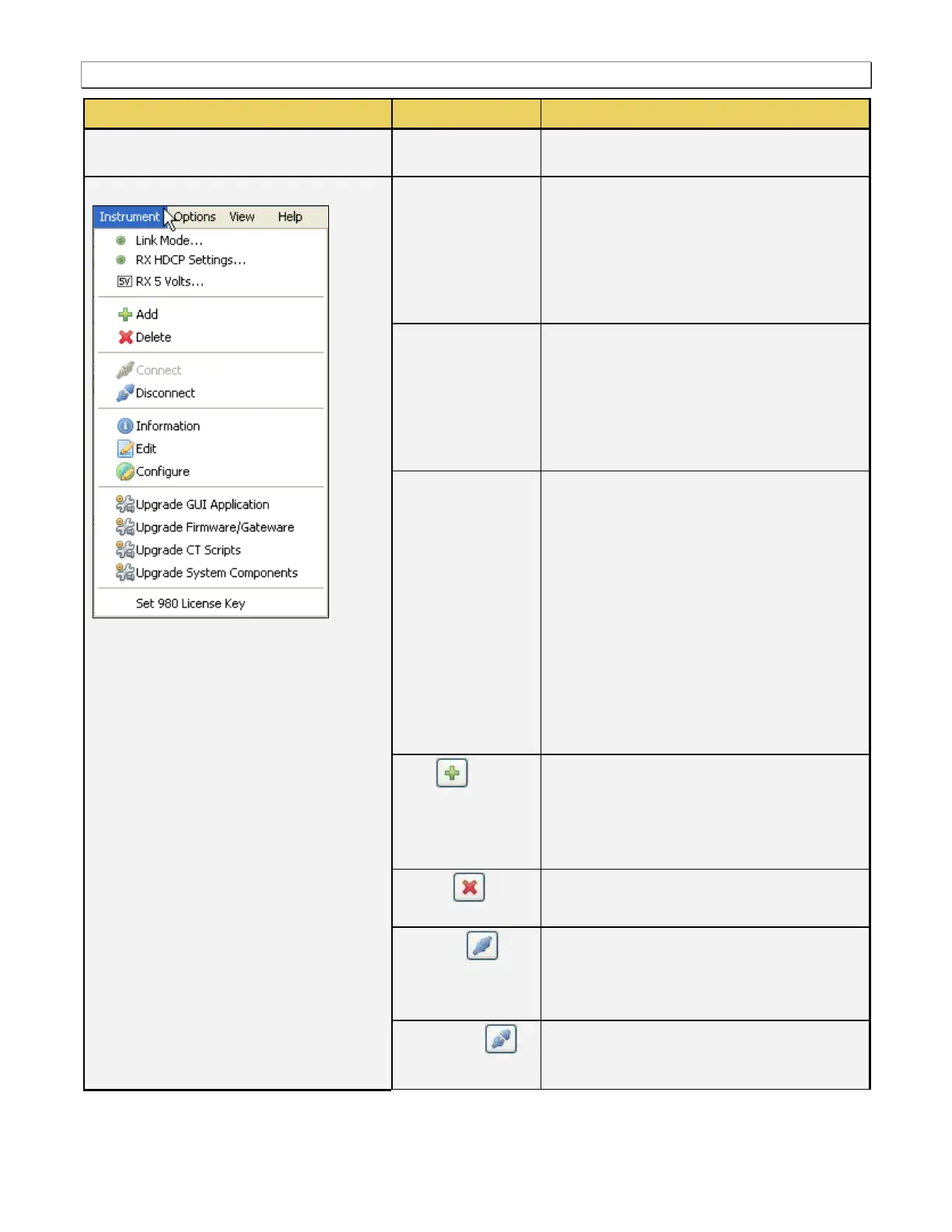
Clicking on this item will open up the Mode
dialog box enabling set the Link Mode
configuration:
Sink Emulation
Pass-Through
Encrypted Link Analyzer.
Clicking on this item will open up the Mode
dialog box enabling set the Rx HDCP Mode
configuration:
HDCP Enabled
BSTATUS (HDMI or DVI)
BCAPS.
Brings up a dialog box that enables you to
define various parameters related to the 5V
source.
Shows the current measured voltage
level of the source +5V supply.
Allows you to set the voltage threshold of
the source +5V supply. Reducing the
threshold will enable you to test sources
whose 5V level is too low.
Allows you to set the current load that the
980 applies to the source +5V supply.
Increasing the current load will reduce
the 5V level from the source.
Clicking on this item will open up the Add
Instrument dialog box which enables you to
define a 980. Note that you can have multiple
980s defined in the 980 Manager. This action
is required before connecting to a 980.
Enables you do delete the selected 980
instrument.
Clicking on this item will initiate a connection
to the 980 that is selected in the list. This item
will not be highlighted if you have not
selected a 980.
Clicking on this item will initiate a
disconnection from the 980 that is selected in
the list that you are currently connected to.



 To Next Page