980 User Guide Rev. B29
Page 39 August 5, 2011
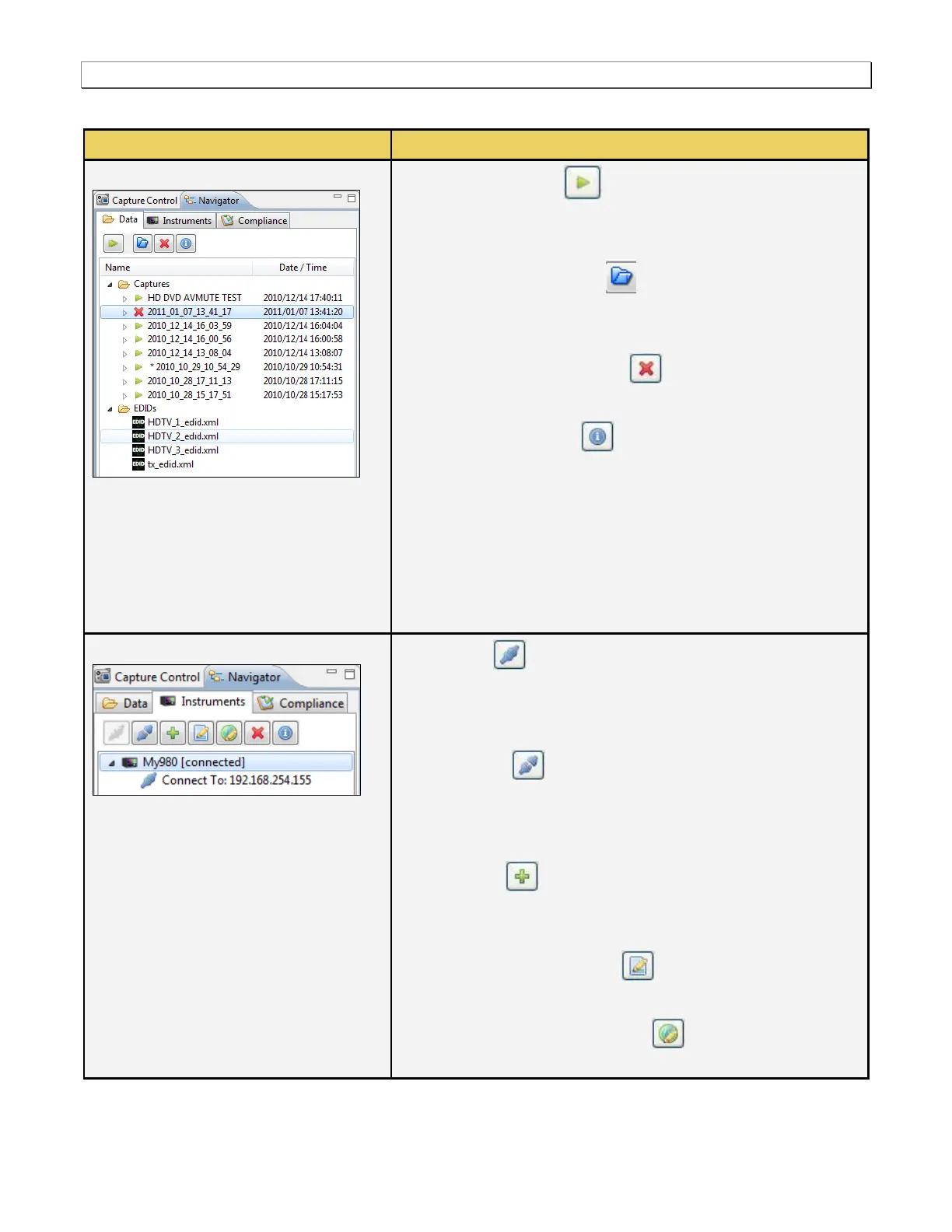
The following table describes the functions available through the Navigator panel.
Execute a Capture - Initiates a capture on the selected
980 device. This requires that your source device is connected
to the 980 and that it is sending video.
Open [the Selected item] - Loads the selected capture or
EDID into the 980 Manager for viewing and analysis. A capture
that is currently loaded has an asterisk next to it.
Delete the Selected Capture - Deletes a capture that you
have selected.
[Capture] Information - Provides information about the
selected capture (if a capture is selected) and the 980 used to
capture the data:
o Creation date and time of the capture
o Status of the capture, i.e. was it successful or were there
errors
o Configuration of the triggering and pre-capture filtering
o All information shown above for the Instrument Information
Icons – Navigator / Instruments
Connect – Enables you to connect to the selected 980, if
you have not already established a connection to it. This item
will not be available if you have already connected to the
selected device.
Disconnect – Enables you to disconnect from the
selected 980, if you have already established a connection to
it. This item will not be available if you are not already
connected to the selected device.
Add a 980 - Enables you to add or define a 980
instrument in the 980 Manager application. This is required
before connecting to a 980.
Edit Instrument Information - Enables you to edit name
and IP address of the 980 that you have selected.
Instrument Network Information - Allows you to view and
set the network information such as the 980 IP address, subnet



 To Next Page